⚡ This product was generated with Kupkaike in under 4 minutes
Create Your Own Product →The 90-Day Launch Blueprint: A Day-by-Day System for First-Time Digital Product Launches
Digital Marketing / Product Launch Strategy
Save 20+ hours per week. Replace $4,800/month in consulting fees.
The 90-Day Launch Blueprint: A Day-by-Day System for First-Time Digital Product Launches is a 15k+-word digital Digital Marketing / Product Launch Strategy with 17 chapters, a cover image, sales copy, Pinterest pins, and a launch kit, all generated by Kupkaike's AI in under 10 minutes. Suggested retail price: $47.
A complete 90-day launch engineering system that gives solo digital product creators the exact daily actions, copy templates, and audience-adjusted strategies to build a 200+ person waitlist and hit $5K, $25K on their first structured launch. Built for creators who have a great product but no repeatable process to turn it into revenue.
- ✓90 days of specific daily tasks, no vague phases, no guesswork about what to do next
- ✓Separate strategy tracks for micro-audiences (<1,000) and growing audiences (1,000-5,000) so the advice actually fits your situation
- ✓Offer engineering framework that builds an irresistible product stack, reducing buyer hesitation before you ever open cart
- ✓Pre-launch content system designed to create genuine buying urgency without manufactured hype or discount dependency
- ✓Launch Revenue Forecasting Calculator, project your realistic, conservative, and optimistic earnings before you commit to a launch date
Everything Below Was AI-Generated
No editing, no design skills, no copywriting. Just a niche idea and Kupkaike did the rest.
What This Product Replaces
17 Chapters of Content
Generated by Claude Opus 4.6. Real content, unedited.
01The 90-Day Launch Blueprint: A Day-by-Day System for First-Time Digital Product Launches
02The Problem Isn't Your Product - It's the Absence of a System
You built something genuinely useful. You spent weeks (maybe months) refining it, testing it, making it better. Then launch day came, and the silence was deafening. Or maybe you got a handful of sales - enough to sting, not enough to matter. The painful part isn't the failure itself; it's not knowing why it failed or what to do differently next time. You've consumed the blog posts, watched the webinars, and gotten fourteen different answers from fourteen different gurus. The result: analysis paralysis, a growing fear that your product just isn't good enough, and another launch quietly shelved.
Like what you see?
03What This Blueprint Does Differently
Most launch guides hand you vague phases - "build anticipation," "nurture your list," "create urgency" - and leave you to figure out the actual work. This system operates at the task level. Every one of the 90 days has a defined action, a reason it happens in that sequence, and copy templates you can adapt rather than write from scratch. It also accounts for where you actually are: separate strategy tracks for micro-audiences (under 1,000 followers) and growing audiences (1,000-5,000) mean you're not following advice calibrated for someone with ten times your reach. And critically, it addresses the launch mistake almost no one talks about - the post-launch revenue cliff - with a built-in 30-day monetization runway that turns a single launch event into a sustained income stream.
04What's Inside and What You'll Walk Away With
The blueprint covers eight structured phases: diagnosing why most launches fail before you repeat their mistakes, a 15-day validation sprint to confirm real demand, offer engineering to build a product stack that reduces purchase friction, a pre-launch content engine that creates genuine buying urgency, full technical and operational launch infrastructure, a 7-day launch week execution plan, and a post-launch monetization runway. You also get three practical bonuses: a revenue forecasting calculator with conservative, realistic, and optimistic scenarios; 127 categorized launch email subject lines with A/B pairs; and a launch-day emergency playbook covering the 11 most common crises with step-by-step resolution protocols. By the end, you'll have executed a launch you can document, repeat, and scale - not a one-time scramble you hope to survive.
---
Like what you see?
05Table of Contents
---
06Chapter 1: The Launch Anatomy - Why 93% of Digital Product Launches Underperform (And the Architecture That Fixes It)
You built something real. You know it solves a problem. And yet, when you hit publish, the silence was deafening - a handful of sales, a lot of refreshing your dashboard, and a creeping suspicion that maybe the product wasn't good enough. It was. The launch architecture was.
Most digital product launches fail before they start - not because the product is weak, but because the creator skipped the structural work that turns a good product into a revenue event. This chapter gives you the diagnostic tools to see exactly where your launch is broken and the blueprint to fix it before you waste another 90 days.
---
The Launch Architecture Blueprint™
The Launch Architecture Blueprint™ is a five-phase diagnostic and planning system that maps your specific audience size, product type, and revenue target to a calibrated 90-day execution sequence. It replaces the "post and pray" approach with a structural framework built on three principles: sequencing over speed, warmth over reach, and specificity over volume.
Phase 1: Archetype Identification (Days 1-3)
Before you build a single asset, you need to know which of the five launch archetypes fits your situation. Launching the wrong way for your audience size is the single most common reason creators with good products generate weak revenue.
Phase 2: The 7 Silent Launch Killers Diagnostic (Days 3-5)
These are the structural failures that kill launches invisibly. Run through each one honestly.
Phase 3: Audience-Size Calibration (Days 5-7)
Your audience size determines your launch track. Here's how to calibrate:
Phase 4: Revenue Reverse-Engineering (Days 7-10)
Work backward from your target. If your goal is $10,000 and your product is priced at $197:
This math tells you exactly how aggressive your pre-launch content and lead generation needs to be.
Phase 5: 90-Day Timeline Mapping (Days 10-14)
The 90-day window breaks into three phases:
---
Real-World Example
Scenario: Maya is a UX designer who built a $197 Notion template system for freelance client onboarding. She has 1,200 Instagram followers and 340 email subscribers. She's never launched anything before and made $400 in scattered sales by posting once to her feed.
Running the Blueprint, Maya identifies as a Seed Launch archetype - her email list is too small for a Surge, but her Instagram audience gives her raw material to build from. Her 7 Silent Killers audit reveals two critical failures: she has no lead magnet (so she's not converting followers to subscribers) and her price point ($197) is anchored to what she "thought felt right" rather than the transformation (saving freelancers 3+ hours per client onboarding).
Maya's calibrated plan:
Result projection: 420 contacts × 8% conversion = 33-34 sales × $197 = ~$6,600 - her first structured launch, from an audience most creators would dismiss as "too small."
---
Worksheet: Launch Readiness Scorecard
Instructions: Answer each question honestly. Assign points as indicated. Total your score and find your prescription below.
---
Section 1: Product-Market Fit (25 points possible)
| # | Question | Points Available | Your Score |
|---|----------|-----------------|------------|
| 1 | Can you state your product's core transformation in one sentence? | 0-5 | ___ |
| 2 | Have you validated this transformation with at least 3 real conversations with your target buyer? | 0-5 | ___ |
| 3 | Does your product solve a problem people are actively searching for or complaining about publicly? | 0-5 | ___ |
| 4 | Is your price point anchored to a specific, measurable outcome (time saved, money made, pain eliminated)? | 0-5 | ___ |
| 5 | Do you have at least one piece of external validation (beta user, testimonial, case study, or pre-sale)? | 0-5 | ___ |
Section 1 Total: ___ / 25
---
Section 2: Audience Warmth (25 points possible)
| # | Question | Points Available | Your Score |
|---|----------|-----------------|------------|
| 6 | Have you been consistently publishing content for this audience for 30+ days? | 0-5 | ___ |
| 7 | Do you have an email list with at least 200 subscribers who opted in specifically for your topic? | 0-5 | ___ |
| 8 | Have you directly interacted (DMs, replies, calls) with 10+ potential buyers in the last 30 days? | 0-5 | ___ |
| 9 | Do you have a lead magnet that is actively converting followers to subscribers right now? | 0-5 | ___ |
| 10 | Is your email open rate above 25%? (If no list yet, score 0) | 0-5 | ___ |
Section 2 Total: ___ / 25
---
Section 3: Asset Inventory (25 points possible)
| # | Question | Points Available | Your Score |
|---|----------|-----------------|------------|
| 11 | Do you have a dedicated sales/waitlist page live right now? | 0-5 | ___ |
| 12 | Do you have a written launch email sequence (minimum 5 emails) drafted? | 0-5 | ___ |
| 13 | Do you have at least 3 pieces of pre-launch content (posts, videos
Like what you see?
07Chapter 2: Days 1-15: The Validation Sprint - Confirming Demand Before You Commit
You've already mapped your launch architecture. Now comes the part most creators skip entirely - and it's exactly why they end up launching to silence. Validation isn't about doubting your product. It's about getting the market to confirm what you already suspect, in writing, before you spend 75 more days building toward a number that was never realistic.
---
The Demand Signal Method™
The Demand Signal Method™ is a 15-day, three-channel validation system that extracts real purchase intent from your existing audience without announcing your product, discounting your positioning, or burning your launch energy early. It runs across three parallel tracks: public content signals, private conversation data, and landing page conversion metrics. Together, these generate a Demand Confidence Score - a single number that tells you whether to accelerate, reposition, or kill the current angle before Day 16.
Here's the full sequence:
Step 1: Run the 3-Post Validation Sequence (Days 1-5)
These are not teaser posts. They are diagnostic posts - content that surfaces pain, desire, and buying behavior without mentioning your product at all. Each post targets a different layer of demand:
Step 2: Run the Whisper Campaign (Days 3-10)
While your posts are running, you're simultaneously DMing 30 ideal buyers. These are not cold outreach messages. These are warm, specific, one-to-one conversations with people who have already engaged with your content, asked you questions, or fit your buyer profile precisely.
Your goal is not to sell. Your goal is to extract three data points from each conversation: (1) Do they recognize the problem? (2) Have they tried to solve it before? (3) What would a solution be worth to them?
Use this 5-part DM structure:
Log every response. The pattern in 30 conversations will tell you more than 3,000 impressions ever will.
Step 3: Launch Your Waitlist Landing Page (Days 5-15)
Your landing page goes live on Day 5 - not Day 15. You need 10 days of traffic data, not 10 days of perfecting copy. The page has exactly six elements:
Target: 50 confirmed waitlist signups with the checkbox ticked. That's your minimum viable signal.
Step 4: Run Van Westendorp Price Sensitivity Testing (Days 8-12)
Send a 4-question survey to everyone who signs up for your waitlist within the first week. The Van Westendorp model asks four price-point questions:
Plot the responses. The overlap between "bargain" and "expensive but worth it" is your Acceptable Price Range. The overlap between "too cheap" and "too expensive" is your Optimal Price Point. For digital products in the $97-$497 range, this exercise consistently surfaces a price ceiling creators underestimate by 20-40%.
Step 5: Apply the Kill Criteria (Day 15)
Before you move into the next phase, you need four green lights. If any of these are red, you reposition - not abandon - your product:
One red light means adjust. Three or more red lights means the positioning needs a full reframe before Day 16.
---
Real-World Example
Scenario: Priya is a UX designer who built a $197 Figma component library for early-stage SaaS founders. She has 1,800 Twitter/X followers and 620 email subscribers. She's never launched a product before.
On Day 1, she posts: "Most early SaaS founders spend 60+ hours recreating the same UI components from scratch for every new project. That's not a skills problem - it's a systems problem." She gets 47 likes, 12 comments, and 3 DMs asking if she sells anything. Strong signal.
On Day 3, she posts her outcome anchor - a story about a founder who cut their MVP design time in half. 8 people comment asking for details. She DMs all 8 immediately.
Simultaneously, she identifies 30 SaaS founders who've engaged with her content in the past 90 days and sends her Whisper Campaign DMs. By Day 10, she's had 22 conversations. 17 confirm the problem. 14 say they'd pay between $150-$300 for a ready-to-use solution. Two say they'd pay up to $500.
Her waitlist page goes live on Day 5. By Day 15, she has 67 signups - 54 with the "actively looking" checkbox ticked.
Her Van Westendorp data from 41 survey responses puts her Optimal Price Point at $247. She'd planned to launch at $197. She adjusts.
All four green lights are on. She moves to Phase 2 with a validated price, a warm list, and 22 people who've already told her they want to buy.
---
Worksheet: Demand Validation Tracker
Use this as a running log throughout Days 1-15. Copy this into a spreadsheet and update it daily.
---
SECTION A: 3-Post Validation Sequence Log
| Post | Date Published | Platform | Impressions | Comments | DMs Received | "IN" Responses | Signal Rating (1-5) |
|------|---------------|----------|-------------|----------|--------------|----------------|---------------------|
| Post 1 - Pain Probe | __________ | __________ | __________ | __________ | __________ | N/A | __________ |
| Post 2 - Outcome Anchor | __________ | __________ | __________ | __________ | __________ | N/A | __________ |
| Post 3 - Demand Test | __________ | __________ | __________ | __________ | __________ | __________ | __________ |
Post 3 "IN" count: __________ | Threshold: 10+ = Green Light ✅ / Under 10 = Reposition ⚠️
---
SECTION B: Whisper Campaign DM Tracker
| # | Name | Platform | Problem Confirmed? (Y/N) | Previous Solutions Tried | Price Range Mentioned | Waitlist Interest? | Notes |
|---|------|----------|--------------------------|--------------------------|----------------------|-------------------|-------|
| 1 | | | | | | | |
| 2 | | | | | | | |
| 3 | | | | | | | |
| 4 | | | | | | | |
| 5 | | | | | | | |
(Continue to row 30)
Summary totals:
---
SECTION C : Post-Conversation Debrief
After completing your 30 conversations, set aside 30 minutes to answer the following questions honestly. Do not skip this step. The patterns you notice here will shape every decision you make in the next phase.
What surprised you most about the conversations?
Write down the two or three responses that caught you off guard, whether positive or negative. Surprises are data. They tell you where your assumptions were wrong, and wrong assumptions corrected early save you months of wasted effort.
_______________________________________________
_______________________________________________
_______________________________________________
What exact words did your prospects use to describe the problem?
This is critical. Do not paraphrase. Write their actual language below. These phrases will become your marketing copy, your sales page headlines, and your email subject lines. The goal is to sound like them, not like you.
_______________________________________________
_______________________________________________
_______________________________________________
What objections came up most frequently?
List every hesitation, pushback, or reason someone gave for not being interested. Objections at this stage are not rejections. They are a map of the friction you will need to address before your offer converts consistently.
_______________________________________________
_______________________________________________
_______________________________________________
What did the most enthusiastic prospects have in common?
Look for patterns in their situation, their experience level, their goals, or the urgency they expressed. Your ideal customer profile lives inside this answer. The more precisely you can describe who lit up during these conversations, the more efficiently you can find more of them.
_______________________________________________
_______________________________________________
_______________________________________________
Based on these 30 conversations, what is your confidence level that a paying offer exists here?
Circle one:
Not confident at all | Slightly confident | Moderately confident | Very confident | Certain
If you circled Not confident at all or Slightly confident, return to Section A and revisit your niche selection before moving forward. There is no shame in this. Pivoting at the research stage costs you a week. Pivoting after you have built a course costs you six months.
If you circled Moderately confident or higher, you are ready to move to Chapter 4, where you will take everything you have just learned and shape it into an offer so specific and so well-matched to your audience that pricing it becomes the easiest part of the conversation.
The research phase is never glamorous. There are no screenshots to post, no revenue to celebrate, and no product to show anyone. But every founder who has built something that sells traces the foundation back to conversations exactly like the ones you just had. You did the work most people skip. That already puts you ahead.
08Chapter 3: Days 16-35: Offer Engineering - Building an Irresistible Stack That Sells Itself
You've mapped your launch architecture. Now comes the part most creators skip entirely - and it's exactly why their launches flatline. The difference between a $500 launch and a $15,000 launch is rarely the product. It's the offer.
The Value Stack Engineering System™
An offer is not your product. Your product is the thing you built. Your offer is the complete experience someone buys into - and it needs to be engineered, not assembled. The Value Stack Engineering System™ gives you a repeatable process for constructing an offer so clearly valuable that the price feels like a steal, not a gamble.
Step 1: Write Your Unique Mechanism Statement
Your Unique Mechanism is the why it works behind your product. It's not a feature list. It's the specific process, method, or system that produces the result - and it must be named. Named mechanisms are 4x more memorable than unnamed ones because they give buyers something to repeat to others.
Use this formula:
*My [product name] helps [specific audience] achieve [specific result] through [named mechanism] - without [common frustration or sacrifice].*
The named mechanism should be 2-4 words, proprietary-sounding, and result-oriented. "The 5-Day Clarity Sprint," "The Reverse Funnel Method," "The Layered Pricing Protocol" - these stick. "My proven system" does not.
Step 2: Choose Your Tier Architecture
Most creators default to a single price point out of laziness or fear. That's leaving 30-50% of revenue on the table. Here's how to decide:
Step 3: Build Your Bonus Multiplier Matrix
Bonuses are not afterthoughts. They are objection killers. Each bonus should directly neutralize a specific reason someone would not buy. Map it this way:
| Objection | Bonus That Kills It | Perceived Value |
|---|---|---|
| "I don't have time" | 15-Minute Quick-Start Checklist | $27 |
| "I'm not technical enough" | Swipe File / Done-For-You Templates | $97 |
| "I don't know if this applies to me" | Industry-Specific Use Case Library | $47 |
| "What if I get stuck?" | Private Community Access (90 days) | $97 |
| "I need this to work fast" | 30-Day Fast-Track Implementation Plan | $37 |
None of these cost you anything to produce after the first creation. But they shift the perceived value of your offer from $49 to $354 - and that is what makes your price feel like a no-brainer.
Step 4: Apply the Pricing Decision Framework
Use this decision matrix to land on your price point:
Step 5: Wire Your 12-Block Sales Page
Your sales page is not a brochure. It's a sequential argument. Each block has one job:
A well-built 12-block page converts at 3-8% for cold traffic and 8-15% for warm list traffic. If you're below 3%, the problem is almost always in blocks 3, 6, or 7.
---
Real-World Example
Scenario: Maya is a UX designer who built a $47 Notion template system for freelancers - "The Client Portal Pro." Her first launch made $423. She had a good product and a 1,400-person Instagram following, but no offer architecture.
What she rebuilt using this system:
Her Unique Mechanism Statement became: "Client Portal Pro helps freelance designers eliminate scope creep and late payments through the Boundary-First Client System - without awkward conversations or custom contract lawyers."
She moved from single-tier to 2-tier:
Her Bonus Multiplier Matrix killed three objections: "I don't know how to set it up" (setup video), "I don't know what to say to clients" (email scripts), and "I need this to work immediately" (implementation walkthrough).
Total perceived value of Tier 2: $341. Price: $97.
Her second launch result: 67 Tier 1 buyers ($3,149) + 31 Tier 2 buyers ($3,007) = $6,156 in 5 days from the same audience size.
The product didn't change. The offer did.
---
Worksheet: Offer Architecture Canvas
PART 1 - Unique Mechanism Statement Mad Lib
My _________________________ [product name] helps _________________________ [specific audience] achieve _________________________ [specific measurable result] through the _________________________ [2-4 word named mechanism] - without _________________________ [common frustration or sacrifice they're afraid of].
Write your first draft here:
```
_________________________________________________________________
_________________________________________________________________
_________________________________________________________________
```
PART 2 - Core Offer Builder
| Element | Your Answer |
|---|---|
| Product name | |
| Delivery format (PDF / video / template / etc.) | |
| Time to complete/consume | |
| Primary result promised | |
| Price point (circle one): $19 / $29 / $47 / $97 / $197 / Other: ___ | |
PART 3 - Bonus Multiplier Matrix
For each bonus, identify the objection it kills and assign a realistic perceived value:
| Bonus Name | Objection It Kills | Perceived Value |
|---|---|---|
| Bonus 1: | | $ |
| Bonus 2: | | $ |
| Bonus 3: | | $ |
| Bonus 4 (optional): | | $ |
| Bonus 5 (optional): | | $ |
| Total Perceived Value | | $ |
| Your Price | | $ |
| Value Ratio (Total ÷ Price) | | x |
Target: Value ratio of 5x or higher. Below 3x, add a bonus or raise your perceived value callouts.
PART 4 - Tier Architecture Decision
Circle your tier structure: Single / 2-Tier / 3-Tier
If 2-Tier:
PART 5 - Revenue Model
| Scenario | Buyers | Price | Revenue |
|---|---|---|---|
| Conservative (5% conversion) | | | |
| Realistic (8% conversion) | | | |
| Optimistic (12% conversion) | | | |
Base buyer count on your warm list size × expected open/click rate.
PART 6 - 12-Block Sales Page Outline
Write one sentence for each block - your first-draft copy prompt:
Use this skeleton every time you sit down to write a sales page. You do not need to reinvent the wheel. The skeleton exists so your brain can focus on the quality of each individual section rather than worrying about what comes next.
The one rule that overrides everything else
Every single line on your sales page has exactly one job: to make the reader want to read the next line. That is it. Not to sound clever. Not to demonstrate your expertise. Not to cover every possible objection. Just to pull the reader one step further down the page.
When you edit, read each sentence and ask yourself honestly whether it earns its place by creating enough curiosity, momentum, or desire to justify its existence. If it does not, cut it or rewrite it until it does. Most first drafts are thirty percent longer than they need to be. The sentences that feel the hardest to cut are usually the ones most in love with themselves and least useful to the reader.
Write lean. Write with purpose. Let the structure carry the weight so your words do not have to.
Like what you see?
09Chapter 4: Days 36-55 - The Warm-Up Engine: Pre-Launch Content That Creates Buying Urgency
You've done the architecture work. You know your positioning, your price point, your launch window. Now comes the part where most solo creators completely blow it - not because they don't create content, but because they create the wrong content in the wrong order and wonder why their audience feels cold on launch day.
The 20 days between Day 36 and Day 55 are not about posting more. They're about engineering a psychological progression that moves your audience from "vaguely aware you exist" to "where do I pay you?"
---
The Anticipation Engine™
The Anticipation Engine™ is a 20-day content sequence built on a four-phase arc that mirrors how buyers actually make decisions - not how creators wish they would. Each phase has a specific job, and skipping phases is why launches die quietly.
The 4-Phase Content Arc:
Phase 1 - Problem Aware (Days 36-40): Make the pain undeniable
Your audience knows something is wrong, but they haven't named it clearly. Your job in these five days is to articulate their problem better than they can themselves. When someone reads your content and thinks "how did they know that about me?" - you've done Phase 1 correctly. Every piece of content here should diagnose, not prescribe. No product mentions. No hints. Just a mirror.
Phase 2 - Solution Aware (Days 41-45): Introduce the category, not the product
Now you shift from "here's the problem" to "here's what solving it actually looks like." You're teaching the mechanism - the type of solution that works - without revealing your specific product yet. This is where you build authority. You're the person who understands not just that the problem exists, but why conventional fixes fail. This phase is where your audience starts leaning in.
Phase 3 - Product Aware (Days 46-51): Reveal with strategic specificity
This is your controlled reveal. You introduce your product - but not all at once. You drip specific features, outcomes, and behind-the-scenes details across six days. Each piece answers one question your audience is forming. The goal isn't to explain everything; it's to create enough clarity that they want to know more, and enough mystery that they keep coming back.
Phase 4 - Purchase Ready (Days 52-55): Remove friction, manufacture urgency
By now, your warm audience has been educated, intrigued, and shown social proof. These final four days are about eliminating the last objections standing between them and clicking "buy." Price anchoring, deadline framing, final testimonials, and a direct "here's what happens next" CTA. No ambiguity. No soft asks.
---
The Open Loop Technique
An open loop is an unanswered question you deliberately plant in your content. It works because the human brain is wired to seek closure - once a question is raised, it creates low-grade cognitive tension until it's resolved.
In practice: end a Tuesday email with "Tomorrow I'm going to show you the exact spreadsheet I used to do this in 4 hours instead of 40 - watch for it." That single sentence increases your open rate the next day by 15-30% in a small, engaged list. It also trains your audience to pay attention to your content sequence as a story, not a series of disconnected posts.
Use open loops at the end of every Phase 1 and Phase 2 piece. In Phase 3, open loops shift to product-specific cliffhangers: "I'll share the exact module structure on Thursday - including the one section I almost cut that beta testers said was the most valuable."
The ratio that works: One open loop per email, maximum two per social post. More than that reads as manipulative. One lands as compelling.
---
Behind-the-Scenes Content: The Reveal Ratio
Behind-the-scenes content builds parasocial investment - your audience starts to feel like they're part of the creation process, which makes them feel partial ownership over the outcome. But there's a specific ratio that works.
Reveal 70%, withhold 30%.
Show the messy Google Doc. Show the Notion dashboard with the curriculum outline. Show the Figma mockup of your template cover. Show the Loom recording of you testing a feature. What you don't show: the final product interface, the pricing page, the exact deliverable count. You withhold the specifics that, once revealed, remove the reason to stay curious.
What to show in Phase 2: your process, your research, your "why this approach."
What to show in Phase 3: module names (not full descriptions), beta tester reactions (not full testimonials yet), the problem you almost didn't solve.
What to withhold until launch: final pricing, full feature list, bonus stack.
---
Social Proof Manufacturing Before Your Product Exists
This is the section most creators skip because it feels dishonest. It isn't - if you do it right.
The mechanism: recruit 5-10 beta testers from your existing audience between Days 30-40 (before this content sequence begins). Give them early access to a portion of your product - one module, one template, one core framework. Ask them three specific questions:
These are not reviews. They're micro case studies. And because they're based on real interaction with real material, they're completely legitimate.
During Phase 3 (Days 46-51), you release these one at a time. One beta tester story per day. Not a wall of logos. Not a screenshot dump. A single, specific human story with a named outcome.
The Pre-Launch Social Proof Collection Email (send to beta testers on Day 33):
Subject: Quick favor - 3 questions (takes 5 minutes)
Hey [Name],
You've had access to [product/module name] for a few days now. Before I open it to everyone, I'd love to capture your experience while it's fresh.
Three questions - answer in as much or as little detail as you want:
1. What was the specific problem or situation you were dealing with before you tried this?
2. What happened after you went through it? Any specific result, shift, or "aha" moment?
3. If a friend asked you whether it was worth it, what would you tell them?
You can reply directly to this email. I may use your response as a testimonial (with your permission) - just let me know if you'd prefer I use only your first name.
Thank you for being part of this.
[Your name]
---
Real-World Example
Scenario: Maya designs Notion templates for freelance brand designers. She has 1,200 Instagram followers, 680 email subscribers, and is launching a $97 "Freelance Studio OS" template bundle on Day 56.
Phase 1 (Days 36-40): Maya posts a carousel titled "Why most freelancers lose 8 hours a week to admin they don't even notice" - no product mention, just a painful diagnosis. She sends an email: "The $0 problem costing you $2,000/month." Open rate: 41%. Replies: 23. She screenshots and saves every reply.
Phase 2 (Days 41-45): She publishes a thread: "What a fully systematized freelance studio actually looks like (and why most templates miss the point)." She introduces the concept of a unified operating system - not her template, but the category. She gets 47 saves on the Instagram version.
Phase 3 (Days 46-51): She drops one behind-the-scenes Reel per day showing a specific section of her OS - the client onboarding hub, the project tracker, the invoice log. Each one ends with "Full system drops [date]." She releases one beta tester story per day. By Day 51, her waitlist has grown from 34 to 189 people.
Phase 4 (Days 52-55): She sends a price-anchoring email ("What it would cost to build this yourself: $340 in tools + 20 hours. What I'm charging: $97."). She posts a final FAQ story. On Day 55, she sends the "doors open tomorrow" email. Launch day revenue: $4,271 in 18 hours.
---
Worksheet: 20-Day Pre-Launch Content Calendar
Instructions: Fill in each row before Day 36 begins. Every cell should be completed - vague plans become skipped days.
---
PHASE 1 - Problem Aware (Days 36-40)
| Day | Platform | Content Type | Hook Formula | Core Message | CTA | Post Time |
|-----|----------|-------------|--------------|--------------|-----|-----------|
| 36 | Email | Newsletter | "The hidden cost of ___" | _____________ | Reply with your experience | _______ |
| 37 | Instagram/LinkedIn | Carousel/Post | "Why [common fix] doesn't work" | _____________ | Save this | _______ |
| 38 | Twitter/X | Thread | "Nobody talks about [specific pain]" | _____________ | Retweet if this resonates | _______ |
| 39 | Email | Story-based | "Here's what I got wrong for 2 years" | _____________ | Hit reply | _______ |
| 40 | Instagram Stories | Poll/Question | "Does this sound familiar?" | _____________ | DM me your answer | _______ |
Fill in:
---
PHASE 2 - Solution Aware (Days 41-45)
| Day | Platform | Content Type | Hook Formula | Core Message | CTA | Post Time |
|-----|----------|-------------|--------------|--------------|-----|-----------|
| 41 | Email | Educational | "The real reason [problem] keeps happening" | _____________ | Open loop → "More Thursday" | _______ |
| 42 | LinkedIn/Twitter | Long post/Thread | "Here's what actually works (and why)" | _____________ | Follow for the full breakdown | _______ |
| 43 | Instagram | Reel/Carousel | "The [X]-step approach I use instead" | _____________ | Save + share | _______ |
| 44 | Email | Case study intro | "What changed when I
10Chapter 5: Days 56-65: Launch Infrastructure - The Technical and Operational Runway
You've built the offer, engineered the value stack, and primed your audience with the Anticipation Engine. Now comes the part that separates creators who hit $10K launches from those who scramble through launch week fixing broken checkout links at 2 a.m.
This chapter is pure infrastructure. No strategy, no mindset - just the exact technical and operational setup that makes your launch run like a machine while you focus on selling.
---
The Launch Runway Checklist Protocol™
The Launch Runway Checklist Protocol™ is a staged build-out system that works backward from your launch date to ensure every technical dependency is resolved before it becomes a crisis. It operates in five layers, each one a prerequisite for the next.
Layer 1: Platform Selection (Day 56-57)
Your platform choice is a one-time decision with long-term consequences. Use this decision matrix based on your product type and audience reality:
Decision rule: If you have an existing email list of 500+, use Gumroad or Teachable. If your list is under 200, consider Etsy or Payhip to access organic discovery. If you're selling a course above $197, Teachable's completion tracking and certificates justify the fee.
Layer 2: Payment and Checkout Testing (Day 58)
Run every payment flow yourself before a single email goes out. This means:
Layer 3: Email Automation Architecture (Day 59-61)
Your launch email sequence is not a broadcast - it's a conditional logic tree. Here is the exact 7-email structure with send timing and subject line formulas:
| # | Trigger | Send Time | Subject Line Formula |
|---|---------|-----------|---------------------|
| 1 | Cart opens | Day 1, 9 a.m. | "It's live: [Product Name] is open" |
| 2 | No purchase after Email 1 | Day 1, 7 p.m. | "What's inside [Product Name] (full breakdown)" |
| 3 | No purchase | Day 3, 9 a.m. | "[First name], a question for you" (story-based objection handling) |
| 4 | No purchase | Day 5, 9 a.m. | "The [specific result] you've been trying to get" |
| 5 | No purchase | Day 6, 9 a.m. | "Closing in 48 hours + [bonus name] disappears" |
| 6 | No purchase | Day 7, 9 a.m. | "Last day. Here's everything you get." |
| 7 | No purchase | Day 7, 6 p.m. | "Closing tonight at midnight" |
Critical conditional logic: Anyone who purchases after Email 1 should immediately exit the sales sequence and enter a "buyer onboarding" sequence. Sending a "last chance" email to someone who already bought is a trust-destroying mistake that's entirely preventable with a simple tag in ConvertKit, ActiveCampaign, or MailerLite.
Layer 4: Affiliate and Partner Activation (Day 62-63)
Recruiting 5-15 micro-affiliates in 48 hours is not about mass outreach - it's about targeted activation. Your ideal affiliate has an audience that overlaps yours but isn't competing with your product. For a Notion template designer, that's productivity coaches, ADHD content creators, and solopreneur newsletter writers.
Use this outreach script verbatim (adapt names and specifics):
"Hey [Name] - I'm launching [Product Name] on [Date] and I think your audience would genuinely find it useful. I'm offering 40% commission, a ready-made promo kit (3 emails, 5 social captions, graphics), and I'll promote you to my list in return. Takes about 20 minutes of your time. Want me to send the kit over?"
The 40% commission, the pre-built promo kit, and the reciprocal promotion are the three levers that get a yes. Most affiliate programs fail because they ask partners to do creative work. You're doing it for them.
Layer 5: Launch War Room Setup (Day 64-65)
Your War Room is a single shared document (Notion or Google Doc) that contains:
---
Real-World Example
Scenario: Maya is a UX designer who built a $197 Figma component library for freelancers. She has 1,100 email subscribers and a modest Twitter following of 2,800. She's using Gumroad for fulfillment and ConvertKit for email.
On Day 58, Maya runs her payment test and discovers her download confirmation email is pulling a broken S3 link - the file had been moved during a folder reorganization. She catches it in 4 minutes. If she'd found it on launch day with 200 people in checkout, she'd have spent the first three hours of her launch doing damage control instead of engaging buyers.
On Day 62, Maya identifies 8 potential affiliates: three UX newsletter writers, two "tools for freelancers" YouTubers, and three Notion/productivity creators whose audiences overlap with her buyer profile. She sends the outreach script to all 8 on a Tuesday morning. By Thursday, 6 have said yes. She sends the promo kit - pre-written emails, captions, and a product walkthrough video she recorded in one take on Loom. Those 6 affiliates collectively drive 34 of her 112 total sales during launch week.
On launch day, Maya opens her War Room doc at 8:45 a.m. By 9:05, her first email has sent, her Gumroad dashboard shows 4 purchases from early-bird waitlist members, and her affiliate tracking shows two partners have already sent their emails. She spends the morning engaging comments and DMs - not troubleshooting.
---
Worksheet: 47-Point Launch Infrastructure Checklist
Instructions: Complete each item before your launch date. Mark status as ✅ Done / 🔄 In Progress / ❌ Blocked. Set a deadline for every incomplete item.
---
SECTION A: Tech Setup
| # | Task | Status | Owner | Deadline |
|---|------|--------|-------|----------|
| 1 | Platform account created and verified | | | |
| 2 | Payment processor connected (Stripe/PayPal) | | | |
| 3 | Payout schedule confirmed | | | |
| 4 | Product listing created with final copy | | | |
| 5 | Product thumbnail/cover image uploaded | | | |
| 6 | Pricing set with any early-bird discount configured | | | |
| 7 | Upsell or order bump configured (if applicable) | | | |
| 8 | $1 test purchase completed - own card | | | |
| 9 | Declined card test completed | | | |
| 10 | Receipt email received within 90 seconds | | | |
| 11 | Download/access link tested and functional | | | |
| 12 | Checkout tested on iOS Safari | | | |
| 13 | Checkout tested on Android Chrome | | | |
| 14 | Sales page URL finalized and shared with no one yet | | | |
| 15 | Custom domain connected (if applicable) | | | |
| 16 | SSL certificate active on sales page | | | |
| 17 | Page load speed tested (under 3 seconds) | | | |
---
SECTION B: Email Sequences
| # | Task | Status | Owner | Deadline |
|---|------|--------|-------|----------|
| 18 | All 7 launch emails written and proofread | | | |
| 19 | Emails loaded into platform (ConvertKit/MailerLite/ActiveCampaign) | | | |
| 20 | Send times scheduled for all 7 emails | | | |
| 21 | Buyer tag/segment created to exclude purchasers | | | |
| 22 | Conditional logic tested: buyer exits sales sequence | | | |
| 23 | Buyer onboarding sequence created (minimum 2 emails) | | | |
| 24 | Test email sent to personal inbox - all links functional | | | |
| 25 | Subject lines reviewed for spam trigger words | | | |
| 26 | Preview text set for all 7 emails | | | |
| 27 | From name and reply-to address confirmed | | | |
---
Email Automation Flowchart Template
```
[SUBSCRIBER JOINS WAITLIST]
↓
[Cart Open Email - Day 1, 9 a.m.]
↓ [Wait 4 hours]
↓
[No Purchase? → Objection Handler Email - Day 1, 1 p.m.]
↓
[Wait until Day 2]
↓
[Value Stack / Bonus Email - Day 2, 9 a.m.]
↓
[Wait until Day 3]
↓
[Social Proof / Case Study Email - Day 3, 9 a.m.]
↓
[Wait until Day 4]
↓
[FAQ / Last Objections Email - Day 4, 9 a.m.]
↓
[Wait until Day 5]
↓
[Closing Soon Email - Day 5, 9 a.m.]
↓
[Wait 6 hours]
↓
[Final Hours Email - Day 5, 3 p.m.]
↓
[Purchased? → EXIT to Buyer Sequence]
↓
[Did Not Purchase? → EXIT to General List / Nurture Sequence]
```
Every arrow in this flowchart represents a decision the platform makes on your behalf, around the clock, without you touching a single button. That is the real value of building this infrastructure before your launch begins rather than scrambling to piece it together while your cart is open and your attention is already stretched thin.
Once your flowchart matches your actual platform setup, walk through it one final time as if you are a brand new subscriber who just joined your waitlist. Click every link. Read every subject line in a real inbox preview. Check that the conditional logic fires correctly by using a test email address to simulate both the buyer path and the non-buyer path. Only when both paths behave exactly as intended should you consider this system ready.
The checklist and flowchart in this chapter are not formalities. They are the difference between a launch that runs like a machine and one that leaks revenue through small, preventable errors. Complete them fully, and you will move into your open cart period with the kind of quiet confidence that only comes from knowing your system is genuinely ready to work.
Like what you see?
11Chapter 6: Days 66-72: Launch Week Execution - The 7-Day Revenue Sprint
You've spent 65 days building the runway. The waitlist is warm, the offer is engineered, and the anticipation engine has been running. Now comes the week that determines whether all of that work converts into actual revenue - and most creators blow it not because their product is bad, but because they have no execution system for the seven days that matter most.
---
The 7-Day Launch Pulse System™
The 7-Day Launch Pulse System™ treats your launch week like a living organism with predictable rhythms: a strong heartbeat on Day 1, a natural dip in the middle, and a final surge at close. Fighting these rhythms is why most launches flatline. Working with them is how you hit $5K, $25K on a small audience.
The system has three distinct phases:
Phase 1 - The Opening Pulse (Days 1-2): Maximum Momentum
Phase 2 - The Second Wind Protocol (Days 3-5): Sustain and Re-Engage
Phase 3 - The Closing Sequence (Days 6-7): Urgency Architecture
---
#### Phase 1: The Day 1 Battle Plan (Hour-by-Hour)
Day 1 is not about working harder - it's about executing in the right sequence so momentum compounds.
---
#### Phase 2: The Mid-Launch Dip Protocol (Days 3-5)
Every launch experiences a sales dip between Days 3 and 5. This is not failure - it's physics. Your early adopters have bought, your urgency hasn't peaked yet, and your audience is in a holding pattern. Creators who don't have a plan for this window panic, discount prematurely, or go silent. All three responses accelerate the dip.
The Second Wind Protocol uses three specific interventions:
Intervention 1 - The Case Study Drop (Day 3)
Feature an early buyer's result or reaction in detail. Not a vague testimonial - a specific transformation. "Maya bought on Day 1 and already completed Module 2. Here's what she said about the [specific framework]." This reactivates fence-sitters who need social proof, not more features.
Intervention 2 - The Objection Demolition Post (Day 4)
Pick the single most common objection you've received in DMs and address it publicly in a post or email. Frame it as: "I keep getting this question, so let me answer it once for everyone." This converts the silent majority who had the same objection but never asked.
Intervention 3 - The Bonus Reveal (Day 5)
Drop a previously unannounced bonus - something you held back intentionally. It doesn't need to be large. A 20-minute implementation call, a swipe file, a Notion template. The surprise creates a second wave of "I've been waiting to decide" purchases.
---
#### Phase 3: The Closing Sequence (Days 6-7)
Urgency only works when it's real and specific. Vague "closing soon" language has been trained out of your audience. You need mechanics.
Day 6 - Bonus Expiration: Send an email at 9 AM announcing that the bonus stack expires at midnight tonight. Not the offer - just the bonuses. This separates the "I'll get it eventually" buyers from "I need to act now" buyers without pressuring the full close.
Day 7 - Price Increase + Cart Close: Send three emails: 9 AM (24 hours left), 2 PM (8 hours left), 8 PM (final 2 hours). The 8 PM email is your highest-converting send of the entire launch - typically 20-30% of your final day revenue arrives in the last 90 minutes. If you have a genuine price increase planned post-launch, state the new price explicitly. If you're closing the cart entirely, say so. Do not manufacture scarcity you can't back up.
---
Real-World Example
Scenario: Priya is a UX designer who built a $297 Figma template bundle for early-stage SaaS founders. Her list has 1,100 subscribers. She's been running the Anticipation Engine for six weeks and has 87 people on her waitlist.
Day 1: Priya sends her launch email at 6 AM. By noon, she has 11 sales ($3,267). Her conversion rate on opens is 3.1% - right in the benchmark range. She sends her re-send at 7 PM to 340 non-openers and gets 4 more sales by 9 PM. Day 1 total: $4,455.
Days 3-5: Sales drop to 2 per day. Instead of discounting, Priya posts a detailed breakdown of how one buyer used her templates to cut their design handoff time by 60%. Day 4, she addresses the #1 objection she's received in DMs: "I use Webflow, not Figma." She explains the conversion workflow in a 4-tweet thread. Day 5, she drops a surprise "SaaS Onboarding Flow" template she hadn't announced. Sales jump to 7 on Day 5.
Days 6-7: Priya's bonus stack expires at midnight on Day 6 - 9 sales. Day 7, she sends her three-email closing sequence. Final 2-hour window brings in 11 sales. Launch total: $18,909 from 1,100 subscribers.
The system worked not because Priya had a large audience, but because she executed each phase without improvising.
---
Worksheet: 7-Day Launch Execution Playbook
#### Day 1 Hour-by-Hour Action Sheet
| Time | Task | Status | Notes |
|------|------|--------|-------|
| 6:00 AM | Send launch email (full list) | ☐ | Subject line: _________________ |
| 6:15 AM | Post launch announcement (pin it) | ☐ | Platform: _________________ |
| 8:00 AM | Reply to all email replies personally | ☐ | # replies received: _______ |
| 10:00 AM | Post "why I built this" story content | ☐ | Format: _________________ |
| 12:00 PM | Check dashboard - log conversion rate | ☐ | Sales ÷ Opens = ______% |
| 2:00 PM | DM all waitlist non-buyers | ☐ | # DMs sent: _______ |
| 4:00 PM | Drop first social proof post | ☐ | Source: _________________ |
| 7:00 PM | Re-send to non-openers (new subject line) | ☐ | New subject: _________________ |
| 9:00 PM | Engage all comments/DMs | ☐ | # responded to: _______ |
| 11:00 PM | Revenue check-in - log in tracker | ☐ | Day 1 total: $_______ |
---
#### Days 2-7 Daily Task Grid
| Day | Primary Email | Social Content | Key Action | Revenue Target |
|-----|---------------|----------------|------------|----------------|
| Day 2 | Benefit-focused follow-up | Behind-the-scenes | Reply to all new DMs | $_______ |
| Day 3 | Case study email | Buyer result post | Second Wind: Case Study Drop | $_______ |
| Day 4 | Objection demolition | FAQ thread/post | Address #1 objection publicly | $_______ |
| Day 5 | Surprise bonus reveal | Bonus announcement | Drop unannounced bonus | $_______ |
| Day 6 | Bonus expiration (9 AM) | Countdown post | Bonus stack closes midnight | $_______ |
| Day 7 | 3-email close sequence | Final urgency posts | Cart closes / price increases | $_______ |
---
#### Daily Revenue & Conversion Tracker
| Day | Emails Sent | Open
12Chapter 7: Days 73-90 - The Post-Launch Monetization Runway: Turning a Launch Into an Income Stream
You did it. The cart opened, the emails went out, and money hit your account. Now your analytics show a familiar pattern: a spike on Day 1, a smaller bump on the final day, and a flatline in between. That flatline is where most solo creators leave 40-60% of their potential revenue on the table - and it's completely preventable.
---
The Revenue Runway Extension Method™
The Revenue Runway Extension Method™ is a four-phase system that converts the compressed energy of a launch window into a 30-day monetization arc. It works by systematically deploying your existing launch assets - the emails you already wrote, the audience you already warmed, the buyers who already trust you - into structures that keep generating revenue after you've stopped actively selling.
Phase 1: The 72-Hour Debrief Window (Days 73-75)
Before you touch anything else, pull your data. Not to celebrate or catastrophize - to diagnose. You're looking for three specific numbers: your email open rate on launch day, your sales page conversion rate, and your cart abandonment rate. These three numbers tell you exactly where the revenue leaked. If your open rate was above 35% but your conversion rate was under 2%, your offer architecture (covered in Chapter 3) needs refinement before you build anything evergreen. If your cart abandonment was above 70%, you have a checkout friction problem, not a traffic problem. Document these numbers in your Launch Retrospective Scorecard (see Worksheet section) before memory distorts them.
Phase 2: Evergreen Funnel Conversion (Days 74-78)
Your launch sequence is already written. The only thing separating a time-sensitive launch from an evergreen funnel is the urgency mechanism. Within 4 hours, you can transform your launch assets using this process:
The goal isn't to fake urgency. It's to give late-arriving buyers a real on-ramp.
Phase 3: The Testimonial Harvest Campaign (Days 76-90)
Social proof collected in the first two weeks post-purchase is 3x more specific and emotionally resonant than reviews collected 60 days later. Buyers are still in the transformation - they haven't forgotten the before state yet. Your Testimonial Harvest Campaign is a 3-email automated sequence triggered 48 hours after purchase confirmation (see Worksheet for the full email templates). The sequence is designed to do three things: prompt reflection on the specific result they've already experienced, make submission frictionless (a single Google Form or Loom link), and create a reciprocity loop by offering a bonus resource in exchange for their story. Executed correctly, this generates 15-30 usable testimonials within 14 days - testimonials that will anchor your evergreen funnel and your next launch's pre-sell campaign.
Phase 4: Cross-Sell Architecture (Days 80-90)
Your buyers just told you exactly what they need next - through their behavior. Look at which modules they completed first, which bonuses they downloaded, and which support questions they asked. This data is your next product brief. The cross-sell offer you build in Days 80-90 should solve the problem that naturally emerges after your current product delivers its core result. If you sold a Notion template system for freelancers, the logical next offer is either a client onboarding workflow pack (deeper into the same problem) or a pricing and proposal toolkit (the next problem in sequence). Introduce this offer via a dedicated email to buyers only - not your full list - framed as an exclusive early-access opportunity. Conversion rates on buyer-only cross-sell emails typically run 8-15%, compared to 1-3% for cold list promotions.
---
Real-World Example
Scenario: Maya sells a $197 Canva template bundle for health coaches. Her 5-day launch generated $4,320 - 22 sales - with a strong open rate (41%) but a weak conversion rate (1.8% on 1,200 clicks to her sales page).
Using the Revenue Runway Extension Method™, Maya's 72-hour debrief reveals her sales page had no video walkthrough and only two testimonials - both from beta testers, not paying customers. She immediately sets up a deadline funnel with a 7-day window for new subscribers, redirects her launch page to a waitlist, and launches her Testimonial Harvest Campaign to her 22 buyers.
By Day 85, she has 19 testimonials - 11 with specific results ("I booked 3 new clients using the discovery call template in week one"). She adds a video walkthrough to her sales page using her own screen recording and embeds two video testimonials. Her evergreen funnel, now running on autopilot, generates 4 additional sales in the following 10 days at full price - $788 in revenue she would have left on the table.
She also notices that 14 of her 22 buyers downloaded the "Client Welcome Packet" template first. Her next product is already decided: a complete client onboarding system for health coaches at $297. She emails her buyers-only list on Day 88 with early access at $197. Six buyers convert in 48 hours - $1,182 before she's even built the product.
Total post-launch revenue added: $1,970. Total additional time invested: approximately 11 hours across 17 days.
---
Worksheet: Post-Launch Revenue Extension Planner
Section 1: 30-Day Post-Launch Calendar
| Day | Action | Owner | Status |
|-----|--------|-------|--------|
| 73 | Pull 12 KPIs from launch analytics | You | ☐ |
| 74 | Complete Launch Retrospective Scorecard | You | ☐ |
| 75 | Identify top 3 revenue leaks | You | ☐ |
| 76 | Set up evergreen timer/deadline funnel | You | ☐ |
| 77 | Rewrite deadline-specific email language | You | ☐ |
| 78 | Activate "doors closed" redirect page | You | ☐ |
| 79 | Launch Testimonial Harvest Email 1 | Automated | ☐ |
| 80 | Analyze buyer behavior data (modules, downloads) | You | ☐ |
| 81 | Draft cross-sell offer concept | You | ☐ |
| 83 | Testimonial Harvest Email 2 fires | Automated | ☐ |
| 85 | Add new testimonials to evergreen sales page | You | ☐ |
| 86 | Testimonial Harvest Email 3 fires | Automated | ☐ |
| 87 | Re-engage affiliate partners with evergreen link | You | ☐ |
| 88 | Send cross-sell offer to buyers-only segment | You | ☐ |
| 90 | Final retrospective - document for next launch | You | ☐ |
---
Section 2: Testimonial Request Email Sequence
Trigger: 48 hours after purchase confirmation
Email 1 - Subject: "Quick question about [Product Name]"
"Hey [First Name] - you've had [Product Name] for 48 hours now. I'm curious: what's the first thing you tried, and what happened? Hit reply - I read every response and I'm building something based on what I hear. - [Your Name]"
Send: Day 2 post-purchase
Email 2 - Subject: "Can I feature your story?"
"Hey [First Name] - a few people have shared some incredible early wins with [Product Name] and I'd love to include your experience. If you have 3 minutes, here's a simple form [LINK] - share what changed for you and I'll send you [Bonus Resource] as a thank-you. No essay required, a few sentences is perfect."
Send: Day 7 post-purchase
Email 3 - Subject: "Last chance - [Bonus Resource] expires tomorrow"
"Hey [First Name] - I'm closing the testimonial form tomorrow to compile everything for the updated sales page. If you haven't shared your experience yet, here's the link [LINK] - takes under 3 minutes and you'll get [Bonus Resource] immediately after submitting. Either way, thank you for being an early customer. - [Your Name]"
Send: Day 13 post-purchase
---
Section 3: Evergreen Funnel Setup Checklist
---
Section 4: Launch Retrospective Scorecard
Fill in your actuals. Compare against benchmarks. Flag any metric more than 20% below benchmark for priority attention in your next launch.
| KPI | Your Number | Benchmark | Gap | Priority Fix? |
|-----|-------------|-----------|-----|---------------|
| Total revenue | $_______ | $5K-$25K | | |
| Units sold | _______ | 25-125 | | |
| Email list size (launch day) | _______ | 500-5,000 | | |
| Waitlist conversion rate | _______ % | 25-40% | | |
| Launch email open rate | _______ % | 30-45% | | |
| Sales page conversion rate | _______ % | 2-5% | | |
| Cart abandonment rate | _______ %
Like what you see?
13Chapter 8: The Launch Multiplier: Scaling From One Successful Launch to a Product Portfolio Empire
You've done the hard part. You validated demand, engineered your value stack, built anticipation, and executed a launch that generated real revenue. Now comes the question that separates creators who build sustainable businesses from those who spend their careers relaunching the same product: what do you do with everything you just learned?
The Portfolio Velocity System™
Most creators treat each launch as a standalone event. The Portfolio Velocity System™ treats your first launch as a data mine, your second as a compression test, and your third and fourth as the point where the math starts working in your favor automatically. The system has five components that build on each other sequentially.
Step 1: Launch Data Mining (Days 1-14 Post-Launch)
Before you plan a single new product, you extract intelligence from the launch you just ran. There are three specific data sources that tell you exactly what to build next.
Buyer emails: Filter your inbox and support tickets for every question a buyer asked after purchasing. These aren't complaints - they're product briefs. If seven buyers asked "does this include a version for Notion?" you have a template add-on. If twelve asked "is there a video walkthrough?" you have an upsell course.
Refund reasons: Every refund request contains a positioning failure or a product gap. "I thought this covered X" means your next product covers X, or you reposition your existing one. "This was too advanced for me" means there's a beginner version waiting to be built. Pull every refund reason, categorize them, and look for the pattern that appears three or more times.
FAQ patterns: Go through your pre-launch FAQ page, your DMs, and your email replies during the cart-open window. Questions that appeared repeatedly signal either a messaging gap (fix it in your next launch) or a genuine knowledge gap in your audience (build a product that fills it).
Step 2: The Product Ecosystem Map
A portfolio isn't a collection of products - it's a sequence of purchases that a single buyer makes as their problem evolves. Map your products across three axes: entry point, depth, and implementation support.
Your entry product (typically $27-$49) solves one specific, urgent problem. Your depth product ($97-$197) goes further with the same buyer who has now experienced a quick win and wants more. Your implementation product ($297-$497) is where you provide done-with-you support, templates, or systems. Draw arrows between these products. If a buyer can't logically move from one to the next because they solve unrelated problems, you don't have an ecosystem - you have a catalog.
Step 3: The Next Product Scoring Matrix
Before committing to your next product, score each idea across four dimensions on a 1-5 scale: demand signals (how many times did buyers or prospects ask for this?), creation effort (how long will this realistically take to build?), revenue potential (what's the realistic price point and conversion rate?), and ecosystem fit (does this deepen the relationship with your existing buyers or attract a completely new audience?). The idea with the highest composite score gets built next. No gut feelings, no shiny object syndrome.
Step 4: Launch Compression
Your first launch took 90 days because you were building infrastructure while also building the product. Your second launch should take 45 days because the infrastructure already exists. Here's what gets eliminated, automated, or batched:
Eliminated: Audience research (you have buyer data now), platform selection (you've already chosen), payment processor setup, email sequence architecture from scratch.
Automated: Waitlist confirmation sequence (duplicate and edit), checkout page (clone and update), post-purchase delivery (update the asset, keep the automation).
Batched: Content creation - write all pre-launch emails in one sitting using your first launch emails as templates. Record all promotional videos in one session. Your second launch's content takes 30% of the time because you're editing, not originating.
Step 5: The 12-Month Launch Calendar
Space four launches across 12 months with deliberate gaps. Months 1-3: Launch 1 (your existing product if you haven't launched yet, or your first new product). Month 4: Recovery, data mining, next product development begins. Months 5-6: Launch 2. Month 7: Evergreen optimization of Launch 1 and 2 assets. Months 8-9: Launch 3. Month 10: Bundle creation - combine products 1 and 2 into a discounted bundle for Black Friday or year-end. Months 11-12: Launch 4 or a major bundle push.
The spacing matters. Launching every six weeks burns your audience. Launching every six months wastes momentum. Quarterly launches with monthly evergreen touchpoints is the sustainable rhythm for a sub-5,000 subscriber list.
The Revenue Stacking Math
Here's why four products changes everything, even with a modest audience.
Assume 2,000 email subscribers. A 2% conversion rate on a $29 product generates $1,160 per launch. Underwhelming in isolation. Now run the full portfolio math:
One launch cycle to your 2,000 subscribers: $3,147. Run this twice per year with modest list growth to 3,000 subscribers by month 12, and you're looking at $8,000-$12,000 annually from a list most creators would call "too small to monetize."
Add a $297 bundle at year-end (Products 1+2+3 at a discount) to 3,000 subscribers at 1.5% conversion: 45 buyers × $297 = $13,365. That's a $50K+ annual run rate before you've grown your audience significantly - purely from deepening the relationship with buyers you already have.
Real-World Example
Maya runs a Notion template shop. Her first launch - a $37 Client Portal Template - generated $1,847 from 50 buyers over a 10-day cart window. She mined her post-launch data and found: 14 buyers emailed asking if she had a freelancer invoice tracker, 6 refunds cited "I needed something for agencies, not solo freelancers," and her pre-launch FAQ was dominated by questions about onboarding new clients.
Her scoring matrix results:
She built the Client Onboarding Playbook at $97, emailed her 50 existing buyers first with a "you asked, I built it" sequence, and converted 14 of them (28%) before the public launch even opened. Her second launch generated $3,200 in 45 days instead of 90, with 60% of revenue coming from existing buyers.
By month 12, Maya had four products ($37, $97, $197, $37 add-on), a $347 bundle, and $41,000 in annual revenue from a list that never exceeded 1,800 subscribers.
Worksheet: 12-Month Product Portfolio Roadmap
Section 1: Launch Data Mining Summary
| Data Source | Top Pattern Identified | Frequency | Product Implication |
|---|---|---|---|
| Buyer emails | _________________ | ___/total buyers | _________________ |
| Refund reasons | _________________ | ___/total refunds | _________________ |
| FAQ patterns | _________________ | ___/total inquiries | _________________ |
Section 2: Next Product Idea Scoring Matrix
Score each idea 1-5 per dimension. Highest total score = build next.
| Product Idea | Demand Signals (1-5) | Creation Effort* (1-5) | Revenue Potential (1-5) | Ecosystem Fit (1-5) | Total Score |
|---|---|---|---|---|---|
| Idea 1: _________ | ___ | ___ | ___ | ___ | ___ |
| Idea 2: _________ | ___ | ___ | ___ | ___ | ___ |
| Idea 3: _________ | ___ | ___ | ___ | ___ | ___ |
*Note: Score Creation Effort inversely - 5 = low effort, 1 = high effort
Winner (highest score): _______________________
Section 3: Product Ecosystem Map
Draw or fill in your product sequence:
```
[Entry Product] [Depth Product] [Implementation] [Add-On]
Price: $____ Price: $____ Price: $____ Price: $____
Name: __________ → Name: __________ → Name: __________ → Name: __________
Solves: _________ Solves: _________ Solves: _________ Solves: _________
```
Cross-sell trigger (what outcome from Product 1 makes the buyer ready for Product 2?): _______________________
Section 4: 12-Month Launch Calendar
| Month | Activity | Revenue Target | List Size Goal |
|---|---|---|---|
| 1-3 | Launch 1: _____________ | $_______ | _______ subscribers |
| 4 | Data mining + Product 2 development | $0 (evergreen) | _______ |
| 5-6 | Launch 2: _____________ | $_______ | _______ subscribers |
| 7 | Evergreen optimization + Product 3 development | $_______ | _______ |
| 8-9 | Launch 3: _____________ | $_______ | _______ subscribers |
| 10 | Bundle creation | $_______ | _______ |
| 11-12 | Launch 4 or Bundle Push: _______ |
---
15The 90-Day Launch Engineering System - Premium Bonus Suite
---
16Bonus #1: The Launch Revenue Forecasting Calculator
Ready-to-Use Templates
---
#### Template 1: Audience-to-Revenue Conversion Matrix
Title: Pre-Launch Baseline Assessment Sheet
Use this before you touch a single launch task. Fill in every cell - leave nothing blank.
```
AUDIENCE BASELINE SNAPSHOT
Date Completed: _______________
EMAIL LIST
─────────────────────────────────────────────
Total subscribers: [ ]
Average open rate (%): [ ]
Average click-through rate (%): [ ]
Engaged subscribers (opened in
last 30 days): [ ]
Unsubscribed in last 90 days: [ ]
List growth rate per week: [ ]
SOCIAL AUDIENCE
─────────────────────────────────────────────
Platform 1: ____________ Followers: [ ]
Avg. post engagement rate (%): [ ]
Platform 2: ____________ Followers: [ ]
Avg. post engagement rate (%): [ ]
WARM AUDIENCE (people who know you)
─────────────────────────────────────────────
Past customers: [ ]
Active community members: [ ]
Podcast/YouTube subscribers: [ ]
Referral partners confirmed: [ ]
PRODUCT DETAILS
─────────────────────────────────────────────
Product name: [ ]
Price point: $[ ]
Order bump price (if any): $[ ]
Upsell price (if any): $[ ]
Launch window (days): [ ]
Cart open date: [ ]
Cart close date: [ ]
```
---
#### Template 2: Three-Scenario Revenue Projection Model
Title: Conservative / Realistic / Optimistic Launch Revenue Calculator
```
INPUTS (fill these in first)
─────────────────────────────────────────────
Email list size: [ ]
Email open rate: [ ]%
Email click rate: [ ]%
Social reach (total across platforms):[ ]
Waitlist size (pre-launch signups): [ ]
Product price: $[ ]
Launch window: [ ] days
Number of launch emails planned: [ ]
─────────────────────────────────────────────
SCENARIO CALCULATIONS
─────────────────────────────────────────────
CONSERVATIVE SCENARIO (use if: new list, low engagement,
no pre-launch runway, no affiliates)
─────────────────────────────────────────────
Email buyers conversion rate: 0.5%
Social conversion rate: 0.1%
Waitlist conversion rate: 8%
Email list buyers: [list size] × 0.005 = [ ]
Social buyers: [reach] × 0.001 = [ ]
Waitlist buyers: [waitlist] × 0.08 = [ ]
Total unit sales: = [ ]
Core revenue: [units] × $[price] = $[ ]
Order bump revenue
(25% take rate): = $[ ]
CONSERVATIVE TOTAL: = $[ ]
─────────────────────────────────────────────
REALISTIC SCENARIO (use if: 6+ months list nurture,
20%+ open rate, 100+ waitlist, 1-2 affiliates)
─────────────────────────────────────────────
Email buyers conversion rate: 1.5%
Social conversion rate: 0.3%
Waitlist conversion rate: 15%
Email list buyers: [list size] × 0.015 = [ ]
Social buyers: [reach] × 0.003 = [ ]
Waitlist buyers: [waitlist] × 0.15 = [ ]
Total unit sales: = [ ]
Core revenue: [units] × $[price] = $[ ]
Order bump revenue
(30% take rate): = $[ ]
REALISTIC TOTAL: = $[ ]
─────────────────────────────────────────────
OPTIMISTIC SCENARIO (use if: warm audience, 25%+ open
rate, 200+ waitlist, 3+ affiliates, strong pre-launch buzz)
─────────────────────────────────────────────
Email buyers conversion rate: 3%
Social conversion rate: 0.6%
Waitlist conversion rate: 22%
Email list buyers: [list size] × 0.03 = [ ]
Social buyers: [reach] × 0.006 = [ ]
Waitlist buyers: [waitlist] × 0.22 = [ ]
Total unit sales: = [ ]
Core revenue: [units] × $[price] = $[ ]
Order bump revenue
(35% take rate): = $[ ]
OPTIMISTIC TOTAL: = $[ ]
─────────────────────────────────────────────
YOUR LAUNCH REVENUE RANGE:
Low end: $[conservative total]
Expected: $[realistic total]
Best case: $[optimistic total]
─────────────────────────────────────────────
```
---
#### Template 3: Waitlist Growth Tracker
Title: 60-Day Waitlist Build Momentum Sheet
```
WAITLIST GOAL CALCULATOR
─────────────────────────────────────────────
Target launch revenue: $[ ]
Product price: $[ ]
Units needed to hit target: [ ]
Waitlist conversion rate (use 15%): 15%
WAITLIST SIZE NEEDED: [units ÷ 0.15] = [ ]
WEEKLY WAITLIST GROWTH LOG
─────────────────────────────────────────────
Week | Target | Actual | Source Breakdown | Gap
─────────────────────────────────────────────────────
1 | [ ] | [ ] | Email:[ ] Social:[ ]
Referral:[ ] Other:[ ] | [ ]
2 | [ ] | [ ] | Email:[ ] Social:[ ]
Referral:[ ] Other:[ ] | [ ]
3 | [ ] | [ ] | Email:[ ] Social:[ ]
Referral:[ ] Other:[ ] | [ ]
4 | [ ] | [ ] | Email:[ ] Social:[ ]
Referral:[ ] Other:[ ] | [ ]
5 | [ ] | [ ] | Email:[ ] Social:[ ]
Referral:[ ] Other:[ ] | [ ]
6 | [ ] | [ ] | Email:[ ] Social:[ ]
Referral:[ ] Other:[ ] | [ ]
7 | [ ] | [ ] | Email:[ ] Social:[ ]
Referral:[ ] Other:[ ] | [ ]
8 | [ ] | [ ] | Email:[ ] Social:[ ]
Referral:[ ] Other:[ ] | [ ]
CONVERSION QUALITY INDICATORS
─────────────────────────────────────────────
Waitlist open rate (weekly email): [ ]%
→ Benchmark: 35%+ = hot list, 20-35% = warm,
under 20% = needs nurture sequence
Waitlist reply rate: [ ]%
→ Benchmark: 3%+ = highly engaged
Waitlist referral rate: [ ]%
→ Benchmark: 8%+ = viral-ready
```
---
#### Template 4: Launch Day Revenue Dashboard
Title: Hourly Sales Tracking Sheet (Cart Open → Cart Close)
```
LAUNCH DAY 1 - OPEN CART TRACKING
─────────────────────────────────────────────
Cart opened at: _________ (time + timezone)
First email sent at: _________
Second email sent at: _________
HOUR-BY-HOUR SALES LOG
─────────────────────────────────────────────
Hour | Sales | Revenue | Cumulative | Email Sent?
─────────────────────────────────────────────────
1 | [ ] | $[ ] | $[ ] | Y / N
2 | [ ] | $[ ] | $[ ] | Y / N
3 | [ ] | $[ ] | $[ ] | Y / N
4 | [ ] | $[ ] | $[ ] | Y / N
6 | [ ] | $[ ] | $[ ] | Y / N
8 | [ ] | $[ ] | $[ ] | Y / N
12 | [ ] | $[ ] | $[ ] | Y / N
24 | [ ] | $[ ] | $[ ] | Y / N
DAY 1 BENCHMARK CHECK
─────────────────────────────────────────────
□ 30% of total launch revenue typically
comes on Day 1 - are you on track?
Day 1 actual: $[ ]
30% of realistic target: $[ ]
Status: ON TRACK / BEHIND / AHEAD
If BEHIND by Hour 3: → Trigger Emergency
Playbook Protocol #4 (see Bonus #3)
If BEHIND by Hour 8: → Send unplanned
"story email" to waitlist segment
If ON TRACK: → Screenshot and post
social proof immediately
```
---
#### Template 5: Post-Launch Debrief & Repeat-Ready Audit
Title: Launch Autopsy + Next Launch Optimization Sheet
```
LAUNCH PERFORMANCE SUMMARY
─────────────────────────────────────────────
Product: [ ]
Launch dates: [ ] to [ ]
Total revenue
---
Like what you see?
17About This Product
The definitive 90-day launch engineering system that transforms scattered digital product creators into methodical launch strategists who hit revenue targets on their first attempt - not their fifth.
This product was designed for: Solo digital product creators (course builders, template designers, ebook authors, SaaS micro-founders) who have already built or are actively building their first or second product but have zero launch experience. They're typically 28-45, have a small audience (500-5,000 email subscribers or social followers), feel overwhelmed by conflicting launch advice, and have already wasted money on at least one failed or underwhelming release. Their main frustration: they know their product is good but have no systematic process to turn creation into revenue. Their desired outcome: a repeatable, day-by-day launch system that generates $5K-$25K in their first structured launch.
Your transformation: From 'I built something great but have no idea how to launch it and I'm terrified of crickets on launch day' → To 'I executed a 90-day launch plan with precise daily actions, built a 200+ person waitlist, generated pre-launch buzz, and hit my first $5K+ launch with a system I can repeat for every future product'
Print-Ready in Seconds
Generated with DALL-E 3. No design tools needed.
5 Pins, Ready to Publish
1200×1800 optimized images generated with Puppeteer HTML rendering.

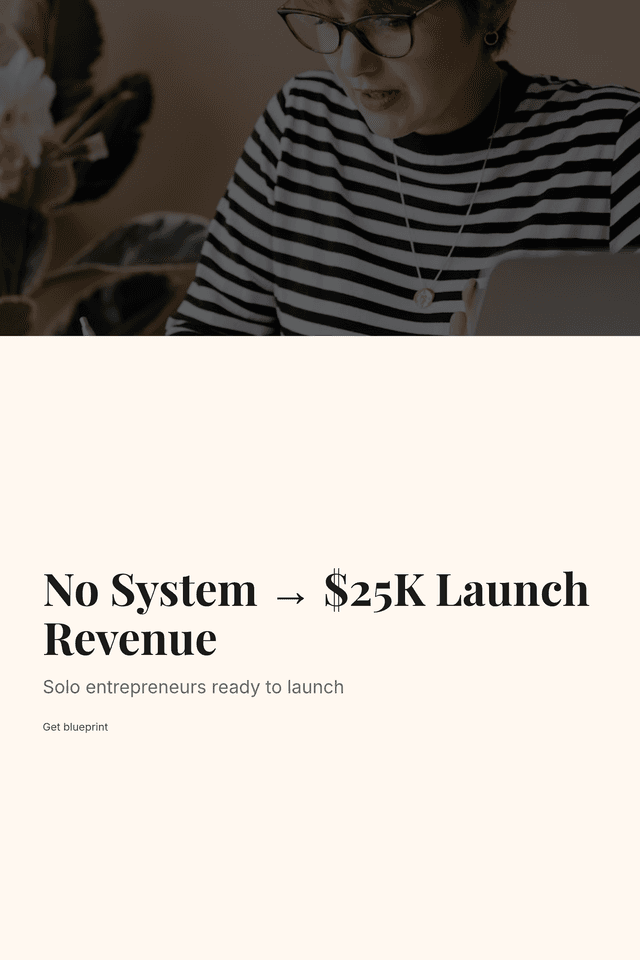
Marketplace-Ready Copy
Most first-time launches fail not because the product is bad, but because the creator had no system. Here's the exact day-by-day blueprint that fixes that.
Primary hookWhat if you knew exactly what to do on Day 1, Day 47, and Day 89 of your launch, no guessing, no Googling at midnight, no winging it?
You built something great. Now stop leaving $5K, $25K on the table because nobody taught you how to actually launch it.
You've poured months into building your digital product. It's good, you know it's good. But every time launch day approaches, the same dread creeps in. What do I post? When do I email my list? Why aren't people buying? You're not failing because you lack talent. You're failing because you're improvising a process that demands precision. The 90-Day Launch Blueprint eliminates every moment of paralysis. No more staring at a blank content calendar. No more guessing whether your audience is warm enough. No more watching cart close with a fraction of the sales you projected. This is the system that turns your great product into a revenue event you can actually predict, repeat, and scale, starting from the very first day.
- Know exactly what to do every single day for 90 days, specific actions, not vague advice like 'build buzz' or 'engage your audience'
- Get a strategy built for YOUR audience size, separate tracks for under 1,000 and 1,000-5,000 followers so nothing feels out of reach
- Engineer an offer stack so compelling that buyers feel hesitant NOT to buy before your cart ever opens
- Use 127 done-for-you email subject lines organized by launch phase, with A/B pairs and real benchmarks so you never write blind
- Forecast your actual launch revenue before you commit, conservative, realistic, and optimistic projections with a built-in calculator
- Survive anything on launch day with an Emergency Playbook covering 11 real crises, including broken payment processors and zero sales in hour one
This entire product — 17 chapters, 15,000+ words, cover image, sales copy, and Pinterest pins — was created by AI in minutes.
Not days. Not weeks. Minutes.
Try Kupkaike Free — 20 Credits →Your Turn to Bake.
Everything on this page was generated from a single niche idea. No design skills. No copywriting. No code. Just your idea, and Kupkaike does the rest.
Start free — no credit card required
The 90-Day Launch Blueprint: A Day-by-Day System for First-Time Digital Product Launches
AI-generated digital product