⚡ This product was generated with Kupkaike in under 4 minutes
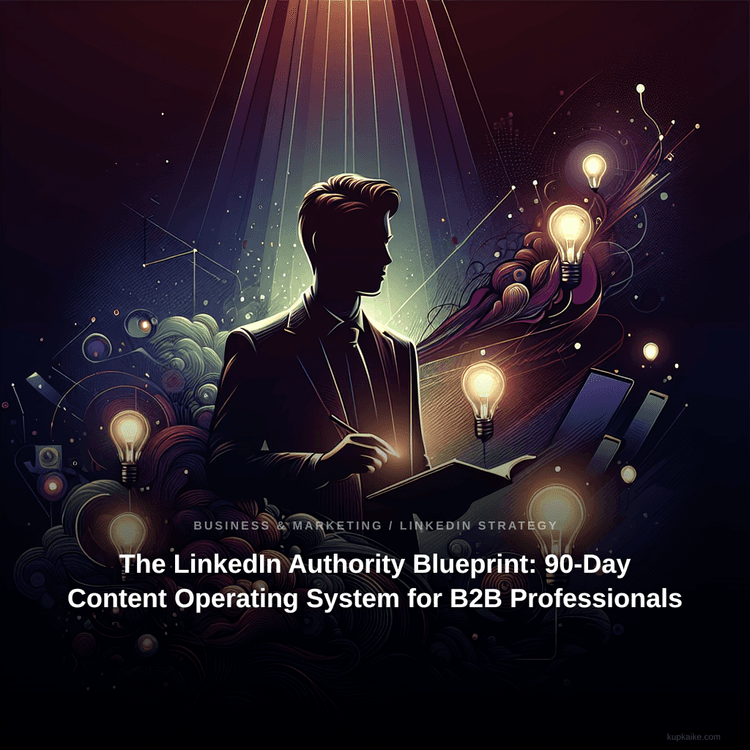
Create Your Own Product →The LinkedIn Authority Blueprint: 90-Day Content Operating System for B2B Professionals
Business & Marketing / LinkedIn Strategy
Skip the $2,000/month marketing agency. 25 ready-to-use strategies inside.
The LinkedIn Authority Blueprint: 90-Day Content Operating System for B2B Professionals is a 17k+-word digital Business & Marketing / LinkedIn Strategy with 25 chapters, a cover image, sales copy, Pinterest pins, and a launch kit, all generated by Kupkaike's AI in under 10 minutes. Suggested retail price: $47.
A structured, revenue-first content system that takes mid-career professionals from invisible sporadic posting to a repeatable 5-post-per-week engine generating qualified inbound leads within 90 days. Built around the proprietary Authority Flywheel™ methodology, not recycled social media advice.
- ✓Authority Flywheel™ framework maps every post to one of five strategic functions, so nothing you publish is wasted effort
- ✓90-day week-by-week content calendar with pre-built prompts calibrated to LinkedIn's 2024 algorithm
- ✓Hook Engineering chapter dedicated to the first two lines that determine whether anyone reads further
- ✓Revenue-first content strategy that starts with your business goals, not a blank editorial calendar
- ✓Engagement-to-Pipeline Conversion System that turns likes and comments into actual business conversations
Everything Below Was AI-Generated
No editing, no design skills, no copywriting. Just a niche idea and Kupkaike did the rest.
What This Product Replaces
25 Chapters of Content
Generated by Claude Opus 4.6. Real content, unedited.
01The LinkedIn Authority Blueprint: 90-Day Content Operating System for B2B Professionals
02The Problem With How Most Professionals Use LinkedIn
You know LinkedIn matters. You've seen colleagues land speaking gigs, consulting clients, and board seats - seemingly just from posting. So you try it. You write something thoughtful, hit publish, and watch it collect 14 likes from people who already know you. No DMs. No leads. No traction. So you stop, tell yourself you're 'not a content person,' and watch someone with half your expertise build an audience you wish you had. The problem isn't your ideas or your credentials. It's that you're posting without a system - reacting instead of executing a strategy tied to actual business outcomes.
Like what you see?
03What This Blueprint Does Differently
The LinkedIn Authority Blueprint doesn't hand you a blank content calendar and wish you luck. It reverse-engineers your content from your revenue goals and buyer psychology first, then maps every post to one of five strategic functions inside the Authority Flywheel™ framework. You'll understand exactly why each piece of content exists - whether it's building credibility, generating curiosity, nurturing trust, or triggering inbound conversations. The 90-day execution plan is pre-built with prompts calibrated to how LinkedIn's algorithm actually distributes content in 2024, not recycled Instagram or Twitter tactics that quietly fail on this platform.
04What's Inside and What Changes
The Blueprint includes eight structured chapters covering everything from diagnosing why your current approach is invisible, to engineering hooks that stop the scroll, to converting engagement into pipeline conversations. You'll also receive three high-value bonuses: a 50-hook swipe file organized by pillar and industry, a 30-point profile optimization checklist that turns your profile into a client-converting landing page, and a plug-and-play Google Sheets analytics dashboard to track weekly KPIs and visualize your growth. Professionals who follow this system consistently move from under 500 monthly impressions and zero inbound inquiries to 10,000+ impressions, 15+ meaningful DM conversations, and 3-5 qualified leads per month within 90 days - without becoming a full-time content creator or compromising how they want to show up professionally.
---
Like what you see?
05Table of Contents
---
06Chapter 1: The LinkedIn Attention Audit: Why Your Current Approach Is Invisible
You're not bad at LinkedIn. You're invisible on it - and there's a precise, diagnosable reason why.
Most consultants, coaches, and fractional executives in your position have spent years building genuine expertise, then watched someone with half their credentials rack up thousands of impressions talking about "lessons my morning run taught me about leadership." That's not a content quality problem. That's a visibility architecture problem - and it's completely fixable once you know what to measure.
---
The Visibility Leak Diagnostic™
The Visibility Leak Diagnostic™ is a five-layer assessment that identifies exactly where your LinkedIn presence is hemorrhaging authority before anyone even reads your content. Think of it as a pressure test on a pipe system - you can't fix the leak until you know which joint is failing.
Layer 1: Profile-to-Post Alignment
Your profile is a promise. Your content is the proof. When they contradict each other, LinkedIn's algorithm and your human readers both disengage.
Here's what misalignment looks like in practice: Your headline says "Fractional CFO | Helping SaaS Companies Scale to Series B." But your last six posts were about remote work culture, a book you read, and a vague reflection on "what 20 years in finance taught me." Your profile promises financial precision; your content delivers lifestyle musings. The reader arrives expecting a CFO and meets a philosopher. They leave.
Score your alignment by asking: Does every post I've published in the last 30 days directly serve the person described in my headline? If the answer is "sometimes," you have a drift problem.
Layer 2: The Five Invisible Suppressors
These are the mechanics that kill reach before your content gets a fair shot:
Layer 3: Baseline Metric Capture
Before you can measure progress, you need a snapshot of where you stand today. Pull these four numbers right now:
Layer 4: Vanity Metrics vs. Pipeline Metrics
Likes are not leads. Here's the distinction that changes everything:
Vanity metrics feel good: likes, follower count, reactions from your existing network. They measure popularity within your current bubble.
Pipeline metrics build business: profile views from people outside your network, inbound connection requests from your target client profile, DM conversations initiated by others, and post saves (which indicate someone found your content valuable enough to return to).
Starting today, you track pipeline metrics. Vanity metrics are a byproduct, not a goal.
---
Real-World Example
Scenario: Marisa is a 41-year-old organizational change consultant with 1,800 LinkedIn connections and 14 years of experience leading enterprise transformations. She posts about once a month - usually a thoughtful reflection after completing a big project. Her average post gets 47 impressions and 6 likes, all from former colleagues. She has received zero inbound inquiries through LinkedIn in 18 months.
Running the Visibility Leak Diagnostic™ on Marisa reveals:
Marisa isn't bad at LinkedIn. She has a five-layer visibility problem. Each layer is fixable in sequence.
---
Worksheet: The LinkedIn Authority Scorecard
Rate yourself honestly on each item from 1 (not at all) to 5 (completely true). No partial credit for "kind of."
PROFILE SECTION (25 points possible)
| Element | Rating (1-5) |
|---|---|
| Headline - Names your target client and the specific outcome you deliver (not just your job title) | ___ |
| Banner Image - Visually communicates your niche, credibility, or offer (not the default blue) | ___ |
| About Section - Written to your ideal client, not your resume committee; includes a clear call to action | ___ |
| Featured Section - Contains at least one piece of social proof, lead magnet, or case study | ___ |
| Profile Photo - Professional, current, and approachable (not a 2009 conference headshot) | ___ |
CONTENT SECTION (25 points possible)
| Element | Rating (1-5) |
|---|---|
| Posting Frequency - You post at least 3x per week consistently | ___ |
| Content Mix - You rotate between educational, story-based, and opinion/POV posts | ___ |
| Hook Quality - Your first line creates curiosity or makes a specific, bold claim | ___ |
| Topic Consistency - 80%+ of your posts serve your defined niche and target client | ___ |
| Format Variety - You use at least two different formats (text, carousel, video) per week | ___ |
ENGAGEMENT SECTION (25 points possible)
| Element | Rating (1-5) |
|---|---|
| Comment Response Rate - You reply to every comment within 2 hours of posting | ___ |
| Proactive Commenting - You leave substantive comments on 5+ posts per week in your niche | ___ |
| DM Strategy - You have a defined process for converting post engagement into conversations | ___ |
| Connection Targeting - Your outbound connections are strategic, not random | ___ |
| Engagement Timing - You post during peak windows for your audience's timezone | ___ |
STRATEGY SECTION (25 points possible)
| Element | Rating (1-5) |
|---|---|
| SSI Score - Your current SSI is above 55 | ___ |
| Profile Views - You receive 20+ profile views per week | ___ |
| Impression Baseline - Your average post gets 500+ impressions | ___ |
| Pipeline Tracking - You track DMs, profile visits, and inbound requests weekly | ___ |
| Content Calendar - You plan content at least one week in advance | ___ |
---
TOTAL SCORE: ___ / 100
Map your score to your Authority Stage:
| Score | Stage | What It Means |
|---|---|---|
| 0-35 | 👻 Ghost | Your profile and content are functionally invisible. Start with profile repair before posting anything. |
| 36-55 | 🪑 Lurker | You exist on LinkedIn but aren't being found. Focus on profile-to-post alignment and posting cadence first. |
| 56-75 | 🎲 Dabbler | You have the right instincts but inconsistent execution. Your bottleneck is system and structure. |
| 76-100 | 🥊 Contender | You have a foundation. Your work now is optimization, conversion, and scaling reach. |
Write your stage here: _______________________
Write your single lowest-scoring section here: _______________________
That section is your Chapter 1 priority.
---
Quick Checklist
---
Common Mistakes
---
The accounts that look like overnight successes from the outside are almost always the result of someone who quietly fixed their profile, narrowed their topic, showed up in the right windows, and stayed consistent long after it stopped feeling exciting. There is no secret layer beyond that. The gap between where you are and where you want to be is almost always a systems gap, not a talent gap. Build the system, protect it, and let time do the rest.
Like what you see?
07Chapter 2: Reverse-Engineering Your Content From Revenue Goals
You already know you have a visibility problem. What most consultants and fractional executives never figure out is that visibility without direction is just noise - and noise doesn't pay invoices.
The Revenue Reverse Map™
Most professionals approach LinkedIn content by asking "What should I post?" That's the wrong starting question. The right question is: "What business outcome do I need, and what content behavior produces it?" The Revenue Reverse Map™ works backwards from your income goal to your weekly content KPIs - so every post you write is connected to a number, not a feeling.
Step 1: Define Your Revenue Target and Deal Math
Start with a specific annual revenue goal from LinkedIn-sourced clients. Not total revenue - just what you want LinkedIn to generate. Then break it into deal math:
Step 2: Build Your Ideal Content Audience (ICA) - Not Your ICP
Here's a distinction that will change how you write every post. Your Ideal Client Profile (ICP) is who you want to sell to. Your Ideal Content Audience (ICA) is who you need to reach to eventually sell to your ICP - and they are not always the same person.
A fractional CFO whose ICP is Series A startup founders needs to understand that those founders are rarely scrolling LinkedIn looking for financial help. But their investors, advisors, and operator peers are on LinkedIn - and they refer. Your ICA might be the COO or the board advisor who forwards your post to the founder with a "you need to talk to this person."
Your ICA has three defining characteristics:
Step 3: Map the LinkedIn Buyer Awareness Ladder
Not everyone who sees your content is ready to hire you. The LinkedIn Buyer Awareness Ladder defines exactly where your audience sits - and what content moves them to the next rung:
Most LinkedIn content is written for Deal-Ready buyers - the 3% who are already shopping. The professionals who win on LinkedIn write for the 60% who are Problem-Aware and Solution-Aware, building trust long before a buying conversation starts.
Step 4: Calculate Your Content-to-Revenue Ratio
Using industry benchmarks calibrated for B2B service providers with 500-5,000 connections:
These ratios mean that to generate 3 qualified opportunities per month, you need roughly 15 meaningful DM conversations, which requires approximately 500 profile visits, which demands roughly 50,000 monthly impressions. At 5 posts per week with strong engagement, that's achievable within 60-90 days for most accounts in this connection range.
Step 5: Choose Your Authority Lane
Your Authority Lane is the precise intersection of three things: your deepest expertise, your ICA's most pressing pain, and a topic space that isn't already saturated by louder voices. It's not your job title. It's not your industry. It's a specific, ownable perspective.
A leadership coach doesn't own "leadership." But she might own "why high-performing introverts get passed over for promotion and what to do about it." That's an Authority Lane - specific enough to attract the right people, broad enough to generate 90 days of content.
---
Real-World Example
Marcus is a fractional Head of Sales with 2,200 LinkedIn connections. He posts maybe twice a month - usually sharing articles with a one-line comment. His Visibility Leak Diagnostic™ score from Chapter 1 was 22/100.
His revenue goal from LinkedIn: $180,000/year. Average engagement: $3,500/month retainer. Close rate: 40%.
Working the math: $180K ÷ $42K annual contract value = ~4.3 clients needed. At 40% close rate, he needs 11 qualified conversations per month. At a 2.5% DM-to-conversation rate, he needs 440 new meaningful connections per month. At 1% impression-to-profile-visit rate, he needs 44,000 monthly impressions.
His ICP: VP of Sales at B2B SaaS companies, 20-80 employees. His ICA: Founders and CEOs of those same companies who are frustrated that their VP of Sales isn't producing - because they're the ones who hire fractional help when the internal hire underdelivers.
His Authority Lane: "Why your first sales hire is probably the reason you're stuck at $2M ARR." Specific, painful, and directly in front of the person who writes the check.
With this map, Marcus doesn't ask "what should I post today?" He asks: "Which rung of the Awareness Ladder am I writing for this week, and does this post move my ICA closer to a conversation?"
---
Worksheet: The Revenue Reverse Map
Fill in each field. Do the math. This becomes your 90-day content KPI dashboard.
```
SECTION 1: REVENUE MATH
─────────────────────────────────────────────────────
Annual LinkedIn Revenue Goal: $___________
Average Deal/Contract Value: $___________
Number of Clients Needed: ___________
(Revenue Goal ÷ Deal Value)
Your Close Rate (estimate %): ___________%
Qualified Conversations Needed/Month: ___________
(Clients Needed per month ÷ Close Rate)
SECTION 2: CONTENT CONVERSION FUNNEL
─────────────────────────────────────────────────────
Meaningful DMs Needed/Month: ___________
(Conversations Needed ÷ 0.25)
Profile Visits Needed/Month: ___________
(DMs Needed ÷ 0.025)
Monthly Impressions Required: ___________
(Profile Visits ÷ 0.01)
Weekly Impressions Required: ___________
(Monthly ÷ 4.3)
SECTION 3: IDEAL CONTENT AUDIENCE (ICA)
─────────────────────────────────────────────────────
Who is your ICA (job title/role)? ___________________________
What is their #1 professional pain? ___________________________
Are they active on LinkedIn? (Y/N): ___
Do they buy or influence your ICP? ___________________________
SECTION 4: AUTHORITY LANE
─────────────────────────────────────────────────────
Your deepest expertise: ___________________________
Your ICA's most urgent pain: ___________________________
Your Authority Lane statement:
"I help [ICA] achieve [outcome] by [unique mechanism]."
_______________________________________________________________
SECTION 5: YOUR 90-DAY CONTENT KPI DASHBOARD
─────────────────────────────────────────────────────
Weekly Impressions Target: ___________
Weekly Profile Visits Target: ___________
New Conversations Target/Month: ___________
Qualified Opportunities Target/Month: ___________
Revenue Goal (90-day): $___________
```
---
Quick Checklist
---
Common Mistakes
---
Your Action Plan
---
The mistake most people make is treating LinkedIn like a lottery. They post sporadically, hope something lands, and feel discouraged when nothing happens. What you have built in this chapter is the opposite of that. You have a number, a niche, an audience profile, and a content direction. You know what you are trying to achieve and roughly how many people need to see your work each week for that to happen.
That is not hope. That is a system.
Systems compound. A lottery ticket is worth nothing the day after the draw. A system you run consistently for ninety days builds an audience, sharpens your message, and creates a body of work that keeps working for you long after you hit publish. The people who seem to appear from nowhere on LinkedIn did not appear from nowhere. They ran their system while everyone else was waiting to feel ready.
You are ready now. The math says so.
08Chapter 3: The Authority Flywheel - Your 5-Pillar Content Architecture
You've diagnosed where your visibility is leaking. Now it's time to build the system that stops the leak permanently - because the real reason most consultants and coaches post sporadically isn't laziness. It's that every time they open a blank post draft, they face a completely unstructured decision with infinite wrong answers.
The Authority Flywheel™ Content System
The Authority Flywheel™ solves a specific problem: random posting produces random results. When you post without a category system, every post competes against itself. A personal story undercuts your credibility. A how-to post feels like you're giving away your consulting for free. A client win sounds like bragging. So you post nothing.
The Flywheel works because each of the five pillars serves a distinct psychological function in your buyer's journey. Together, they create a self-reinforcing cycle - credibility builds trust, trust builds engagement, engagement builds reach, reach builds credibility. The wheel turns itself.
Here's how each pillar functions:
---
Pillar 1 - Proof Posts
Business function: Credibility without self-promotion
Proof Posts are your evidence layer. They show results, client wins, case studies, and before/after transformations - but the key is framing them as lessons, not trophies. Nobody wants to read a LinkedIn post that reads like a press release. The formula: lead with the result, explain the specific mechanism that created it, and close with the transferable insight.
Example structure: "My client reduced their sales cycle from 90 days to 34 days. Here's the one conversation shift that did it: [specific tactic]. The lesson isn't about sales - it's about [broader principle]."
---
Pillar 2 - Perspective Posts
Business function: Thought leadership positioning
Perspective Posts are where you stake your flag. These are contrarian takes, industry myths you're dismantling, or "here's what most people get wrong about [your topic]" content. This pillar is what separates consultants who get DMs from consultants who get ignored. If you agree with everyone, you're invisible to everyone.
The test for a strong Perspective Post: would a peer in your industry feel slightly uncomfortable reading it? If yes, you're on the right track.
---
Pillar 3 - Process Posts
Business function: Expertise demonstration
Process Posts are your intellectual property made visible. Step-by-step breakdowns, named frameworks, decision trees, and how-to content. This is the pillar that makes prospects think, "If this is what they share for free, imagine what working with them looks like."
The mistake most consultants make here: they teach concepts instead of mechanics. "Build trust with clients" is a concept. "Here's the exact 3-question sequence I use in every discovery call to surface the real problem" is a mechanic. Mechanics convert.
---
Pillar 4 - Personal Posts
Business function: Trust and relatability
Personal Posts are not therapy sessions. They're strategic vulnerability - origin stories, failures that taught you something specific, behind-the-scenes moments that humanize your expertise. The filter: every personal post should connect to a professional lesson. Your divorce, your dog, your vacation - unless there's a direct insight that serves your audience, leave it off LinkedIn.
The best Personal Posts follow this arc: "Here's something real that happened to me → here's what it taught me about [professional topic] → here's how that changed how I work."
---
Pillar 5 - Provocation Posts
Business function: Algorithm reach and community building
Provocation Posts are engineered for engagement. Questions, polls, debate-starters, and "hot take" prompts that invite your audience to respond. This pillar feeds the algorithm - LinkedIn's distribution rewards posts with high comment velocity in the first 60 minutes. Provocation Posts create that velocity.
The distinction between Provocation and clickbait: Provocation Posts ask questions you actually want answered. "What's the most overrated advice in [your industry]?" is a genuine question that generates real signal about your audience's beliefs.
---
The Weekly Ratio
Stop trying to post every day. The optimal cadence for a consultant or coach building authority is 5 posts per week, distributed as follows:
| Day | Pillar | Why |
|---|---|---|
| Monday | Process | Start the week with value - highest save rate |
| Tuesday | Proof | Early-week credibility reinforcement |
| Wednesday | Perspective | Mid-week controversy drives Wednesday/Thursday engagement |
| Thursday | Process | Second process post captures different segment |
| Friday | Personal or Provocation | End-of-week human moment or weekend engagement driver |
This isn't arbitrary. Process Posts get saved and shared by people who want to learn. Proof Posts get shared by clients and colleagues. Perspective Posts get debated. Personal Posts get DMs. Provocation Posts get comments. Each type feeds a different part of the algorithm and a different part of the buyer journey.
---
Real-World Example
Scenario: Sarah Chen is a fractional CFO who works with Series A startups. She has 1,800 LinkedIn connections, posts maybe once a month - usually when a client says something complimentary - and has never received an inbound inquiry through LinkedIn. She completed the Visibility Leak Diagnostic™ from Chapter 1 and scored a 4/10 on content consistency.
Here's how Sarah's first week of Authority Flywheel content looks:
Monday (Process): "The 3-line cash flow statement every Series A founder should be able to recite from memory - and why most can't. Here's how to build it in 20 minutes: [step-by-step breakdown]"
Tuesday (Proof): "A founder I work with was 47 days from running out of runway. He didn't know it. Here's the reporting gap that hid the problem - and the dashboard change that fixed it in one week."
Wednesday (Perspective): "Most startup CFOs are optimizing for the wrong metric. Revenue growth isn't your job. Runway visibility is. Here's why that distinction matters more than your burn rate."
Thursday (Process): "How to run a 30-minute monthly financial review that your entire leadership team will actually use. The agenda I've refined across 14 startups: [framework]"
Friday (Provocation): "Controversial opinion: most Series A startups don't need a full-time CFO. They need better financial hygiene. Agree or disagree - and what changed your mind?"
Sarah hasn't bragged once. She hasn't posted anything generic. Every post is specific to her buyer (Series A founders), demonstrates a distinct capability, and serves a different psychological function. By week four, she has 12 new connection requests from founders and two DMs asking about her availability.
---
Worksheet: The Flywheel Content Bank
Instructions: Work through each pillar using the prompt questions below. Your goal is 10 specific post ideas per pillar - 50 total. Don't write the posts yet. Just capture the raw material. Set a timer for 45 minutes and don't edit yourself. This exercise gives you 10 weeks of content in one sitting.
---
PILLAR 1 - PROOF POSTS
Prompt questions to unlock your ideas:
| # | Post Idea (Raw) | Specific Result/Detail to Include |
|---|---|---|
| 1 | | |
| 2 | | |
| 3 | | |
| 4 | | |
| 5 | | |
| 6 | | |
| 7 | | |
| 8 | | |
| 9 | | |
| 10 | | |
---
PILLAR 2 - PERSPECTIVE POSTS
Prompt questions to unlock your ideas:
| # | Contrarian Take | The "Most People Think X, But Actually Y" Angle |
|---|---|---|
| 1 | | |
| 2 | | |
| 3 | | |
| 4 | | |
| 5 | | |
| 6 | | |
| 7 | | |
| 8 | | |
| 9 | | |
| 10 | | |
---
PILLAR 3 - PROCESS POSTS
Prompt questions to unlock your ideas:
| # | Process/Framework Topic | Key Steps or Components |
|---|---|---|
| 1 | | |
| 2 | | |
| 3 | | |
| 4 | | |
| 5 | | |
| 6 | | |
| 7 | | |
| 8 | | |
| 9 | | |
| 10 | | |
---
PILLAR 4 - PERSONAL POSTS
Prompt questions to unlock your ideas:
| # | Personal Story/Moment | Professional Lesson It Connects To |
|---|---|---|
| 1 | | |
| 2 | | |
| 3 | | |
| 4 | | |
| 5 | |
Like what you see?
09Chapter 4: Hook Engineering: The First Two Lines That Decide Everything
You've already identified your content pillars and mapped your authority topics in Chapter 3. Now you're staring at a blank post draft - and the cursor is blinking at you like a dare. What you write in the next 15 words will determine whether anyone reads the other 250.
10The "See More" Problem Nobody Talks About
LinkedIn truncates every post at roughly 210 characters on mobile - which is where 57% of your audience is scrolling right now, probably between meetings or in the back of a rideshare. Everything you write after that cutoff is invisible until someone actively taps "see more." That tap is a micro-commitment, and your first two lines are the only thing asking for it.
This isn't a writing problem. It's a real estate problem. The space above the fold on a LinkedIn post is the most valuable and most wasted territory in B2B marketing. Most consultants and coaches blow it with openers like "I've been thinking a lot lately about leadership..." or "Last week I attended a conference..." - sentences that make the reader feel nothing and click nowhere.
The Pattern Interrupt Protocol™ exists to fix this.
---
Like what you see?
11The Pattern Interrupt Protocol™
The feed is a river of sameness. Professional headshots, corporate announcements, humble-brag promotions, and motivational quotes with sunset backgrounds. Your job in the first two lines isn't to be interesting in the abstract - it's to be different from what just appeared above you in the feed.
The Protocol has four steps:
Step 1: Identify the Default
Before writing your hook, ask: What would the average person in my industry write about this topic? Write that sentence down. That's your "default." You're not going to write that.
Step 2: Select Your Archetype
Choose one of the 12 hook archetypes below based on what creates the highest tension between your default and your opener. Tension = the gap between what the reader expects and what you deliver.
Step 3: Apply the 3-Second Formatting Rule
Your first line should be 8 words or fewer. No exceptions. Short first lines create visual white space that pulls the eye downward. A wall of text above the fold signals effort required - and the reader bounces. One punchy line, then a line break, then your second line delivers the hook's payload.
Step 4: Score Before You Post
Rate your hook on three dimensions before publishing: Curiosity (does it create an open loop?), Relevance (does your specific audience recognize themselves?), and Specificity (does it contain a concrete detail - a number, a name, a situation - rather than a vague concept?). Each dimension scores 1-3. Anything below 7 out of 9 gets rewritten.
---
12The 12 LinkedIn Hook Archetypes
Here are all 12 archetypes with a brief example of each in the voice of a B2B consultant or coach:
Notice what every single one of these has in common: they are specific, they create tension, and they make a promise the reader wants collected. None of them start with "I've been thinking..." or "It's been an exciting week..."
---
Like what you see?
13Hook Testing: Using LinkedIn's Native Analytics
LinkedIn's native analytics show you impressions per post - but the metric you want to watch is impression-to-engagement rate, not raw likes. A post with 800 impressions and 40 reactions (5%) outperformed a post with 2,000 impressions and 30 reactions (1.5%) in terms of actual resonance.
To A/B test hooks systematically: post two pieces of content on the same topic in the same week using different hook archetypes. Same body content, different opening two lines. Track impression-to-engagement rate for each. After 8-10 posts, you'll see a clear pattern in which archetypes your specific audience responds to. Most consultants find they have 2-3 dominant archetypes that consistently outperform. Double down on those.
---
14Real-World Example
Scenario: Priya is a fractional CFO who works with SaaS companies between $2M, $10M ARR. She wants to post about cash flow forecasting - a topic she knows cold but worries sounds dry.
Her default opener: "Cash flow forecasting is one of the most important financial practices for growing SaaS companies."
That sentence is true, accurate, and completely invisible. Here's the same topic run through three archetypes:
Priya runs the CRS scoring rubric on all three. The Micro-Story Open scores 9/9 - maximum curiosity (what happened?), maximum relevance (SaaS founders recognize this fear), maximum specificity ($800K, payroll). She posts that one. It gets 4,200 impressions - her best post in 18 months - and two inbound DMs from founders asking about her services.
The content didn't change. The hook did.
---
Like what you see?
15Worksheet: The Hook Laboratory
Use this template for each of 5 posts (either past underperformers or new ideas from your Chapter 3 content calendar).
---
Post Topic: _______________________________________________
Your Default Opener (what you'd normally write):
_______________________________________________
Rewrite using 6 archetypes (2 lines each):
| Archetype | Line 1 (≤8 words) | Line 2 (payload) | C (1-3) | R (1-3) | S (1-3) | Total |
|---|---|---|---|---|---|---|
| The Confession | | | | | | |
| The Counterintuitive Stat | | | | | | |
| The Micro-Story Open | | | | | | |
| The Bold Claim | | | | | | |
| The Relatable Failure | | | | | | |
| The Status Quo Attack | | | | | | |
Winning Hook (highest CRS score): _______________________________________________
Why it won (one sentence): _______________________________________________
---
Repeat this for all 5 posts. After completing the exercise, you'll have 5 high-scoring hooks ready to schedule - and a personal data set showing which archetypes feel most natural in your voice.
Hook Formula Cheat Sheet (save this image or print it):
Write the 12 archetype names on an index card or sticky note and keep it next to your screen when drafting posts. Before writing any opener, glance at the list and ask: which of these creates the most tension with what I'd normally write?
---
16Quick Checklist
---
Like what you see?
17Common Mistakes
---
18Your Action Plan
The hooks you write in the next 30 days will determine whether the ideas in the chapters that follow ever get read at all. Everything else you are about to learn, the storytelling frameworks, the authority signals, the call-to-action structures, depends entirely on earning those first few seconds of attention. Master the hook, and the rest of the system has room to work.
Like what you see?
19Chapter 5: Post Architecture: Structuring Content That Gets Read to the Last Line
You've identified your content pillars, mapped your revenue goals, and built your content bank. Now comes the part where most consultants and coaches fall apart: the actual post. Not what to say - you solved that in Chapter 3 - but how to structure it so people stop scrolling and read every word.
Structure is the difference between a 200-impression post and a 50,000-impression post on identical content.
---
The Scroll Architecture Blueprint™
LinkedIn is not a blog. It's not Twitter. It's a feed of professionals who are half-distracted, mildly procrastinating, and unconsciously scanning for something that feels relevant to their professional life. Your post has approximately 1.3 seconds to earn the next 3 seconds.
The Scroll Architecture Blueprint™ is a five-layer construction system that applies to every format you'll use on LinkedIn. Think of it as the skeleton inside every high-performing post - the bones change shape by format, but the underlying anatomy is always the same.
Layer 1: The Hook (Lines 1-2)
Your hook appears before the "see more" cutoff. It must do one of three things: create a knowledge gap ("Most consultants price themselves out of the market by making this one mistake"), challenge a belief ("You don't need more content. You need better architecture"), or open a loop that only resolves at the end. Never start with "I" as the first word - it's the fastest way to signal that this post is about you, not the reader.
Layer 2: The Pattern Interrupt (Line 3)
One short line. Often a single sentence. Sometimes just three words. This is the line that makes the reader think wait, keep going. It creates velocity.
Layer 3: The Body (Lines 4-15, format-dependent)
This is where your format lives. Each of the seven formats below has a different body structure. White space is non-negotiable here. Every 1-3 lines, hit return. LinkedIn is read on mobile by 57% of users. A wall of text is a closed door.
Layer 4: The Payoff (Last 2-3 lines of body)
This is the resolution, the insight, the lesson, the number, the twist. Whatever you promised in the hook, you deliver here. Readers who reach the payoff are primed to act.
Layer 5: The CTA (Final line)
One ask. Never two. The CTA Spectrum ranked by engagement impact, from highest to lowest: comment prompts → reposts → DM invitations → profile visits → newsletter signups → link clicks. For most consultants building authority, comment prompts and DM invitations are your primary tools. Link clicks tank algorithmic reach - save them for posts where conversion matters more than distribution.
---
The 7 LinkedIn Post Formats: Structural Breakdowns
Format 1: The Listicle Breakdown (Optimal length: 200-350 words)
Hook → "Here are [X] things [target audience] gets wrong about [topic]:" → Numbered list with one-line explanations → Payoff sentence that ties the list together → Comment prompt CTA. Best for: frameworks, tools, mistakes, tips. Performs best when the number is specific and slightly unexpected (7, 9, 11 - not 5 or 10).
Format 2: The Mini Case Study (Optimal length: 300-450 words)
Hook (result first, not story first) → "Here's what happened:" → Situation → Problem → Action taken → Result with specific numbers → Transferable lesson → CTA asking readers to share their experience. Best for: consultants and coaches with client results. Never use the client's name without permission - "a CFO I worked with" is more intriguing anyway.
Format 3: The Contrarian Take (Optimal length: 150-250 words)
Bold statement that contradicts conventional wisdom → One-line pattern interrupt → 3-4 lines explaining why the conventional wisdom is wrong → Your alternative position → Invitation to disagree in comments. This format generates the highest comment volume because it activates people who agree and people who don't. The algorithm rewards both equally.
Format 4: The Story-to-Lesson (Optimal length: 350-500 words)
Open in the middle of the scene, not at the beginning → Build the narrative in short punchy lines → The turning point → The lesson extracted → "Here's what this means for you:" → Specific application → CTA. This is the format that builds the deepest emotional connection. Use it once per week maximum - it loses power if overused.
Format 5: The Framework Reveal (Optimal length: 250-400 words)
Hook that names the problem the framework solves → "I call this [Framework Name]:" → Step-by-step breakdown (3-5 steps, each on its own line) → One sentence on what changes when you use it → CTA inviting people to DM you for the full version or a related resource. This is your highest-converting format for inbound leads. Your Authority Flywheel from Chapter 3 gives you a ready-made framework to reveal.
Format 6: The Carousel Narrative (Optimal length: 8-12 slides)
Slide 1: Bold hook (same rules as text posts) → Slides 2-3: Problem or context → Slides 4-8: Solution, steps, or story beats → Slide 9-10: Key takeaway → Final slide: Single CTA with your name and offer. Carousels get 3x the dwell time of text posts. Every slide needs a reason to swipe - end each slide mid-thought. Design rule: maximum 30 words per slide, high contrast, one idea per slide.
Format 7: The Comment-Bait Question (Optimal length: 80-150 words)
This is your shortest format and your most misused one. It is NOT "What do you think?" It's a specific, polarizing, or personally relevant question that your exact audience has a strong opinion about. Hook → 2-3 lines of context that make the question feel earned → The question, bolded or on its own line → Your own answer first (this is critical - it models the response you want and lowers the barrier to reply). Best used once every two weeks to avoid looking like you have nothing to say.
---
Deconstructed: A Post That Earned 60,000+ Impressions
Here's a real structural breakdown of a high-performing post from a fractional CMO, annotated layer by layer:
**"I got fired from my first consulting engagement."** ← Hook: opens a loop, vulnerability without oversharing
**Three months in. Full fee paid. Client asked me to leave.** ← Pattern interrupt: short, punchy, creates dread
**Here's what I learned that changed how I work:** ← Transition: signals value is coming, earns the scroll
**1. Clarity of scope isn't the client's job. It's yours.** ← Body: listicle embedded inside a story
**2. Weekly check-ins aren't optional. They're insurance.**
**3. "They seem happy" is not a success metric.**
**I now open every engagement with a one-page success document.** ← Payoff: specific, actionable, credible
**Zero scope disputes in 4 years.**
**What's the hardest lesson your first consulting engagement taught you?** ← CTA: comment prompt, invites peer sharing
What makes this work: the hook is specific (not "I made a mistake"), the lesson is transferable to every consultant reading it, and the CTA invites their story - not just a reaction to yours. The white space makes it readable in 20 seconds. The total word count is 94 words.
---
Worksheet: The Post Builder Templates
Use one template per post. Fill in every bracket. Do not skip the CTA - it's the part most consultants omit and then wonder why their posts generate views but no conversations.
---
Template 1: The Listicle Breakdown
```
[Bold claim about your niche audience + specific number]:
[Insight #1 - one line]
[Insight #2 - one line]
[Insight #3 - one line]
[Insight #4 - one line]
[Insight #5 - one line]
The [consultants/coaches/executives] who get this right
consistently do one thing differently:
[Your core insight in one sentence.]
Which of these surprised you most?
```
Your content:
---
Template 2: The Mini Case Study
```
[Client result in one line - lead with the outcome, not the story.]
Here's what happened:
[Client's situation in 1-2 lines - no name needed]
[The specific problem they were stuck on]
[The one thing you changed or introduced]
[The measurable result - be specific]
The lesson:
[One transferable insight any reader can apply]
Have you run into this in your own work?
Drop your experience below.
```
Your content:
---
Template 3: The Contrarian Take
```
[Conventional wisdom statement] is wrong.
[One-line pattern interrupt - why this matters]
Here's what's actually true:
[Your contrarian position in 2-3 lines]
[Supporting evidence or observation]
[What happens when people follow the wrong advice]
The better approach: [Your alternative in one clear sentence.]
Disagree? Tell me why in the comments.
I read every one.
```
Your content:
---
Template 4: The Story-to-Lesson
```
[Drop into the scene mid-action - skip the setup]
[2-3 lines building the situation]
[The moment everything changed]
I remember thinking: "[Internal thought or dialogue]"
[What you did next]
[ The result]
[One-line reflection that reframes the whole story]
The lesson: [Distilled insight in one or two sentences]
```
Why it works: Humans are wired for narrative. We process stories faster than abstractions, and we remember them longer. By dropping into the middle of the action, you skip the slow wind-up that causes readers to scroll away. The internal thought line creates intimacy, the result delivers payoff, and the final lesson earns its place because the reader has already lived through the experience with you.
---
Template 5: The Reframe
```
Everyone thinks [common belief].
But here is what is actually happening: [your reframe].
[Evidence or example 1]
[Evidence or example 2]
[Evidence or example 3]
This matters because [stakes or consequence].
So instead of [old behaviour], try [new behaviour].
```
Why it works: The reframe template works because it flatters the reader. It positions them as someone smart enough to see past the conventional wisdom once you point the way. The structure moves from shared assumption to new lens to evidence to application, which is exactly how a good mentor explains something over coffee. It does not lecture. It reveals.
---
Template 6: The Honest Audit
```
I used to [behaviour or belief].
I told myself it was because [rationalisation].
The real reason: [uncomfortable truth].
Here is what changed:
What I know now: [hard-won insight]
```
Why it works: Vulnerability without victimhood is one of the most powerful tones available to a writer online. This template works because it models the kind of honest self-examination your audience wishes they could do publicly. You take the risk so they feel safe. The gap between the rationalisation and the real reason is where the reader leans in, because they recognise that gap in their own life. The closing insight lands harder because it was earned through confession, not assertion.
---
These six templates are not a cage. They are a launching pad. Once you have used each one enough times that the structure becomes instinct, you will start to blend them, break them, and build hybrids that are entirely your own. That is the goal: to internalise the logic behind the form so deeply that you no longer need the scaffolding at all.
20Chapter 6: The 90-Day Content Calendar: Your Week-by-Week Execution Plan
You've built your content pillars, mapped your revenue targets, and filled your Flywheel Content Bank. Now comes the part where most professionals fall off the wagon - not because they lack ideas, but because they lack a system that tells them exactly what to post, when, and why.
This chapter hands you that system, fully assembled.
---
The Momentum Map™ 90-Day System
The Momentum Map™ is a phased execution framework designed specifically for professionals who cannot treat content creation as a full-time job. It builds posting volume gradually, so you develop the habit before you scale the output. It front-loads experimentation, so you know what resonates before you invest heavily in production. And it back-loads conversion activity, so your audience is warm before you ever ask for anything.
Three phases. Twelve weeks. Zero guesswork.
---
#### Phase 1: Foundation (Weeks 1-4) - Establish Before You Amplify
Posting frequency: 3x per week (Monday, Wednesday, Friday)
Primary goal: Find your voice, test hook formulas, build the engagement reflex
Week 1 is not about going viral. It's about showing up three times without overthinking it. Your posts in this phase are deliberately shorter - 150 to 300 words - because you're testing which angles generate comments, not just likes. Likes are vanity. Comments are data.
Weekly Theme Rotation for Phase 1:
Each week rotates through three post formats: a text-only hook post, a numbered list post, and a short reflection or opinion post. By Week 4, you'll have 12 posts live and a clear picture of which pillar type your audience responds to most. Reference your Flywheel Content Bank from Chapter 3 - this is where you pull your raw material.
---
#### Phase 2: Acceleration (Weeks 5-8) - Volume Meets Variety
Posting frequency: 5x per week (Monday through Friday)
Primary goal: Expand reach through format diversity and strategic network engagement
This is where most people panic. Five posts per week sounds like a part-time job. It isn't - not once you've implemented the Sunday Batch Creation Workflow (detailed in the worksheet below). The key shift in Phase 2 is introducing two new formats: carousel posts (3-7 slides presenting a framework or checklist) and document posts (PDF-style long-form guides that LinkedIn's algorithm treats as high-value native content).
Weekly Theme Rotation for Phase 2:
Phase 2 also introduces the Strategic Commenting Protocol - 15 minutes per day that will double your reach without producing a single additional post.
The Strategic Commenting Protocol:
Each morning, before you open email, open LinkedIn and comment meaningfully on 5 posts from target accounts. Not "Great post!" - that's invisible. Instead, write 2-3 sentences that add a specific perspective, a related data point, or a respectful counterpoint. Your targets should be: 2 posts from potential clients, 2 from peers with larger audiences than yours, and 1 from a connector or referral partner. Track this in your daily 15-minute tracker (in the worksheet). Within 30 days, your name will appear consistently in the feeds of people who don't follow you yet - organically, without paid promotion.
---
#### Phase 3: Conversion (Weeks 9-12) - Turn Attention Into Pipeline
Posting frequency: 5x per week, with 2 posts per week containing explicit CTAs
Primary goal: Convert warm audience into DM conversations and inbound leads
By Week 9, you have 8 weeks of posting data, a growing comment section, and an audience that recognizes your name. Now you activate the revenue layer. This phase introduces three new elements:
Weekly Theme Rotation for Phase 3:
---
Real-World Example
Scenario: Marcus is a 44-year-old fractional CFO serving Series A and B startups. He posts maybe once a month - usually a reshare of someone else's article with a one-line comment. He has 1,800 connections, mostly former colleagues. He's gotten zero inbound from LinkedIn in 18 months.
Marcus implements the Momentum Map™ starting the first Monday of Q4.
Weeks 1-4: He posts three times per week using his Flywheel Content Bank. His Week 2 contrarian take - "Startups don't have a cash flow problem. They have a cash visibility problem." - generates 47 comments and 4,200 impressions. That's his data signal. He doubles down on contrarian financial takes.
Weeks 5-8: Marcus introduces a carousel post every Thursday: "The 5 Financial Reports Your Board Actually Wants to See." It gets shared 23 times. He begins his Strategic Commenting Protocol on posts from startup founders and VC associates - 15 minutes every morning. By Week 7, two founders DM him saying they've been following his content.
Weeks 9-12: Marcus launches a DM sequence to the 12 people who commented on his carousel. He sends: "Hey [Name] - saw your comment on the board reporting post. That's exactly the gap I help Series A CFOs close. Would a 20-minute conversation be useful?" Four people say yes. Two become clients.
Total new revenue attributed to 90 days of structured LinkedIn activity: $48,000 in fractional CFO contracts.
---
Worksheet: The Complete 90-Day Momentum Map Calendar
Use this template to customize your 60 content slots across 12 weeks. Each slot is pre-structured - you fill in your specific expertise.
---
PHASE 1: FOUNDATION (Weeks 1-4) | 3 Posts/Week
```
WEEK 1 - THEME: Origin Story
┌─────────────────────────────────────────────────────────────────┐
│ MONDAY │
│ Pillar Type: [Authority / Story / Value / Proof] │
│ Topic Prompt: "The moment I realized [industry belief] │
│ was wrong - and what I learned instead" │
│ Format: Text-only (150-250 words) │
│ Hook Formula: "I spent [X years] believing [false thing]. │
│ Then [specific event] changed everything." │
│ CTA Type: Engagement ("What shifted your thinking │
│ on this?") │
│ YOUR TOPIC: ________________________________________ │
│ YOUR HOOK: ________________________________________ │
├─────────────────────────────────────────────────────────────────┤
│ WEDNESDAY │
│ Pillar Type: [Authority / Story / Value / Proof] │
│ Topic Prompt: "The one thing I wish someone told me │
│ when I started [your role/niche]" │
│ Format: Numbered list (3-5 points) │
│ Hook Formula: "Nobody told me [uncomfortable truth]. │
│ Here's what I had to learn the hard way:" │
│ CTA Type: Soft follow ("Save this for when you │
│ need it.") │
│ YOUR TOPIC: ________________________________________ │
│ YOUR HOOK: ________________________________________ │
├─────────────────────────────────────────────────────────────────┤
│ FRIDAY │
│ Pillar Type: [Authority / Story / Value / Proof] │
│ Topic Prompt: "A belief I hold about [your industry] │
│ that most people disagree with" │
│ Format: Short opinion post (100-200 words) │
│ Hook Formula: "Unpopular opinion: [bold claim]." │
│ CTA Type: Debate ("Agree or disagree? Tell me why.") │
│ YOUR TOPIC: ________________________________________ │
│ YOUR HOOK: ________________________________________ │
└─────────────────────────────────────────────────────────────────┘
WEEK 2: AUTHORITY POSTS
Now that you have built some early engagement with relatable and contrarian content, it is time to show your audience that you actually know what you are talking about. Authority posts are where you demonstrate expertise, share hard-won knowledge, and position yourself as someone worth following for the long term.
These are not posts designed to go viral. They are posts designed to make the right people stop scrolling and think, "This person gets it. I need to keep reading everything they write."
What Makes an Authority Post Work
The biggest mistake people make with authority posts is confusing complexity with credibility. They assume that the more technical, jargon-heavy, or detailed a post is, the more authoritative it will appear. The opposite is usually true.
The most powerful authority posts take something complicated and make it feel simple. They reveal a framework, a process, or a perspective that the reader could not have articulated on their own but immediately recognises as true the moment they read it. That moment of recognition is what builds trust.
Think about the experts you follow online. Chances are, you do not follow them because they overwhelm you with data. You follow them because they consistently help you see things more clearly.
The Three Types of Authority Posts
There are three formats that work particularly well for establishing authority on LinkedIn without tipping into dry, academic territory.
The first is the lessons learned post. This is where you share something you discovered through direct experience, something that cost you time, money, or effort to figure out, and hand it to your reader for free. The implicit message is: I have been in the trenches long enough to know things you do not yet know, and I am generous enough to share them.
The second is the myth-busting post. You identify a widely held belief in your industry and dismantle it with evidence, logic, or personal experience. This format works because it creates immediate tension. The reader either agrees and feels validated, or disagrees and feels compelled to keep reading to see if you can change their mind.
The third is the framework post. You present a repeatable system, a numbered process, or a mental model that helps your audience solve a specific problem. Frameworks are extraordinarily shareable because they give people a tool they can immediately apply or pass on to someone else.
The Authority Post Formula
Every strong authority post follows a simple structure regardless of which of the three types you are writing.
You open with a single, confident claim. Not a question, not a hedge, not a throat-clearing introduction. A statement that signals you know exactly what you are about to say and you are not apologising for it.
You then deliver the substance. This is where you explain, illustrate, or break down the idea in a way that feels generous and clear. Use short paragraphs. Use numbered lists when you are walking through a sequence. Use specific examples rather than vague generalisations. Specificity is the currency of credibility.
You close with a takeaway that the reader can carry with them. A single sentence that distils everything you just said into something memorable and actionable.
A Note on Tone
Authority does not mean arrogance. The writers who build the deepest trust online are the ones who share their expertise with warmth and humility. They say "here is what I have learned" rather than "here is what you should do." They acknowledge complexity rather than pretending everything is simple. They invite conversation rather than delivering verdicts.
You can be confident and approachable at the same time. In fact, that combination is precisely what makes someone magnetic to follow.
Your Week 2 Worksheet
Use the prompts below to draft your first authority post of the week. Return to this worksheet for your second and third posts, rotating between the three formats described above.
```
┌─────────────────────────────────────────────────────────────────┐
│ AUTHORITY POST BUILDER │
│ │
│ Format Options: Lessons Learned / Myth-Busting / Framework │
│ Format Chosen: ________________________________________ │
│ Opening Claim: ________________________________________ │
│ Core Insight: ________________________________________ │
│ Supporting Detail ________________________________________ │
│ or Example: ________________________________________ │
│ Closing Takeaway: ________________________________________ │
│ CTA Type: Curiosity ("What would you add to this?") │
└─────────────────────────────────────────────────────────────────┘
```
The goal by the end of Week 2 is not to have written perfect posts. It is to have written posts that make at least one person in your target audience feel like they found exactly the voice they have been looking for. That one person is the beginning of everything.
Like what you see?
21Chapter 7: The Engagement-to-Pipeline Conversion System
You've been posting. People are liking, commenting, viewing your profile - and then nothing happens. That gap between engagement and actual revenue is where most LinkedIn strategies quietly die.
This chapter closes that gap permanently.
Most LinkedIn "gurus" teach you how to get attention. Almost none of them teach you what to do with it once you have it. The result: consultants and coaches who accumulate likes like participation trophies while their pipeline stays empty. The Warm Pipeline Method™ changes that by turning every meaningful engagement signal into a structured, trackable business conversation - without cold pitching, spray-and-pray DMs, or anything that would make you cringe if someone did it to you.
---
The Warm Pipeline Method™
The core insight: engagement is not the goal. Engagement is the opening. Every like, comment, and profile view is a micro-signal of interest. Your job is to triage those signals, respond strategically, and move the right people toward a conversation - at their pace, not yours.
The method has four components that work in sequence.
---
Step 1: The Engagement Triage System
Within 24 hours of publishing a post (or at a set daily review time - 8am works well), open your notifications and run every commenter and profile viewer through a three-bucket filter.
Hot: They match your Ideal Client Avatar (ICA) closely - right title, right industry, right company size, and their comment or profile suggests active pain or active buying intent. These people get a personalized DM within 24 hours.
Warm: They're adjacent to your ICA - maybe a referral partner, a potential collaborator, or someone who's a fit but whose timing is unclear. These people get a connection request with a brief note, or a reply to their comment that opens a thread.
Cold: Colleagues, competitors, people who liked your post but have zero ICA alignment. You can engage publicly (reply to their comment warmly) but you don't invest DM effort here.
This triage takes 10-15 minutes per day. It is the single highest-leverage activity in your LinkedIn workflow.
---
Step 2: The 3-Touch DM Sequence
The sequence is value-first, human, and never pitches on the first or second message. Each touch has a specific job.
Touch 1 - The Acknowledgment (Day 1): Reference the specific interaction. No generic "great connecting!" openers. The goal is to make them feel seen, not sold to.
Touch 2 - The Value Drop (Day 3-5): Share something genuinely useful - a resource, a short observation, a question that shows you've thought about their situation. No ask. This is pure goodwill.
Touch 3 - The Soft Invitation (Day 7-10): If they've engaged with Touch 1 or 2, this is where you make a low-friction offer to talk. Not "can I get 30 minutes of your time" - something like "would it be useful to compare notes on this for 20 minutes?"
If they don't respond to Touch 1, you send Touch 2 anyway. If they don't respond to Touch 2, you stop. Three touches maximum. No follow-up guilt trips.
---
Step 3: Profile Optimization for Conversion
Your About section is a landing page. By chapter 7, you've already built your Authority Flywheel and mapped your Revenue Reverse Map - now your profile needs to close the loop.
The About section formula: One-sentence statement of who you help and what outcome you deliver → Two to three sentences on the specific problem you solve (use the language your ICA uses, not your industry jargon) → One social proof statement (not a list of credentials, a result) → One clear next step with a specific call to action.
The Featured Section is your lead generation shelf. Use it to display: one piece of cornerstone content (your best-performing post or article), one lead magnet or free resource with a landing page link, and one direct booking link or contact CTA. Audit this section monthly. If something has been there for three months and hasn't generated a single click or conversation, replace it.
---
Step 4: Track Your Content-to-Call Ratio
Every week, you track one number: how many pieces of content did you publish, and how many calls did you book? That ratio tells you everything. If you published five posts and booked zero calls, the content isn't attracting the right audience or your conversion process is broken. If you published two posts and booked three calls, you've found something - do more of it.
LinkedIn Newsletters, Events, and Audio are pipeline deepeners, not pipeline starters. Use them once you have a consistent posting rhythm (which you've built in previous chapters). A newsletter keeps warm leads in your orbit between posts. A LinkedIn Event positions you as a convener, not just a commentator. LinkedIn Audio (if you use it) creates intimacy at scale - people feel like they know you after hearing your voice. None of these replace the 3-Touch DM Sequence. They simply shorten the warm-up time.
---
Real-World Example
Scenario: Marcus is a fractional CFO who's been posting consistently for six weeks using the Authority Flywheel system from Chapter 3. He publishes a post about the three cash flow mistakes Series A startups make before their first board meeting. It gets 47 comments.
Using the Engagement Triage System, Marcus identifies 11 Hot commenters - founders and COOs at companies with 10-50 employees. He sends Touch 1 DMs to all 11 within 24 hours. Seven respond. He sends Touch 2 to all seven (and the four who didn't respond to Touch 1). Five respond to Touch 2. He sends Touch 3 to those five. Three book a 20-minute call. One of those three becomes a $4,500/month fractional engagement.
Total time invested: 45 minutes of triage and DM writing across 10 days. One post. One client.
The math is not complicated. The discipline to execute it consistently is where most people fail.
---
Worksheet: The Warm Pipeline Tracker
Use this as a spreadsheet with one row per contact. Review and update every Friday.
---
PIPELINE TRACKER - WEEKLY REVIEW
| Field | Your Entry |
|---|---|
| Contact Name | |
| Company / Title | |
| ICA Bucket | Hot / Warm / Cold |
| Engagement Trigger | Comment / Profile View / DM / Event |
| Post or Content That Triggered It | |
| Touch 1 Sent (Date) | |
| Touch 1 Response? | Yes / No |
| Touch 2 Sent (Date) | |
| Touch 2 Response? | Yes / No |
| Touch 3 Sent (Date) | |
| Call Booked? | Yes / No / In Progress |
| Pipeline Stage | Engaged → Conversation → Call Booked |
| Notes / Next Action | |
---
WEEKLY METRICS SUMMARY
| Metric | This Week |
|---|---|
| Posts Published | |
| Hot Engagements Identified | |
| Touch 1 DMs Sent | |
| Touch 1 Response Rate | |
| Touch 2 DMs Sent | |
| Touch 3 DMs Sent | |
| Calls Booked | |
| Content-to-Call Ratio | |
---
THE 9 DM TEMPLATES
Copy, personalize the bracketed sections, and send. Do not copy-paste verbatim - LinkedIn's algorithm flags repetitive message patterns and your contacts will feel it.
---
Template 1 - Responding to a Comment (Hot ICA)
"Hey [Name] - your comment on [specific point they made] was the most useful one in the thread. The [specific detail] you mentioned is exactly what I see tripping up [their type of company] at [growth stage]. Glad it landed. Hope the post was useful."
Template 2 - Responding to a Comment (Warm/Adjacent)
"Thanks for jumping in, [Name]. Your perspective on [their point] is interesting - I hadn't thought about it from the [their industry/angle] side. Curious what's driving that for you right now."
Template 3 - Following Up on a Profile View (Hot ICA)
"Hey [Name] - noticed you stopped by my profile. If something caught your eye, I'm happy to share more context. Either way, I checked out yours - [one genuine specific observation about their work or role]. Impressive work on [specific thing]."
Template 4 - Following Up on a Profile View (Warm)
"Hey [Name] - saw you visited my profile. I took a look at yours too - [genuine observation]. Would love to stay connected. Always good to know people working in [their space]."
Template 5 - Touch 2 Value Drop (after no response to Touch 1)
"Hey [Name] - no worries if my last message got buried. Thought of you when I came across [resource/article/insight] - specifically [why it's relevant to them]. No action needed, just thought it was worth passing along."
Template 6 - Touch 2 Value Drop (after positive response to Touch 1)
"Really glad that resonated. I put together [resource/framework/short doc] on exactly this - it's helped a few [their role type] I work with think through [specific problem]. Happy to send it over if useful."
Template 7 - Touch 3 Soft Invitation to Call
"Based on what you've shared, it sounds like [specific challenge] is something you're actively navigating. I have a pretty clear point of view on how [their type of company] can approach this. Would it be useful to compare notes for 20 minutes? No agenda - just a conversation."
Template 8 - Reconnecting with a Dormant Connection
"Hey [Name] - it's been a while. I've been posting more consistently lately about [your topic] and thought of you when I wrote [specific post topic]. How are things going at [their company]? Last I saw you were [last thing you knew about their role/situation]."
Template 9 - Transitioning from Chat to Call
"This is a good conversation to have properly. I don't want to lose the thread in DMs - would you be open to a 20-minute call this week or next? I can send a link if that's easier."
---
Quick Checklist
---
Chapter Summary
Posting is only half the work. The conversations that happen in the comments, the DMs that arrive after a post lands, and the replies you leave on other people's content are where real relationships are built and where real pipeline is created.
The Engagement Triage System gives you a repeatable way to handle the volume without letting anything important slip through. By sorting signals into tiers and responding with intention rather than obligation, you stop treating engagement as a chore and start treating it as one of the highest-leverage activities in your entire content strategy.
The templates in this chapter are starting points, not scripts. Use them to get moving when you are staring at a blank reply box, but always add something specific to the person or the conversation. Generic responses are easy to spot and they undo the trust that good content builds.
Your goal at the end of every week is not a clean inbox. It is a handful of conversations that moved forward, a few relationships that deepened, and at least one exchange that has the potential to become something real. That is what consistent, intentional engagement compounds into over time.
22Chapter 8: The Compound Authority Effect: Scaling Beyond 90 Days
You've built the engine. Now it's time to make it self-sustaining - because the consultants and fractional executives who dominate LinkedIn aren't working harder than you, they've just built systems that work while they're in client meetings.
---
The Authority Compound Engine™
Compounding on LinkedIn isn't a metaphor. It's a mechanical process: each piece of content you publish creates data, that data reveals patterns, those patterns inform better content, better content attracts collaborators, collaborators expand your reach, and expanded reach generates more data. The loop accelerates. Most people break the loop by posting inconsistently or ignoring the data entirely. This framework closes that loop permanently.
The Authority Compound Engine™ has five interlocking gears:
Gear 1: The Content Repurposing Waterfall
One LinkedIn post should never be just one piece of content. Here's the exact waterfall:
Five pieces of content from one idea. The only extra work is the newsletter expansion - everything else is editing, not creating.
Gear 2: Pattern Recognition from Analytics
Every 90 days, pull your top 10 posts by impressions and your top 10 by engagement rate (these lists will not be identical - that distinction matters). Look for the intersection. Posts that score high on both metrics are your content gold. Ask: What was the format? What was the opening line structure? What topic cluster did it belong to? Was it a personal story, a contrarian take, a tactical breakdown, or a client result? You're not guessing anymore - you're reading your own data like a business analyst.
Gear 3: The Collaboration Multiplier
Strategic tagging is not the same as vanity tagging. Tag someone only when you've referenced their specific idea, quoted their work, or created something in direct response to a conversation you had with them. When done correctly, they reshare - and their audience becomes your audience for 48 hours. More powerful: co-created content. Propose a "two perspectives" post with a peer in an adjacent niche (a CFO and a fractional COO, for example), where you each write 150 words on the same question. Both audiences see both voices. LinkedIn Live partnerships operate on the same principle - you're not building an audience from scratch, you're borrowing trust.
Gear 4: The LinkedIn Newsletter as List-Building Infrastructure
Your LinkedIn followers are rented. Your email list is owned. A LinkedIn Newsletter converts followers into subscribers automatically - LinkedIn prompts your connections to subscribe when you launch it. The critical move: include a line in every edition that says "This newsletter also goes out via email - subscribe at [your site] to get it directly." This single sentence, repeated consistently, will build your email list faster than any lead magnet you've tried. Aim for one newsletter edition per week, tied directly to your Repurposing Waterfall.
Gear 5: Delegation Without Voice Erosion
The moment your LinkedIn presence starts generating real business, you'll face a choice: stay the bottleneck or build a system. The delegation playbook works in three phases. Phase one: document your voice. Record yourself talking through five post ideas out loud, then have them transcribed. That transcript is your voice guide. Phase two: brief your VA or ghostwriter using the Ghostwriter Briefing Template below - they draft, you edit for 15 minutes, you post. Phase three: once the ghostwriter has 30 approved posts under their belt, your editing time drops to 5-8 minutes per post. You're no longer a content creator. You're a content approver.
---
Advanced Algorithm Signals
Three things most consultants overlook after 90 days:
Posting time optimization: LinkedIn's algorithm rewards early engagement velocity. For B2B audiences, Tuesday. Thursday between 7:30-9:00 AM in your audience's primary time zone consistently outperforms other windows. Test one month at your current time, one month at the optimized window, compare impressions.
Dwell time over click-through rate: LinkedIn's algorithm measures how long someone pauses on your post, not just whether they click. This is why carousels and long-form posts with natural scroll breaks outperform short posts with external links. Never put a URL in the first comment and expect the same reach - the algorithm deprioritizes posts that move people off-platform.
Engagement pod alternatives: Traditional pods (groups of people agreeing to like each other's posts) are detectable and increasingly penalized. The legitimate alternative is a small group of 8-12 peers in non-competing niches who genuinely read each other's content and comment substantively within the first 30 minutes of posting. The difference is intent and quality - a three-sentence comment that adds a new perspective signals real engagement to the algorithm. A one-word comment does not.
---
Real-World Example
Scenario: Priya is a fractional Chief Marketing Officer who completed her 90-day sprint from Chapter 1. She's posting five times per week, averaging 12,000 monthly impressions, and booking two inbound discovery calls per month. She wants to scale to five calls per month without doubling her content workload.
Her quarterly audit reveals that her top five posts by combined impressions and engagement all share one pattern: they open with a client mistake she witnessed, then pivot to the principle behind the fix. She's been writing this format accidentally. Now she writes it deliberately - every Tuesday post follows this structure.
She launches a LinkedIn Newsletter called The CMO Lens, expanding each Tuesday post into a full edition. She adds a subscribe link to her website. Within 60 days, she has 340 newsletter subscribers and 180 email subscribers - people who have opted into a deeper relationship.
She identifies three fractional CFOs in her network whose audiences overlap with her ideal clients. She proposes a co-created post series: "What the CMO and CFO Actually Disagree About." Both parties post the same week, tag each other, and each gains 200-400 new followers from the other's audience.
She hires a VA, records herself explaining 10 post ideas, and hands over the transcripts with the Ghostwriter Briefing Template. After four weeks of editing drafts, she's spending 45 minutes per week on LinkedIn content instead of four hours. Her inbound calls reach five per month by day 60 of the new quarter.
The system is running. She's no longer in it.
---
Worksheet: The Quarterly Authority Audit
Complete this at the end of every 90-day cycle. Block 90 minutes. Do not skip it.
---
#### Section 1: The 8 Core Metrics Review
| Metric | 90 Days Ago | Today | % Change | Target Next Quarter |
|---|---|---|---|---|
| Monthly Impressions | | | | |
| Average Engagement Rate | | | | |
| Profile Views (monthly) | | | | |
| SSI Score | | | | |
| DM Conversations Initiated | | | | |
| Discovery Calls Booked | | | | |
| Revenue Attributed to LinkedIn | | | | |
| Email/Newsletter Subscribers | | | | |
What one metric surprised you most (positively or negatively)?
→ _______________________________________________
What does that surprise tell you about where to focus next quarter?
→ _______________________________________________
---
#### Section 2: Top 5 Post Analysis
List your five highest-performing posts (use LinkedIn Analytics → Posts → sort by impressions, then cross-reference engagement rate):
| Post # | Topic | Format | Opening Line Structure | Engagement Rate | What Made It Work |
|---|---|---|---|---|---|
| 1 | | | | | |
| 2 | | | | | |
| 3 | | | | | |
| 4 | | | | | |
| 5 | | | | | |
Common patterns across your top 5 (check all that apply):
Your dominant winning format is: _______________________________________________
Commit to writing this format at minimum 2x per week next quarter.
---
#### Section 3: Content to Cut, Keep, and Scale
Content types that underperformed (low impressions AND low engagement):
→ _______________________________________________
I will stop posting: _______________________________________________
Content types I will double down on:
→ _______________________________________________
---
#### Section 4: Next Quarter Scaling Actions
One collaboration I will initiate (name the person and the format):
→ Person: _______________ Format: _______________
My LinkedIn Newsletter topic and cadence:
→ Topic: _______________ Frequency: _______________
My delegation plan (circle one): I will hire a VA / I will hire a ghostwriter / I will stay solo this quarter
If delegating - my target handoff date: _______________________________________________
---
#### Content Repurposing Workflow Checklist
Use this every time you publish a primary post:
---
#### Ghostwriter Briefing Template
Use this document when onboarding a VA or ghostwriter:
My Voice Guide:
---
Like what you see?
23Bonus Materials
---
24Bonus #1: The LinkedIn Hook Swipe File
50 Proven Opening Lines You Can Steal and Customize
Organized by Content Pillar and Adaptable to Your Industry
---
**How to use this:** Replace bracketed text with your specific details. The best hooks create a "scroll-stopping gap" - they make the reader feel like they'll miss something important if they keep scrolling. Never start with "I" and never open with a question that can be answered with "no."
---
PILLAR 1: CONTRARIAN TAKE / MYTH-BUSTING HOOKS
Use these when you're challenging conventional wisdom in your industry. These generate the highest comment volume.
Hook #1 - The Uncomfortable Truth
```
[Industry belief everyone accepts] is actually costing you [specific negative outcome].
Here's what [X years] of [your specific experience] taught me instead:
```
Example: "The 'post every day' LinkedIn advice is actually costing you credibility with the exact buyers you're trying to reach. Here's what 8 years of B2B consulting taught me instead:"
---
Hook #2 - The Contrarian Number
```
[Popular metric/goal everyone chases] is the wrong number to optimize for.
I learned this the hard way after [specific painful experience].
```
Example: "10,000 LinkedIn followers is the wrong number to optimize for. I learned this the hard way after hitting 8,000 followers and generating exactly zero client inquiries in 90 days."
---
Hook #3 - The Industry Lie
```
Nobody in [your industry] wants to admit this:
[Uncomfortable truth that benefits the reader to know]
```
Example: "Nobody in the executive coaching industry wants to admit this: Most 360-degree feedback processes are designed to protect the company, not develop the leader."
---
Hook #4 - The Overrated Tactic
```
[Widely recommended tactic] is overrated.
I've [specific proof point - clients, years, results] and here's what actually moves the needle:
```
---
Hook #5 - The Reframe
```
Stop calling it [common negative framing].
It's actually [reframe that empowers the reader].
Here's the difference - and why it matters for [specific outcome]:
```
---
PILLAR 2: PERSONAL STORY / CREDIBILITY-BUILDING HOOKS
Use these to humanize your expertise and make abstract lessons concrete. These generate the highest profile visits.
Hook #6 - The Specific Failure
```
[Specific time period] ago, I made a [specific mistake] that cost me [specific consequence].
The lesson changed how I [approach your core work]:
```
Example: "Three years ago, I made a pricing mistake that cost me a $47,000 consulting contract. The lesson changed how I structure every proposal I write:"
---
Hook #7 - The Turning Point
```
The moment I stopped [old behavior] and started [new behavior], everything changed.
Here's exactly what that looked like:
```
---
Hook #8 - The Client Conversation
```
A [client/CEO/founder] said something to me last week that I haven't stopped thinking about:
"[Specific, surprising quote]"
Here's why it matters for [reader's situation]:
```
---
Hook #9 - The Before/After
```
[Time period] ago: [Specific struggling situation]
Today: [Specific successful situation]
The only thing that changed was [core insight]:
```
Example: "18 months ago: Sending 40 cold emails a week, booking 2 discovery calls. Today: 0 cold emails, 8 inbound inquiries per month. The only thing that changed was how I structured my LinkedIn content:"
---
Hook #10 - The Unexpected Credential
```
I've [unusual experience most people in your field haven't had].
Here's the [number] things it taught me about [your core expertise] that I couldn't have learned any other way:
```
---
Hook #11 - The Honest Admission
```
I used to charge [lower price/do things the wrong way/believe the wrong thing].
Then [specific event] happened. Now I [new approach].
Here's what changed - and what I'd tell my earlier self:
```
---
Hook #12 - The Pattern Recognition
```
After [specific number] of [clients/projects/conversations], I've noticed a pattern:
[Specific pattern that surprises people]
It shows up like this:
```
---
PILLAR 3: TACTICAL VALUE / HOW-TO HOOKS
Use these to demonstrate expertise and attract people actively searching for solutions. These generate the most saves and shares.
Hook #13 - The Numbered Framework
```
[Specific desirable outcome] in [specific timeframe].
Here's the exact [number]-step process I use with [specific type of client]:
```
Example: "Closing a $25,000 consulting engagement in 30 days or less. Here's the exact 4-step process I use with every fractional CFO client:"
---
Hook #14 - The Steal My System
```
Steal my [specific system/template/framework]:
[Specific desirable outcome] without [common painful tradeoff]
```
Example: "Steal my content batching system: 5 LinkedIn posts drafted in 90 minutes without staring at a blank screen."
---
Hook #15 - The Mistake Prevention
```
[Number] mistakes [your target client] makes when [specific situation].
(And how to avoid every single one):
```
---
Hook #16 - The Counterintuitive Method
```
The fastest way to [desirable outcome] is to [counterintuitive action].
Most [professionals in your space] do the opposite. Here's why that's a problem:
```
---
Hook #17 - The Specific Question Answered
```
"[Exact question your ideal client asks you regularly]"
I get this question [frequency]. Here's my complete answer:
```
Example: "'How do I price my consulting services without losing the deal?' I get this question every week. Here's my complete answer:"
---
Hook #18 - The Checklist Tease
```
Before you [common action your audience takes], run through this checklist:
□ [First item]
□ [Second item]
□ [Third item - tease, don't reveal all]
Here's why each one matters:
```
---
Hook #19 - The Shortcut
```
There's a shortcut to [desirable outcome] that [your industry] doesn't talk about enough.
It's not [common assumption]. It's [surprising alternative].
```
---
Hook #20 - The Template Reveal
```
Here's the exact [email/proposal/script/framework] I use to [specific outcome].
Copy it. Adapt it. Make it yours.
```
---
PILLAR 4: INDUSTRY INSIGHT / THOUGHT LEADERSHIP HOOKS
Use these to attract speaking invitations, media mentions, and senior-level connections. These generate the highest-quality followers.
Hook #21 - The Trend Observation
```
Something is shifting in [your industry] that most people aren't talking about yet:
[Specific observation with evidence]
Here's what it means for [reader's specific situation]:
```
---
Hook #22 - The Data Point Reframe
```
[Surprising statistic] about [your industry].
Most people read this and think [common interpretation].
I think it means something different entirely:
```
---
Hook #23 - The Prediction
```
My prediction for [your industry] in [timeframe]:
[Specific, defensible prediction]
Here's the evidence I'm seeing on the ground:
```
---
Hook #24 - The Observation From the Field
```
I've had [number] conversations with [specific type of decision-maker] in the last [timeframe].
The same [problem/question/fear] keeps coming up:
[Specific insight]
```
---
Hook #25 - The Industry Comparison
```
[Industry A] figured out [specific thing] decades ago.
[Your industry] is still doing it the old way.
Here's the gap - and what crossing it looks like:
```
---
PILLAR 5: SOCIAL PROOF / RESULTS HOOKS
Use these strategically - no more than once per week. These convert readers into inquiries.
Hook #26 - The Client Win (With Specifics)
```
A [specific type of client] came to me [timeframe] ago with [specific problem].
[Specific result] later, here's what we did differently:
```
Example: "A mid-market SaaS founder came to me 90 days ago with a $2.1M ARR ceiling she couldn't break through. $3.4M ARR later, here's what we did differently:"
---
Hook #27 - The Unexpected Result
```
We expected [reasonable outcome].
We got [dramatically better outcome].
Here's the one thing that made the difference:
```
---
Hook #28 - The Case Study Setup
```
[Client descriptor, no name needed] was [specific painful situation].
[Timeframe] later: [Specific positive outcome].
Here's the exact approach, step by step:
```
---
Hook #29 - The Testimonial Expansion
```
A client told me: "[Specific, compelling quote about transformation]"
Here's the full story behind that result - and what you can take from it:
```
---
Hook #30 - The Numbers Post
```
[Specific time period] numbers:
→ [Metric 1]: [Result]
→ [Metric 2]: [Result]
→ [Metric 3]: [Result]
What drove the growth - and what I'd do differently:
```
---
PILLAR 6: ENGAGEMENT / COMMUNITY HOOKS
Use sparingly - once per week maximum. These build relationships and surface your audience.
Hook #31 - The Genuine Poll Setup
```
I'm genuinely curious about this:
[Specific question your ideal clients would have a strong opinion about]
My take: [Your position]. But I've been wrong before.
```
---
Hook #32 - The Crowdsource
```
I'm putting together [specific resource] for [specific audience].
---
Like what you see?
25About This Product
The definitive LinkedIn content operating system that transforms inconsistent posters into authority-building machines who generate inbound leads, speaking invitations, and career opportunities in 90 days flat.
This product was designed for: Mid-career professionals (32-50), consultants, coaches, fractional executives, and B2B service providers who have 500-5,000 LinkedIn connections, post sporadically (0-3 times per month), know LinkedIn matters for their business or career but feel paralyzed by what to write, cringe at 'broetry' and engagement bait, and desperately want a repeatable system that doesn't require becoming a full-time content creator. They've tried posting before, got 12 likes from colleagues, felt embarrassed, and stopped.
Your transformation: From posting randomly 1-2 times per month with under 500 impressions and zero inbound inquiries → To executing a strategic 5-post-per-week content engine that generates 10,000+ monthly impressions, 15+ meaningful DM conversations, and 3-5 qualified inbound leads per month within 90 days.
Print-Ready in Seconds
Generated with DALL-E 3. No design tools needed.
5 Pins, Ready to Publish
1200×1800 optimized images generated with Puppeteer HTML rendering.

Marketplace-Ready Copy
You've been posting on LinkedIn for months. Your pipeline hasn't moved an inch. Here's the system that fixes that in 90 days.
Primary hookMost B2B professionals are one content system away from consistent inbound leads, they just keep winging it instead.
What if every post you published on LinkedIn had a specific job to do, and actually did it?
You already know LinkedIn works. You've seen the case studies, watched the 'experts' rack up thousands of followers, and told yourself you'd be consistent this time. But sporadic posting turns into guilt, guilt turns into silence, and silence means your ideal clients are hiring someone else they discovered online, someone no more qualified than you. The LinkedIn Authority Blueprint ends that cycle permanently. This isn't another PDF of generic tips you'll skim once. It's a revenue-first operating system built for mid-career professionals who are serious about turning their expertise into a predictable lead engine. Ninety days from now, you could be fielding inbound messages from qualified prospects, or still wondering why your posts get three likes.
- Never stare at a blank screen again, the 90-day week-by-week calendar with pre-built prompts tells you exactly what to post and why it works with LinkedIn's 2024 algorithm
- Stop publishing into the void, the Authority Flywheel™ framework assigns every post a strategic function so each piece of content actively builds your pipeline
- Turn strangers into sales conversations, the Engagement-to-Pipeline Conversion System gives you a word-for-word process for moving likes and comments into booked calls
- Steal 50 battle-tested hooks organized by industry and content pillar so your first two lines compel the right people to stop scrolling and actually read
- Transform your LinkedIn profile from a digital résumé into a 24/7 lead magnet using the 30-point audit checklist that converts profile visitors into inbound inquiries
- Track what actually matters, the plug-and-play Google Sheets dashboard monitors impressions, engagement, and lead generation weekly so you double down on what's working
This entire product — 25 chapters, 17,000+ words, cover image, sales copy, and Pinterest pins — was created by AI in minutes.
Not days. Not weeks. Minutes.
Try Kupkaike Free — 20 Credits →Your Turn to Bake.
Everything on this page was generated from a single niche idea. No design skills. No copywriting. No code. Just your idea, and Kupkaike does the rest.
Start free — no credit card required
The LinkedIn Authority Blueprint: 90-Day Content Operating System for B2B Professionals
AI-generated digital product