⚡ This product was generated with Kupkaike in under 4 minutes
Create Your Own Product →The Side Hustle CFO: Personal Finance System for Blended Income Earners
Personal Finance / Side Hustle / Spreadsheet Templates
Replace your $300/hr financial advisor. 13 chapters of actionable strategies.
The Side Hustle CFO: Personal Finance System for Blended Income Earners is a 15k+-word digital Personal Finance / Side Hustle / Spreadsheet Templates with 13 chapters, a cover image, sales copy, Pinterest pins, and a launch kit, all generated by Kupkaike's AI in under 10 minutes. Suggested retail price: $27.
A spreadsheet-based finance system built for people with a day job and side hustles, so you always know your real profit per hustle, your tax obligation, and exactly where your next hour is best spent. Replace guesswork with a 30-minute weekly ritual that gives you a full financial picture in 8 weeks.

- ✓Per-hustle P&L statements that show real profit after every expense, not just gross deposits
- ✓True Hourly Rate calculator that accounts for platform fees, supplies, drive time, and opportunity cost
- ✓Automated tax reserve system so you're never caught off guard by self-employment tax
- ✓Irregular income smoothing formula so you can pay yourself a consistent amount each month
- ✓Scale-or-Kill Decision Matrix to make data-driven calls on which hustles deserve more of your time
Everything Below Was AI-Generated
No editing, no design skills, no copywriting. Just a niche idea and Kupkaike did the rest.
What This Product Replaces
13 Chapters of Content
Generated by Claude Opus 4.6. Real content, unedited.
01The Side Hustle CFO: Personal Finance System for Blended Income Earners
The problem with your current setup isn't discipline - it's that your tools weren't built for you.
Every budgeting app and personal finance template on the internet assumes you have one employer, one paycheck, and predictable monthly expenses. When you're running a freelance client on the side, selling on Etsy, and picking up gig shifts on weekends, those tools break immediately. You end up with three bank accounts, a shoebox of receipts, a vague sense of dread every April, and no honest answer to the question: which of these hustles is actually worth my time? The chaos isn't a character flaw. It's a tool mismatch.
The Side Hustle CFO system treats your income streams the way a small business owner would - as a portfolio of micro-businesses, each with its own P&L.
Instead of forcing your irregular income into a generic budget category, this system gives each hustle its own profit-and-loss tracker, calculates your True Hourly Rate after factoring in platform fees, supplies, drive time, and opportunity cost, and automatically builds a tax reserve so self-employment tax never blindsides you again. The spreadsheets are pre-built with formulas, conditional formatting, and dropdown menus - you duplicate the Google Sheets template, enter your numbers, and the system does the math. No bookkeeper required. No QuickBooks learning curve.
What's included is a complete 8-chapter guide plus three ready-to-use tools that make the system work from day one.
The guide walks you through building your unified finance command center, smoothing irregular income so you can pay yourself consistently, running a per-hustle P&L, and using the Scale-or-Kill Decision Matrix to make data-driven choices about where to invest your limited time. The bonus Google Sheets Template Pack has all 7 core tabs pre-built. The Tax Deduction Cheat Sheet covers 75+ missed deductions organized by hustle type. And the Quick-Score Calculator tells you in under 3 minutes whether a new opportunity is worth pursuing. Within 8 weeks, you'll run a 30-minute weekly money ritual that gives you more financial clarity than most people with a single salary ever achieve.
---
02Table of Contents
---
Like what you see?
03Chapter 1: The Blended Income Problem: Why Normal Budgets Break When You Side Hustle
You opened your banking app last Tuesday and genuinely couldn't tell if you were doing well or slowly going broke - and that feeling is not a personal failure, it's a system failure.
The budgeting tools you've tried were built for one paycheck, one employer, and one tax situation. You have three. The moment you added a side hustle to your W-2 life, you outgrew every spreadsheet template, every budgeting app, and every piece of financial advice aimed at "normal" earners. This chapter is where you build the foundation that actually fits your life.
---
The Income Stream Mapping Method
The Income Stream Mapping Method is a structured audit process that forces every dollar you earn into a visible, traceable path - from the moment it's earned to the moment it's spent or saved. It has four phases, and most people have never completed even the first one.
Phase 1: Identify Every Income Stream (With Its Mechanics)
List every source of income you currently have, then capture three pieces of data for each: payment frequency, platform or payer, and average monthly gross. "Average monthly gross" is key - not what you wish it were, not your best month, but a realistic 3-month average.
For each stream, note the lag time: how many days between when you earn the money and when it hits your bank account. A W-2 paycheck might lag 7 days. A Stripe payout from your freelance clients lags 2-3 business days. An Etsy deposit lags 5-7 days and only triggers when you hit a threshold. An AdSense payment lags 30+ days and pays the prior month's earnings. These lag times are invisible money - dollars you've earned but can't touch yet - and they're a primary cause of the "I thought I had more" feeling.
Phase 2: Categorize Every Expense Into Three Buckets
Most people have never separated these three buckets. They see one checking account with money going in and money going out, and they call that a budget.
Phase 3: Map the Full Money Flow
For each income stream, draw the complete path: Earning Point → Platform → Bank Account → Spending Category. Include every fee and every delay at each node.
Example path for a freelance designer using Upwork: Client pays $1,000 → Upwork holds 20% service fee ($200) → $800 sits in Upwork escrow for 5 days → $800 transfers to your bank account → $800 lands in your checking account mixed with your W-2 paycheck → you spend it on rent without realizing $176 of it is owed to the IRS in self-employment tax.
That last step - the invisible tax liability - is where Blended Income Trap #1 hits.
Phase 4: Diagnose Your Three Blended-Income Traps
---
Real-World Example
Priya is 31, earns $72,000 as a UX designer at a tech company, and runs two side hustles: she sells Notion templates on Gumroad ($400-$1,200/month) and takes freelance UX contracts through her own website, invoiced via PayPal ($800-$2,500/month).
Before the Income Stream Mapping Method, Priya's "budget" was checking her bank balance before large purchases. She thought she was profitable. She felt busy and productive.
After completing Phase 1, she discovered her Gumroad income had a 7-day payout lag and Gumroad was taking 10% plus payment processing fees - meaning her $900 "good month" was actually $783 deposited. After Phase 2, she identified $340/month in expenses she'd been paying from her personal account that were legitimately deductible against her side-hustle income: her Adobe CC subscription, a portion of her internet bill, and a UX research tool she used exclusively for client work.
Phase 3 revealed that her PayPal invoices were sitting unpaid for an average of 18 days after she sent them - meaning she had roughly $1,400 in earned-but-not-deposited income floating in client accounts at any given time, which explained why she always felt cash-poor in the first half of the month.
Phase 4 hit hardest. Her Gumroad store looked like her "easy money" hustle. But she was spending 8 hours/month creating new templates and managing customer questions for $783 net. Her freelance contracts paid $1,800/month net for 12 hours of work. She'd been mentally treating them as equal income streams. They weren't even close.
---
Worksheet: The Money Flow Audit Sheet
Complete every row. If you don't know a number exactly, use your best 3-month average. Leave nothing blank - write "unknown" if needed, because "unknown" is data.
---
SECTION A: Income Stream Inventory
| Income Stream | Type (W-2 / Freelance / Product / Gig / Passive) | Platform or Payer | Avg. Monthly Gross | Payment Frequency | Payout Lag (Days) | Platform Fees (%) | Avg. Monthly Net | Current Tracking Method |
|---|---|---|---|---|---|---|---|---|
| 1. _____________ | | | $ | | | % | $ | |
| 2. _____________ | | | $ | | | % | $ | |
| 3. _____________ | | | $ | | | % | $ | |
| 4. _____________ | | | $ | | | % | $ | |
Total Avg. Monthly Gross: $_______ | Total Avg. Monthly Net: $_______
---
SECTION B: Expense Categorization
List your 10 largest monthly expenses, then assign each to a bucket.
| Expense | Monthly Amount | Bucket (W-2 Personal / Side-Hustle Deductible / Shared-Blended) | If Blended: % Business Use |
|---|---|---|---|
| 1. _____________ | $ | | % |
| 2. _____________ | $ | | % |
| 3. _____________ | $ | | % |
| 4. _____________ | $ | | % |
| 5. _____________ | $ | | % |
| 6. _____________ | $ | | % |
| 7. _____________ | $ | | % |
| 8. _____________ | $ | | % |
| 9. _____________ | $ | | % |
| 10. ____________ | $ | | % |
Total Estimated Deductible Expenses: $_______
---
SECTION C: Money Flow Map (Complete One Per Side Hustle)
```
Side Hustle Name: _______________________
[Client/Customer Pays] → Amount: $_______
↓ Platform Fee: _______%
[Platform Holds] → Net Amount: $_______ | Lag Time: _______ days
↓ Transfer to Bank
[Bank Account] → Arrives: _______ days after earning
↓ Tax Reserve (25-30%): $_______
[Spendable Amount] → $_______
↓
[Goes Toward]: ___________________________________
```
---
SECTION D: Blended Income Trap Diagnostic
Answer honestly:
---
Quick Checklist
---
Common Mistakes
---
Getting your income picture right is not about perfection in the first month. It is about building a system that gets more accurate over time, so that every financial decision you make going forward is grounded in what is actually true about your money rather than what you assume or hope is true.
04Chapter 2: Building Your Command Center: The Unified Side Hustle Finance Spreadsheet
You've already mapped your income streams. Now you need somewhere to put them - a single source of financial truth that doesn't require a finance degree to maintain or a bookkeeper to interpret.
The Command Center Architecture
The Command Center is a seven-tab spreadsheet system where every dollar you earn or spend gets logged once and automatically flows to a dashboard that tells you exactly where you stand. No more opening three different apps, cross-referencing PayPal exports with bank statements, and still not knowing if your Etsy shop is actually making money after Canva subscriptions and shipping supplies.
Here's the full tab structure, in order:
Tab 1: CONFIG - Your setup hub. This is where you define your hustle names, income categories, and expense categories. Every dropdown menu in the entire spreadsheet pulls from this tab. Change a hustle name here and it updates everywhere. This tab also stores your tax reserve percentage (more on that in Chapter 4) and your W-2 monthly net pay so the dashboard can calculate your blended income picture.
Tab 2: INCOME LOG - Every dollar in, logged here. Columns: `Date` | `Hustle` | `Client/Platform` | `Description` | `Gross Amount` | `Platform Fee` | `Net Received` | `Payment Lag (days)` | `Month` (auto-calculated) | `Quarter` (auto-calculated). The Platform Fee column is non-negotiable - Upwork takes 10-20%, Etsy takes ~6.5% plus transaction fees, Fiverr takes 20%. If you're not tracking this, you're overstating your income.
Tab 3: EXPENSE LOG - Every dollar out, logged here. Columns: `Date` | `Hustle` | `Vendor` | `Description` | `Amount` | `Category` | `Deductible?` | `% Business Use` | `Deductible Amount` (auto-calculated). The `Deductible Amount` column uses a formula: `=IF(G2="Yes", E2*H2, 0)`. This handles the partial-use reality - your home internet is probably 40% business, not 100%.
Tab 4: DASHBOARD - Pulls from every other tab. Shows gross income by hustle, net income by hustle, total expenses by hustle, profit margin by hustle, tax reserve owed, and a running year-to-date total. You build this once with `SUMIF` formulas and it updates every time you log a transaction.
Tab 5: TAX TRACKER - Dedicated to quarterly estimated taxes. Covered in depth in Chapter 4, but you're building the tab now so the architecture is complete.
Tab 6: PROJECTS (conditional - see Configuration Questionnaire below) - For service-based hustlers (freelancers, consultants, coaches) who need to track project-level profitability, not just category-level.
Tab 7: INVENTORY (conditional) - For product-based hustlers (Etsy, Amazon FBA, Shopify) who need to track cost of goods sold separately from operating expenses.
#### The Naming Convention Rule
Name every tab in ALL CAPS with no spaces. Use underscores if needed (e.g., `TAX_TRACKER`). This makes your cross-tab formulas cleaner and prevents the most common spreadsheet error beginners make: referencing a tab that got renamed.
#### The Two Critical Formulas to Build First
Before you enter a single transaction, set up these formulas in your DASHBOARD tab:
Total Net Income by Hustle (Google Sheets):
```
=SUMIF(INCOME_LOG!B:B, "Freelance Writing", INCOME_LOG!G:G)
```
Total Deductible Expenses by Hustle:
```
=SUMIF(EXPENSE_LOG!B:B, "Freelance Writing", EXPENSE_LOG!I:I)
```
Replace `"Freelance Writing"` with a cell reference pointing to your hustle name list in CONFIG - that way you never have to touch the formula again.
#### Data Validation: The 2-Minute Entry Rule
Every column that accepts a category, hustle name, or yes/no answer should use dropdown validation pulling from CONFIG. In Google Sheets: select the column → Data → Data Validation → Criteria: List from a range → point to your CONFIG list. In Excel: Data → Data Validation → Allow: List → Source: your CONFIG range.
This eliminates typos that break your `SUMIF` formulas ("Freelance writing" and "Freelance Writing" are not the same thing to a spreadsheet) and cuts entry time to under two minutes per transaction.
---
Real-World Example
Scenario: Maya is a 31-year-old UX designer earning $72K at her day job. She has three side hustles: freelance design projects on Contra (service-based), a Redbubble print-on-demand shop (product-based), and occasional UGC content creation paid via PayPal (gig/content).
Before the Command Center, Maya had a Notes app list of client payments, a shoebox of receipts she photographed and forgot about, and a vague sense that her freelance work was "probably profitable." At tax time, she handed her accountant a mess and paid $380 for the cleanup.
After building her Command Center:
That data directly fed the "Scale or Kill" decision she'll make in Chapter 7. She didn't need new information - she needed it organized.
---
Worksheet: The Command Center Configuration Questionnaire
Use this to determine your exact tab setup and column requirements before you build.
---
SECTION 1: Your Hustle Inventory
(Transfer from your Income Stream Map in Chapter 1)
| Hustle Name | Type (Service/Product/Gig/Content) | Primary Platform | Platform Fee % |
|---|---|---|---|
| 1. ________________ | ________________ | ________________ | ______% |
| 2. ________________ | ________________ | ________________ | ______% |
| 3. ________________ | ________________ | ________________ | ______% |
---
SECTION 2: Tab Configuration
Answer each question to determine which optional tabs you need:
---
SECTION 3: CONFIG Tab Setup - Fill These In First
Hustle Names List (copy exactly as you'll type them every time):
Income Categories:
Expense Categories:
Tax Reserve %: ______% (default 25% if unsure - Chapter 4 will refine this)
---
SECTION 4: INCOME LOG Column Checklist
Confirm you've built every required column before entering data:
---
Quick Checklist
---
Common Mistakes
Avoid these five mistakes and the system stays clean enough to trust. Trust is the whole point. A spreadsheet you second-guess is one you will eventually abandon, and an abandoned tracking system cannot tell you anything at all.
Like what you see?
05Chapter 3: Taming Irregular Income: The Smoothing & Allocation System
You've already mapped your income streams in Chapter 2 - you know what's coming in and from where. Now you're staring at six months of Stripe payouts, Etsy deposits, and PayPal transfers that look like a seismograph during an earthquake, and you need to turn that chaos into something you can actually plan around.
The Income Smoothing Engine (ISE)
The Income Smoothing Engine is a four-part system that converts your lumpy, unpredictable side hustle deposits into a stable, predictable "personal paycheck" - one that you pay yourself on a fixed schedule regardless of what any given month actually brought in. Think of it as building your own HR department for your side income.
Step 1: Calculate Your Baseline Monthly Nut
Your baseline monthly nut is the minimum dollar amount you need from all income sources combined to cover your non-negotiable expenses - rent/mortgage, utilities, groceries, minimum debt payments, insurance, subscriptions you'd genuinely miss. Pull this number from the Money Flow Audit Sheet you completed in Chapter 2.
Formula: `Baseline Monthly Nut = Fixed Expenses + Essential Variable Expenses`
Do not include dining out, streaming services you forget you have, or "nice to have" spending here. This is your floor, not your ceiling. Most side hustlers in the $45K, $90K W-2 range find this number sits between $3,200 and $5,800/month when they're honest about it.
Step 2: Build Your 3-Month Rolling Average
A single month of side hustle income is noise. Three months is a signal. Every month, you'll recalculate your rolling average using only your last three months of net side hustle deposits (after platform fees, not after taxes - we handle taxes separately).
Formula: `Rolling Average = (Month -1 + Month -2 + Month -3) ÷ 3`
This number becomes your Projected Side Hustle Income for next month's planning. It won't be perfect, but it will be dramatically more accurate than guessing - and it naturally dampens the emotional whiplash of a $4,000 month followed by a $900 month.
Step 3: Apply the Side Hustler's 50/30/20 Split
The moment a side hustle deposit hits your account, it gets split immediately - before you spend a dollar of it. This is not the traditional 50/30/20 budget. This version is built for the tax exposure and income volatility that comes with self-employment.
Step 4: Set Your Overflow and Drought Protocols
Your Operating Reserve needs a target balance and rules for what happens when you're above or below it.
Target Reserve Balance: `Baseline Monthly Nut × 3`
This gives you a 90-day runway from side hustle income alone - enough to weather a slow season, a platform algorithm change, or a client who ghosts you.
Overflow Protocol (Reserve exceeds target): When your Operating Reserve climbs above its target, redirect the excess 50% allocation: split it 50% to a business investment fund (tools, ads, inventory) and 50% to personal savings or debt paydown. High months should accelerate your goals, not just sit idle.
Drought Protocol (Reserve falls below 50% of target): Pause all discretionary business spending. Temporarily reduce your personal pay transfer to 10% of deposits. Do not touch your tax set-aside - ever. Notify yourself with a calendar alert when the reserve hits the 50% threshold so you catch it before it becomes a crisis.
---
Real-World Example
Scenario: Maya is a 31-year-old UX designer earning $72,000 from her W-2 job. She runs an Etsy shop selling digital planners and takes on freelance design contracts. Her side hustle income over the last three months: $2,100 (October), $3,400 (November, holiday spike), $1,600 (December, post-holiday crash).
Step 1 - Baseline Monthly Nut: Maya's fixed and essential expenses total $4,100/month. Her W-2 take-home after taxes and 401(k) is $3,900/month. That means she needs at least $200/month from her side hustles just to break even - but she wants $800/month in personal pay to fund her travel savings goal.
Step 2 - Rolling Average: `($2,100 + $3,400 + $1,600) ÷ 3 = $2,367/month projected`
Step 3 - Allocation on next deposit: Maya receives a $1,800 Etsy payout in January.
Her Operating Reserve target is `$4,100 × 3 = $12,300`. She currently has $8,400 in the reserve, so she's in normal operating mode.
Scenario Simulator - What if Etsy revenue drops 40%?
Her projected $2,367 drops to $1,420. Her allocations become: $710 to reserve, $426 to taxes, $284 to personal pay. Her reserve is still above 50% of target ($6,150 threshold), so she stays in normal mode - uncomfortable, but not in drought protocol. This is exactly why the buffer exists.
---
Worksheet: The Personal Paycheck Calculator
Copy this template into a dedicated tab in your master spreadsheet. The formulas are written for Google Sheets.
---
SECTION A: Last 6 Months of Side Hustle Income
| Month | Gross Deposits | Platform Fees | Net Side Hustle Income |
|-------|---------------|---------------|----------------------|
| Month -6 | `$________` | `$________` | `=B-C` |
| Month -5 | `$________` | `$________` | `=B-C` |
| Month -4 | `$________` | `$________` | `=B-C` |
| Month -3 | `$________` | `$________` | `=B-C` |
| Month -2 | `$________` | `$________` | `=B-C` |
| Month -1 | `$________` | `$________` | `=B-C` |
6-Month Average: `=AVERAGE(D2:D7)` → `$________`
3-Month Rolling Average (Projected Next Month): `=AVERAGE(D5:D7)` → `$________`
---
SECTION B: Baseline Monthly Nut
| Expense Category | Monthly Amount |
|-----------------|---------------|
| Housing (rent/mortgage) | `$________` |
| Utilities | `$________` |
| Groceries | `$________` |
| Transportation | `$________` |
| Insurance | `$________` |
| Minimum debt payments | `$________` |
| Essential subscriptions | `$________` |
| Total Baseline Monthly Nut | `=SUM(B2:B8)` → `$________` |
W-2 Monthly Take-Home: `$________`
Monthly Gap (what side hustles must cover): `=Baseline Nut - W2 Take-Home` → `$________`
---
SECTION C: Allocation Calculator
Enter any deposit amount below - formulas auto-calculate your split.
| Deposit Amount | `$________` |
|---------------|-------------|
| Operating Reserve (50%) | `=Deposit × 0.50` → `$________` |
| Tax Set-Aside (30%) | `=Deposit × 0.30` → `$________` |
| Personal Pay (20%) | `=Deposit × 0.20` → `$________` |
---
SECTION D: Reserve Health Check
| | |
|--|--|
| Operating Reserve Target | `=Baseline Monthly Nut × 3` → `$________` |
| Current Reserve Balance | `$________` (update monthly) |
| Reserve Status | `=IF(Current≥Target,"✅ Overflow Protocol","IF(Current≥Target×0.5,"🟡 Normal","🔴 Drought Protocol")")` |
---
SECTION E: Scenario Simulator
What if my [income source] drops _____%?
| | |
|--|--|
| Projected Monthly Income | `$________` (from Section A rolling average) |
| Drop Percentage | `________%` |
| Adjusted Income | `=Projected × (1 - Drop%)` → `$________` |
| Adjusted Reserve Allocation | `=Adjusted × 0.50` → `$________` |
| Adjusted Tax Set-Aside | `=Adjusted × 0.30` → `$________` |
| Adjusted Personal Pay | `=Adjusted × 0.20` → `$________` |
| Reserve After This Month | `=Current Reserve + Adjusted Reserve Allocation` → `$________` |
| Months Until Drought Protocol | `=IF(Reserve After<Target×0.5,"NOW","Safe")` |
---
Quick Checklist
---
Closing Thought
Most freelancers and side hustlers treat their bank balance like a scoreboard. A high number feels like winning. A low number feels like losing. But a balance without context is just noise.
What you built in this chapter is context. You now know what it actually costs to keep your life running. You know what your income has genuinely averaged, stripped of the outlier months that made you feel richer than you were. You know how many months of runway you are sitting on right now, and you know exactly how far that number has to fall before you need to shift into a different operating mode.
That is not accounting. That is self-knowledge with a spreadsheet attached.
The reserve you are building is not a rainy day fund in the soft, vague sense that phrase usually implies. It is a pressure-reduction system. Every dollar you add to it buys you one more day of making decisions from a place of steadiness rather than fear. It means the next slow month does not force you to take a client you do not want, price yourself below your floor, or lie awake doing arithmetic at two in the morning.
You will not build it overnight. That is fine. The goal right now is not a fully funded reserve. The goal is a reserve that is growing, however slowly, in the right direction.
Keep the tracker open. Update it monthly. Let the numbers tell you the truth before the truth surprises you.
06Chapter 4: The Per-Hustle P&L: Know Exactly What Each Side Gig Actually Earns You
You already mapped your income streams in Chapter 2. Now comes the uncomfortable part: finding out which ones are actually making you money versus just making your bank account look busy.
The Hustle P&L Scorecard System
A Profit & Loss statement sounds like something a CFO reviews in a boardroom. What you're building is smaller, faster, and more honest - a per-hustle mini P&L that strips away gross revenue vanity and shows you the number that actually matters: what hits your pocket after every fee, subscription, and shared cost is accounted for.
The Hustle P&L Scorecard System has four layers. Each layer peels back another illusion.
Layer 1: Gross Revenue
This is every dollar a hustle brings in before anything is subtracted. It's the number you tell people at parties. It is not your income.
Layer 2: Platform Fees & COGS
Every platform takes a cut before you even see the money. These aren't optional expenses - they're structural. Subtract them immediately from gross revenue to get your Net Platform Revenue. This is the first honest number.
For handmade or physical products, COGS (Cost of Goods Sold) also lives here: raw materials, packaging, shipping supplies, postage.
Layer 3: Direct Hustle Expenses
These are costs that exist because of this specific hustle. If you stopped the hustle tomorrow, these costs would disappear. Examples:
Layer 4: Allocated Shared Overhead
This is where most side hustlers lie to themselves - not intentionally, but by omission. You have expenses that serve multiple hustles (or your day job and your hustles). These need to be split proportionally.
Use the Usage-Percentage Formula:
*Allocated Cost = Monthly Expense × (Hours Used for This Hustle ÷ Total Monthly Hours Used)*
Apply this to:
Once you've run all four layers, you have your Monthly Net Profit per Hustle. Track it for three months minimum and add a trend arrow: ↑ growing, → flat, ↓ declining.
---
Real-World Example
Scenario: Marcus, 31, UX Designer, $72K W-2 salary
Marcus runs freelance design work on Upwork and tells everyone he's pulling $3,200/month from it. He feels good about this hustle. He should look closer.
Marcus's Upwork Hustle P&L (Monthly Average)
| Line Item | Amount |
|---|---|
| Gross Revenue | $3,200.00 |
| Upwork Service Fees (avg ~12%) | −$384.00 |
| Net Platform Revenue | $2,816.00 |
| Adobe Creative Cloud | −$54.99 |
| Figma Professional | −$15.00 |
| Stock photo subscriptions | −$29.00 |
| Client communication tools (Loom, Calendly) | −$24.00 |
| After Direct Expenses | $2,693.01 |
| Internet (allocated 40% to freelance) | −$26.00 |
| Phone (allocated 20%) | −$12.00 |
| Home office (150 sq ft / 900 sq ft × $1,800 rent) | −$300.00 |
| Allocated portion of laptop depreciation | −$41.67 |
| Health insurance premium allocation (self-employed) | −$573.00 |
| Monthly Net Profit | $1,740.34 |
Marcus thought he was earning $3,200. He's earning $1,740. That's a 46% gap between what feels true and what is true. His effective hourly rate - once he logs his actual hours - drops from an impressive $80/hour to $43.50/hour. Still decent, but a completely different business decision.
This is why gross revenue is a vanity metric. Marcus now knows he needs to either raise his rates, reduce his Upwork dependency (move clients off-platform to eliminate fees), or cut software he's underusing.
---
Worksheet: The Hustle P&L Scorecard Templates
Use one tab per hustle in your spreadsheet. Five pre-formatted templates follow. Fill in the bracketed fields with your own numbers.
---
TEMPLATE 1: Freelance Services (Upwork, Fiverr, Direct Clients)
```
HUSTLE NAME: ___________________________
PLATFORM(S): ___________________________
MONTH/QUARTER: ________________________
LAYER 1 - GROSS REVENUE
Total invoiced/received: $________
LAYER 2 - PLATFORM FEES
Platform service fee (%): −$________
Payment processing fee: −$________
NET PLATFORM REVENUE: $________
LAYER 3 - DIRECT EXPENSES
Design/creative software: −$________
Project management tools: −$________
Client communication tools: −$________
Professional development (courses):−$________
Other direct costs: −$________
AFTER DIRECT EXPENSES: $________
LAYER 4 - ALLOCATED OVERHEAD
Internet (___% allocation): −$________
Phone (___% allocation): −$________
Home office (___% allocation): −$________
Equipment depreciation: −$________
Health insurance allocation: −$________
MONTHLY NET PROFIT: $________
TREND (circle): ↑ GROWING →FLAT ↓ DECLINING
HOURS WORKED THIS MONTH: ________
TRUE HOURLY RATE: $________
```
---
TEMPLATE 2: Handmade Product Sales (Etsy, Craft Fairs)
```
HUSTLE NAME: ___________________________
MONTH/QUARTER: ________________________
LAYER 1 - GROSS REVENUE
Total sales (before fees): $________
Units sold: ________
LAYER 2 - COGS + PLATFORM FEES
Raw materials: −$________
Packaging + supplies: −$________
Shipping postage: −$________
Etsy listing fees ($0.20/item): −$________
Etsy transaction fee (6.5%): −$________
Etsy payment processing (3%+$0.25):−$________
NET PLATFORM REVENUE: $________
LAYER 3 - DIRECT EXPENSES
Photography equipment/props: −$________
Canva/design tools: −$________
Etsy ads spend: −$________
AFTER DIRECT EXPENSES: $________
LAYER 4 - ALLOCATED OVERHEAD
Internet allocation: −$________
Home workspace allocation: −$________
Storage space allocation: −$________
MONTHLY NET PROFIT: $________
COST PER UNIT SOLD: $________
PROFIT PER UNIT SOLD: $________
```
---
TEMPLATE 3: Digital Product Sales (Gumroad, Teachable, Etsy Digital)
```
HUSTLE NAME: ___________________________
PLATFORM: _____________________________
MONTH/QUARTER: ________________________
LAYER 1 - GROSS REVENUE
Total sales: $________
Units sold: ________
LAYER 2 - PLATFORM FEES
Platform cut/fee (%): −$________
Payment processing: −$________
NET PLATFORM REVENUE: $________
LAYER 3 - DIRECT EXPENSES
Creation tools (Canva, Descript): −$________
Email marketing platform: −$________
Landing page/website hosting: −$________
Paid ads (if any): −$________
AFTER DIRECT EXPENSES: $________
LAYER 4 - ALLOCATED OVERHEAD
Internet allocation: −$________
Phone allocation: −$________
MONTHLY NET PROFIT: $________
NOTE: Once creation costs are recouped, flag this product
as "evergreen" - track cumulative profit since launch: $________
```
---
TEMPLATE 4: Gig Delivery / Rideshare (DoorDash, Uber, Instacart)
```
HUSTLE NAME: ___________________________
PLATFORM(S): ___________________________
MONTH/QUARTER: ________________________
LAYER 1 - GROSS PAYOUT
Total platform payout: $________
Tips received: $________
TOTAL GROSS: $________
LAYER 2 - VEHICLE DIRECT COSTS
Miles driven this month: ________
IRS mileage deduction rate: × $0.67
MILEAGE COST: −$________
Car washes: −$________
Insulated bags/equipment: −$________
AFTER VEHICLE COSTS: $________
LAYER 3 - ALLOCATED OVERHEAD (divide each annual figure by 12 for a monthly slice)
Phone bill (work portion): −$________
Phone amortization: −$________
Insurance premium (monthly): −$________
Parking and tolls: −$________
AFTER OVERHEAD: $________
LAYER 4 - PLATFORM FEES AND ADJUSTMENTS
Order error chargebacks: −$________
Activation or reactivation fees: −$________
Equipment rental (if any): −$________
AFTER FEES: $________
LAYER 5 - TAX RESERVE
Self-employment tax rate (15.3%): −$________
Estimated income tax reserve: −$________
AFTER TAX RESERVE: $________
THIS IS YOUR TRUE NET: $________
Divide that final number by the miles driven in Layer 2 and you have your real earnings per mile. Divide it by your total hours on the app, including wait time, and you have your real earnings per hour. Those two figures are the only numbers worth comparing to an hourly wage at a traditional job, because a traditional employer absorbs every cost above the line you just drew.
Run this worksheet for three consecutive months before making any major decision about the work, whether that means scaling up, scaling back, or walking away entirely. One month is a sample. Three months is a pattern. The numbers will tell you something your gut cannot, and unlike your gut, the numbers do not have a good day or a bad day. They simply accumulate, and over time they become the clearest picture of what this work is actually worth to you and what it is actually costing you to do it.
Like what you see?
07Chapter 5: Your True Hourly Rate: The Number That Changes Every Decision
You already know your Etsy shop made $1,200 last month - but you have no idea if that's actually worth it once you count the Sunday afternoons you spent photographing products, the hour you lost to a customer dispute, and the 45 minutes you spent figuring out why your shipping label printed wrong. That gap between what you earned and what you actually made per hour is where most side hustlers are quietly bleeding time.
The True Hourly Rate Reveal (THRR) Calculator
Your Hustle P&L Scorecard from Chapter 4 gave you net profit. That number is real - but it's incomplete. Net profit divided by only your billable hours produces a flattering fiction. The THRR Calculator forces the full picture by dividing that same net profit by every minute the hustle actually consumed.
The formula is deceptively simple:
THRR = Net Monthly Profit ÷ Total Hours Worked (Including All Unpaid Work)
The power is in what counts as "total hours." Most people only count the hours they're actively producing or delivering. The THRR method counts everything.
Step 1: Pull Your Net Profit from Your P&L
Go to the Hustle P&L Scorecard you built in Chapter 4. Use the net profit figure - after platform fees, supplies, software subscriptions, and any other direct expenses. Do not use gross revenue. Gross revenue is a vanity metric here.
Step 2: Build Your Time Ledger for Each Hustle
For two weeks, you will log every minute spent on each hustle across six categories:
This is not optional. The learning curve tax is real. If you spent six hours in January learning how to use a new editing tool for your freelance video work, those hours belong to that hustle's time ledger.
Step 3: Annualize or Normalize to Monthly
Take your two-week log and multiply by 2 to estimate a monthly total. If your two weeks were atypically busy or slow, note that and adjust. The goal is a representative monthly hour count.
Step 4: Run the THRR Formula
Divide your net monthly profit (from Step 1) by your total monthly hours (from Step 3). The result is your True Hourly Rate.
Step 5: Calculate Your W-2 Effective Hourly Rate
Take your annual gross W-2 salary, subtract your effective tax rate, and divide by 2,080 (standard work hours per year). This is your baseline. Every side hustle THRR gets compared against this number.
W-2 Effective Hourly Rate = (Annual Salary × (1 − Effective Tax Rate)) ÷ 2,080
If you earn $72,000 and your effective tax rate is 22%, your W-2 effective hourly rate is approximately $27.12/hour. That's your floor.
Step 6: Add the Opportunity Cost Column
This is the column that makes people uncomfortable. For each hustle, ask: If I spent these same hours on my highest-THRR hustle instead, what would I have earned?
Opportunity Cost = (Hours Spent on Hustle X) × (Highest THRR Across All Hustles)
If your freelance copywriting has a THRR of $58/hour and you're spending 14 hours a month on your Poshmark reselling operation that produces a THRR of $9/hour, the opportunity cost of that reselling work is $812/month - money you're effectively leaving on the table.
Step 7: Apply Your Walk-Away Threshold
Set a personal walk-away threshold - the minimum THRR you'll accept for any hustle to remain active. A reasonable starting point is your W-2 effective hourly rate. Any hustle that falls below that number is paying you less per hour than your day job, which means scaling it is not a priority - fixing it or cutting it is.
Color-code your ranked table:
---
Real-World Example
Scenario: Maya is 31, earns $68,000 as a UX designer, and runs three side hustles: freelance UX audits, an Etsy shop selling digital planners, and weekend photography gigs.
Her Chapter 4 P&L shows:
After two weeks of time tracking, her monthly hour estimates are:
| Hustle | Production | Admin | Marketing | Shipping | Travel | Learning | Total |
|---|---|---|---|---|---|---|---|
| Freelance UX | 18 hrs | 4 hrs | 2 hrs | 0 | 0 | 3 hrs | 27 hrs |
| Etsy Planners | 5 hrs | 6 hrs | 8 hrs | 0 | 0 | 4 hrs | 23 hrs |
| Photography | 8 hrs | 3 hrs | 1 hr | 0 | 6 hrs | 1 hr | 19 hrs |
Her THRR results:
Her W-2 effective rate: ($68,000 × 0.78) ÷ 2,080 = $25.48/hr
The Etsy shop barely clears her W-2 floor - and the 8 hours of monthly marketing it requires could generate an additional $533 in freelance UX revenue instead. Maya's decision is clear: stop growing the Etsy shop, redirect that marketing time to UX client acquisition, and let the planners run passively or wind down.
---
Worksheet: The THRR 2-Week Time Tracking Log + Calculator
Part 1: Time Tracking Log (Repeat for each hustle)
```
HUSTLE NAME: ________________________________
MONTH/PERIOD: ________________________________
WEEK 1:
| Date | Category | Task Description | Minutes |
|------|----------|-----------------|---------|
| | | | |
| | | | |
| | | | |
WEEK 1 SUBTOTALS:
Client/Production: _______ min | Admin: _______ min
Marketing: _______ min | Shipping/Fulfillment: _______ min
Travel/Commute: _______ min | Learning: _______ min
WEEK 1 TOTAL HOURS: _______
WEEK 2: [Repeat same table]
WEEK 2 TOTAL HOURS: _______
ESTIMATED MONTHLY TOTAL (×2): _______
```
Part 2: THRR Calculator
```
HUSTLE 1 NAME: ________________________________
Net Monthly Profit (from P&L): $ ____________
Total Monthly Hours: ____________
THRR: $ ____________ /hr
HUSTLE 2 NAME: ________________________________
Net Monthly Profit (from P&L): $ ____________
Total Monthly Hours: ____________
THRR: $ ____________ /hr
HUSTLE 3 NAME: ________________________________
Net Monthly Profit (from P&L): $ ____________
Total Monthly Hours: ____________
THRR: $ ____________ /hr
MY W-2 EFFECTIVE HOURLY RATE:
Annual Salary: $ ____________
Effective Tax Rate: _______ %
W-2 Effective Rate: $ ____________ /hr
MY WALK-AWAY THRESHOLD: $ ____________ /hr
```
Part 3: Ranked THRR Table
```
| Hustle | Net Profit | Total Hours | THRR | vs. W-2 Rate | Status |
|--------|------------|-------------|------|--------------|--------|
| | | | | | 🟢/🟡/🔴 |
| | | | | | 🟢/🟡/🔴 |
| | | | | | 🟢/🟡/🔴 |
HIGHEST THRR HUSTLE: ________________________________
OPPORTUNITY COST OF LOWEST THRR HUSTLE:
(Hours on lowest hustle) _____ × (Highest THRR) $_____ = $_____ /month foregone
```
---
Quick Checklist
---
Common Mistakes
---
The goal of this chapter is not to talk you out of side hustles. It is to make sure the ones you keep are actually working for you, and that you can tell the difference between a hustle that is building something real and one that is just keeping you busy. Busy is not the same as productive. Hours are not the same as progress. And income that looks good on the surface can quietly cost more than it returns once you do the full accounting.
Track everything. Calculate honestly. Set your threshold before you look at the results. Then make the call with clear eyes.
08Chapter 6: The Tax War Chest - Never Get Surprised by Self-Employment Tax Again
You've built your Income Smoothing Engine and your Hustle P&L Scorecards. Now here's the brutal truth most side hustlers learn the hard way: none of that profit is fully yours - and the IRS will send you a bill you didn't budget for if you don't act first.
---
The Tax War Chest Protocol
The Tax War Chest Protocol is a four-component system that calculates exactly what you owe, reserves it automatically, categorizes your expenses in IRS-ready format, and stress-tests your worst-case scenario before April 15th arrives. Think of it as building a financial moat between you and a surprise tax bill.
Why self-employment tax hits harder than people expect:
When you earn income from a W-2 job, your employer pays half of your Social Security and Medicare taxes (7.65%). When you earn from a side hustle, you pay both halves - that's the self-employment (SE) tax at 15.3% on net profit (12.4% Social Security + 2.9% Medicare). Then your income tax bracket stacks on top of that.
Here's the math that shocks people: If your W-2 salary is $72,000 and your side hustle nets $24,000, you're not taxed on that $24K at your base rate. That $24K gets pushed to the top of your income stack. If you're in the 22% federal bracket, your combined federal obligation on that side hustle income is approximately 15.3% SE tax + 22% income tax = 37.3% - before state taxes. On $24,000, that's $8,952 you need to have set aside.
The Four Components:
Component 1 - The Dynamic Reserve Formula
Your reserve percentage is not a flat number. It's calculated based on your specific W-2 income and filing status, because those determine which bracket your side hustle income lands in.
**Reserve % = SE Tax Rate (15.3%) + Your Marginal Federal Rate + Your State Income Tax Rate**
For a single filer earning $72K W-2, the marginal federal rate is 22%. Add a 5% state tax and you get 42.3% as your reserve percentage. Every dollar of net side hustle profit, 42 cents goes to the War Chest. Non-negotiable.
Monthly Set-Aside Amount:
**Monthly Set-Aside = (Projected Monthly Net Profit × Reserve %)**
If your side hustle nets $1,800/month, your set-aside is $1,800 × 0.423 = $761/month. That moves to a dedicated high-yield savings account - separate from your emergency fund, separate from your operating account - the moment income hits.
Component 2 - The Quarterly Estimated Payment Tracker
The IRS expects quarterly estimated payments if you'll owe more than $1,000 in taxes from self-employment. Missing these triggers underpayment penalties. The four due dates are fixed:
| Quarter | Income Period | Due Date |
|---|---|---|
| Q1 | Jan 1. Mar 31 | April 15 |
| Q2 | Apr 1. May 31 | June 15 |
| Q3 | Jun 1. Aug 31 | September 15 |
| Q4 | Sep 1. Dec 31 | January 15 (following year) |
Your tracker records: estimated payment due, amount actually paid, IRS confirmation number, and running balance in your War Chest account. This lives as a dedicated section in your Command Center's Tax tab (introduced in Chapter 2).
Component 3 - Schedule C Expense Categorization
Every deductible expense you log reduces your net profit, which reduces both your SE tax and income tax. A $500 expense in the 42.3% combined bracket saves you $211.50 in taxes. This is why categorization matters - and why your expense log should mirror actual IRS Schedule C line items from day one, not require translation at tax time.
The primary Schedule C categories you'll use:
When you log an expense in your Command Center, you assign it a Schedule C line number. At tax time, your spreadsheet produces a pre-sorted summary - no scrambling, no guessing.
Component 4 - The Tax Surprise Stress Test
Run this formula quarterly:
**Worst-Case Tax Bill = (YTD Gross Side Hustle Revenue × Reserve %) − Estimated Payments Already Made**
This tells you: if you stopped deducting every expense today, what's the maximum you could owe? If that number is larger than your War Chest balance, you have a gap. Fix it now, not in April.
---
Real-World Example
Scenario: Marcus is 31, earns $68,000 from his W-2 marketing job (single filer, Texas - no state income tax), and runs two side hustles: freelance copywriting averaging $1,400/month net and a print-on-demand Etsy shop averaging $600/month net.
Step 1 - Calculate Reserve %:
Step 2 - Monthly Set-Aside:
Step 3 - Quarterly Payment:
Step 4 - Expense Categorization:
Step 5 - Stress Test (end of Q2):
---
Worksheet: The Tax War Chest Dashboard
TAB: Tax War Chest | Version: [Month/Year]
---
SECTION A - Your Tax Profile
| Input | Your Data |
|---|---|
| W-2 Gross Annual Income | $________ |
| Filing Status (Single/MFH/MFS) | ________ |
| State of Residence | ________ |
| State Income Tax Rate | ________% |
| Federal Marginal Bracket (from bracket table) | ________% |
| Total Reserve % (15.3% + Federal + State) | ________% |
---
SECTION B - Monthly Set-Aside Calculator
| Hustle | Avg Monthly Net Profit | × Reserve % | = Monthly Set-Aside |
|---|---|---|---|
| Hustle 1: ________ | $________ | ________% | $________ |
| Hustle 2: ________ | $________ | ________% | $________ |
| Hustle 3: ________ | $________ | ________% | $________ |
| TOTAL | $________ | | $________ |
Auto-transfer date: ________ of each month
War Chest account (bank/account last 4): ________________
---
SECTION C - Quarterly Estimated Payment Tracker
| Quarter | Due Date | Est. Net Profit | Amount Owed | Amount Paid | Confirmation # | War Chest Balance After |
|---|---|---|---|---|---|---|
| Q1 | Apr 15 | $________ | $________ | $________ | ________ | $________ |
| Q2 | Jun 15 | $________ | $________ | $________ | ________ | $________ |
| Q3 | Sep 15 | $________ | $________ | $________ | ________ | $________ |
| Q4 | Jan 15 | $________ | $________ | $________ | ________ | $________ |
---
SECTION D - Schedule C Expense Category Mapper
Log each expense below. Assign the correct Schedule C line number. Total each line at tax time.
| Date | Description | Hustle | Amount | Schedule C Line # | Line Name |
|---|---|---|---|---|---|
| ________ | ________________ | ________ | $________ | ________ | ________________ |
| ________ | ________________ | ________ | $________ | ________ |
Like what you see?
09Chapter 7: The Scale-or-Kill Decision Matrix: Data-Driven Hustle Portfolio Management
You've been tracking your numbers for weeks now - and if you've built your Hustle P&L Scorecards from Chapter 4, you're sitting on something most side hustlers never have: actual data. Now it's time to use it to make the most important strategic decision in your portfolio - what to grow, what to fix, and what to kill before it quietly drains another 200 hours of your life.
---
The Scale-or-Kill Decision Matrix
Most people "feel" their way through hustle decisions. They keep the client they like even though the True Hourly Rate (THR) is $9/hour. They abandon a passive income stream that's growing 15% month-over-month because it "feels slow." The Scale-or-Kill Decision Matrix replaces gut instinct with a scoring system built directly from your spreadsheet data.
The framework scores each hustle across four axes, then plots it on a 2×2 matrix that produces a clear, defensible action recommendation.
---
#### Step 1: Score Each Hustle on Four Axes
Pull your last 60-90 days of data from your Hustle P&L Scorecards. For each active income stream, calculate the following:
Axis 1 - True Hourly Rate (THR)
This is your net profit divided by total hours invested, including admin, fulfillment, client communication, and marketing. You calculated this in Chapter 4. Use your 90-day average, not your best month. Score it: Under $15/hr = 1, $15-$30/hr = 2, $30-$50/hr = 3, Over $50/hr = 4.
Axis 2 - Profit Trend
Compare your last 30-day net profit to your 60-day average. Is revenue growing, flat, or declining? Growing (>10% increase) = 3, Flat (within 10%) = 2, Declining (>10% drop) = 1. A hustle that's shrinking while you're investing the same hours is a quiet emergency.
Axis 3 - Scalability Potential
This is the only subjective axis, and it has a specific definition here: Can this hustle generate meaningfully more revenue without a proportional increase in your hours? A freelance writing gig where you trade time for money has low scalability. A digital product, a productized service with a clear SOW, or a content channel with ad revenue has high scalability. Score: Low = 1, Medium = 2, High = 3.
Axis 4 - Personal Energy Cost
Rate how this hustle makes you feel after a working session - not whether you enjoy it in theory, but how you actually feel. Drained and resentful = 1, Neutral = 2, Energized = 3. This axis matters because a hustle you hate will be the first one you unconsciously sabotage.
Total Possible Score: 13 points
Add the four scores together. This is your hustle's composite score.
---
#### Step 2: Plot the 2×2 Matrix
Map each hustle on a grid with Financial Performance (THR + Profit Trend combined score) on the Y-axis and Strategic Value (Scalability + Energy combined score) on the X-axis.
| Quadrant | Description | Recommended Action |
|---|---|---|
| High Financial + High Strategic | Top-right | Scale Aggressively |
| High Financial + Low Strategic | Top-left | Optimize & Test |
| Low Financial + High Strategic | Bottom-right | Maintain Passively |
| Low Financial + Low Strategic | Bottom-left | Kill Within 30 Days |
Any hustle in the bottom-left quadrant is costing you money in the form of opportunity cost. Every hour you spend there is an hour not spent scaling your top-right winner.
---
#### Step 3: Run the Reallocation Simulation
Before you kill anything, model the financial impact. This is where most people skip a critical step - they kill a hustle and don't redirect those hours, so their income drops and they panic.
In your spreadsheet, calculate:
This gives you a concrete number to work toward, not a vague hope.
---
#### Step 4: Define Your Minimum Viable Hustle Portfolio (MVHP)
Your MVHP is the fewest income streams required to hit your monthly income target - with a 20% buffer built in. If your target is $3,000/month from side hustles, your MVHP needs to generate $3,600/month at full capacity.
Most people are running 3-5 hustles when 1-2 scaled properly would exceed their target. The MVHP forces you to ask: What's the minimum complexity I need to reach my goal? Fewer hustles means less tax complexity, less mental overhead, and more focused growth.
---
#### Step 5: Build the 90-Day Action Plan
With your matrix plotted and reallocation modeled, assign each hustle a 90-day action:
---
Real-World Example
Scenario: Maya, 31, works a $72K marketing job and runs three side hustles: freelance social media management, Etsy printables, and occasional UX consulting.
After pulling 90 days of data from her Hustle P&L Scorecards, she scores each hustle:
| Hustle | THR Score | Trend Score | Scalability | Energy | Total |
|---|---|---|---|---|---|
| Social Media Mgmt | 2 ($22/hr) | 1 (declining) | 1 (time-for-money) | 1 (drained) | 5 |
| Etsy Printables | 2 ($18/hr) | 3 (growing 22%) | 3 (passive) | 3 (energized) | 11 |
| UX Consulting | 4 ($65/hr) | 2 (flat) | 2 (semi-scalable) | 2 (neutral) | 10 |
Matrix Placement:
Reallocation Simulation:
Maya currently spends 18 hours/month on social media management. Her Etsy THR is $18/hour, but she estimates that with 18 additional hours invested in creating new printable bundles and running Pinterest ads, she could increase monthly Etsy revenue from $680 to $1,100 within 60 days - a $420/month gain versus the $396/month she was earning from social media management, with a trajectory that continues growing instead of declining.
Her MVHP: UX Consulting + Etsy Printables = projected $2,800/month, hitting her $2,500 target with buffer. Social media management was adding complexity, not meaningful income.
Her 90-Day Plan:
---
Worksheet: The Scale-or-Kill Decision Matrix Template
Instructions: Fill in one row per active hustle using your last 90 days of P&L data.
---
SECTION 1: Hustle Scoring Table
| Field | Hustle 1 | Hustle 2 | Hustle 3 | Hustle 4 |
|---|---|---|---|---|
| Hustle Name | ________ | ________ | ________ | ________ |
| 90-Day Avg Net Profit/Month | $_______ | $_______ | $_______ | $_______ |
| Total Hours/Month (all tasks) | ________ | ________ | ________ | ________ |
| True Hourly Rate (Net ÷ Hours) | $_______ | $_______ | $_______ | $_______ |
| THR Score (1-4) | ________ | ________ | ________ | ________ |
| Profit Trend (Growing/Flat/Declining) | ________ | ________ | ________ | ________ |
| Trend Score (1-3) | ________ | ________ | ________ | ________ |
| Scalability (Low/Med/High) | ________ | ________ | ________ | ________ |
| Scalability Score (1-3) | ________ | ________ | ________ | ________ |
| Energy Cost (Drained/Neutral/Energized) | ________ | ________ | ________ | ________ |
| Energy Score (1-3) | ________ | ________ | ________ | ________ |
| TOTAL COMPOSITE SCORE | ________ | ________ | ________ | ________ |
---
SECTION 2: Matrix Placement
Plot each hustle by combining Financial Score (THR + Trend) and Strategic Score (Scalability + Energy):
```
HIGH FINANCIAL
|
Optimize| Scale
& Test | Aggress ively
--------|--------
Deplete | Reconsider
& Drop | Carefully
|
LOW FINANCIAL
LOW STRATEGIC HIGH STRATEGIC
```
Place each hustle in the quadrant that matches its scores:
---
SECTION 3: Your Priority Ranking
Using your matrix placement as a guide, rank your active hustles in order of where your focus should go next:
| Priority Rank | Hustle Name | Quadrant Placement | Your Next Action |
|---|---|---|---|
| 1 | ________ | ________ | ________ |
| 2 | ________ | ________ | ________ |
| 3 | ________ | ________ | ________ |
| 4 | ________ | ________ | ________ |
Your next action does not need to be elaborate. It can be as simple as raising a price, pausing a platform, booking one client call, or setting a date to revisit the numbers. The point is that each hustle now has a direction rather than just a presence in your life.
---
SECTION 4: The Honest Reflection
Answer these three questions before closing this worksheet:
What is one hustle you have been holding onto out of habit rather than results?
________________________________________________________________________
________________________________________________________________________
What is one hustle that surprised you positively when you scored it?
________________________________________________________________________
________________________________________________________________________
What would change in your week if you acted on your Priority Rank 1 hustle with full focus for the next thirty days?
________________________________________________________________________
________________________________________________________________________
These questions matter because the numbers in this worksheet are only useful if they move you toward a decision. Clarity without action is just organized confusion.
---
Use this audit every quarter. Your portfolio will shift, your capacity will change, and what belongs in the Scale Aggressively quadrant today may need to move to Optimize and Test six months from now. The goal is not to find the perfect hustle once and lock it in forever. The goal is to keep making small, honest adjustments so that your time and energy are always flowing toward what is actually working.
10Chapter 8: The 30-Minute Weekly Money Ritual: Making This System Stick Forever
You've built something most people never do - a real financial system that actually reflects your life. The only thing that can kill it now is neglect.
---
The Weekly Money Ritual (WMR) Protocol
Every abandoned spreadsheet has the same origin story: it was too complicated to maintain, so it got opened less and less until it became a relic. The WMR Protocol exists to prevent exactly that. It's a structured 30-minute sequence - not a vague "check your finances" reminder - that keeps your Command Center current, your tax reserve healthy, and your Scale-or-Kill decisions sharp.
The protocol runs on a fixed weekly cadence. Pick one time slot and protect it. Sunday evening, Monday morning, Friday at lunch - it doesn't matter which, only that it's the same every week. Block it in your calendar as a recurring event titled "Money Ritual" and treat it like a client meeting you can't cancel.
Here's the exact sequence:
Minutes 1-10: Transaction Entry
Open your Command Center and enter every transaction from the past seven days. Use the Income Stream tabs you built in Chapter 2. If you connected a bank feed or exported a CSV, paste and categorize. If you're entering manually, work from your bank app. The goal is zero unlogged transactions by minute 10. Don't analyze yet - just enter.
Minutes 11-20: Dashboard Review
Navigate to your Weekly Pulse tab (setup instructions below). Check all five critical numbers. Flag anything in red. Cross-reference your Hustle P&L Scorecards from Chapter 4 - if one hustle had zero revenue this week, note it. If your month-to-date net profit is tracking below last month's final number, identify why before you close the tab.
Minutes 21-25: Tax Reserve Check
Open your Tax Reserve tab. Confirm that your automated reserve transfer formula - the one pulling a percentage of every side hustle deposit - ran correctly this week. Compare your current reserve balance against your target (your next quarterly estimated tax payment amount). If you're under target and the payment date is within 45 days, flag it in your Weekly Pulse tab and adjust your personal paycheck draw from the Income Smoothing Engine accordingly.
Minutes 26-30: Next-Week Planning
Look at your calendar for the coming week. Are any invoices due? Any expected client payments? Any business expenses coming (software renewals, supplies, platform fees)? Log anticipated transactions as draft entries - a simple note in a "Pending" column is enough. This five-minute forward scan prevents the surprise that derails your cash flow.
---
Building Your Weekly Pulse Tab
The Weekly Pulse tab is a single-screen summary that auto-pulls five numbers from your existing tabs. You're not building new data - you're surfacing what's already there.
The Five Numbers:
Setting Up Conditional Formatting Alerts in Google Sheets:
Select the cell containing your Tax Reserve Status percentage. Go to Format → Conditional Formatting. Set three rules:
Repeat this logic for your MTD Net Profit vs. Last Month cell:
For Days Until Next Tax Payment:
These three conditional formatting setups take about 15 minutes to configure once. After that, your Weekly Pulse tab is a traffic-light dashboard - you see the problem before it becomes a crisis.
---
Monthly Deep-Dive: The 60-Minute First-of-Month Review
Once a month - ideally the first Sunday - extend your ritual to 60 minutes for a deeper pass:
---
Quarterly System Maintenance: Keeping the Engine Clean
Every three months, schedule a 90-minute system audit. This isn't about the numbers - it's about the infrastructure:
Archive old data. Move completed quarter transactions to an "Archive" tab. Your active tabs should never exceed 90 days of data. Bloated sheets slow down formulas and make navigation painful.
Update tax rates. If your income has shifted brackets, or if you've received updated guidance on self-employment tax rates, update the percentage in your Tax Reserve formula. A 1% miscalculation on $30,000 of annual side hustle income is $300 you'll owe at tax time.
Recalibrate your Income Smoothing averages. The ISE from Chapter 3 uses a rolling average to calculate your personal paycheck. Every quarter, update the baseline using the prior three months of actual income - not the estimate you set up in Chapter 3. Your income has probably changed.
Audit your expense categories. New subscriptions, new tools, new platforms - these accumulate. Run a filter on your expense entries and confirm every recurring charge is still active, still necessary, and still assigned to the correct hustle.
---
Real-World Example
Priya runs a W-2 marketing job at $68,000/year and earns additional income from three sources: UGC content creation (~$1,200/month), an Etsy print-on-demand shop (~$400/month), and occasional freelance copywriting (~$800/month, highly irregular).
Before the WMR Protocol, Priya checked her finances "when something felt off" - which usually meant when her checking account was lower than expected. She'd scramble to figure out what happened, miss a quarterly tax payment once, and had no idea her Etsy shop was actually losing money after platform fees and Canva subscriptions.
After implementing the WMR Protocol in Week 1 of using this system, here's what changed by Week 8:
Her Weekly Pulse tab showed that her Tax Reserve was at 54% of target with 38 days until her Q3 estimated payment - a red flag she caught during her Tuesday morning ritual. She immediately reduced her personal paycheck draw for two weeks and redirected $400 into her reserve. No scramble, no penalty.
Her THRR comparison revealed that UGC content creation was generating $31/hour of actual profit, while her Etsy shop was generating $4.20/hour after all costs. That number - visible every single week on her Pulse tab - made the Scale-or-Kill decision obvious. She didn't kill Etsy immediately, but she stopped spending time on new designs and let existing listings run passively while she doubled her UGC pitching.
By month three, her monthly net profit across all hustles was up 34% - not because she worked more, but because she stopped spending time on low-THRR work.
---
Worksheet: The Weekly Pulse Dashboard Setup Guide
Use this template to build your Weekly Pulse tab. Each row corresponds to one of the five critical numbers.
```
WEEKLY PULSE DASHBOARD
Week of: _______________
┌─────────────────────────────────┬──────────────┬──────────────┬────────┐
│ Metric │ Formula/Source│ Current Value│ Status │
├─────────────────────────────────┼──────────────┼──────────────┼────────┤
│ 1. Total Cash Available │ =Checking- │ $ │ 🔴🟡🟢 │
│ │ TaxReserve │ │ │
├─────────────────────────────────┼──────────────┼──────────────┼────────┤
│ 2. Tax Reserve % of Target │ =Reserve/ │ % │ 🔴🟡🟢 │
│ │ NextPayment │ │ │
├─────────────────────────────────┼──────────────┼──────────────┼────────┤
│ 3a. Highest THRR Hustle │ From P&L tab │ $ /hr │ │
│ 3b. Lowest THRR Hustle │ From P&L tab │ $ /hr │ 🔴🟡🟢 │
├─────────────────────────────────┼──────────────┼──────────────┼────────┤
│ 4. MTD Net Profit vs. Last Month│ =MTD-LM_Final│ +/-
---
Like what you see?
11Bonus Materials
---
12Bonus #1: Ready-to-Use Google Sheets Template Pack
All 7 Core Tabs Pre-Built With Formulas, Dropdowns, and Conditional Formatting
---
Tab 1: Master Income Dashboard
Purpose: Single-screen snapshot of every dollar coming in, across all income streams, updated weekly.
```
┌─────────────────────────────────────────────────────────────────┐
│ MASTER INCOME DASHBOARD - [MONTH/YEAR] │
├──────────────────┬──────────┬──────────┬──────────┬────────────┤
│ INCOME SOURCE │ PROJECTED│ ACTUAL │VARIANCE │ % OF TOTAL │
├──────────────────┼──────────┼──────────┼──────────┼────────────┤
│ W-2 Job (Net) │ $_______ │ $_______ │[AUTO] │ [AUTO]% │
│ Side Hustle #1 │ $_______ │ $_______ │[AUTO] │ [AUTO]% │
│ Side Hustle #2 │ $_______ │ $_______ │[AUTO] │ [AUTO]% │
│ Side Hustle #3 │ $_______ │ $_______ │[AUTO] │ [AUTO]% │
│ Passive/Other │ $_______ │ $_______ │[AUTO] │ [AUTO]% │
├──────────────────┼──────────┼──────────┼──────────┼────────────┤
│ TOTAL GROSS │ [AUTO] │ [AUTO] │ [AUTO] │ 100% │
│ TAX RESERVE SET │ [AUTO] │ [AUTO] │ [AUTO] │ [AUTO]% │
│ TOTAL SPENDABLE │ [AUTO] │ [AUTO] │ [AUTO] │ [AUTO]% │
└──────────────────┴──────────┴──────────┴──────────┴────────────┘
CONDITIONAL FORMATTING RULES (pre-set):
→ Variance column: RED if actual < projected by >15%
→ Variance column: GREEN if actual meets or exceeds projected
→ Tax Reserve row: ORANGE if reserve balance < recommended amount
→ Side hustle rows: YELLOW highlight if income = $0 for 2+ weeks
DROPDOWN MENU (Income Source column):
[ W-2 Salary | Freelance | E-Commerce | Content/Creator |
Gig Work | Consulting | Rental | Affiliate | Other ]
FORMULA REFERENCE (already built in):
```
---
Tab 2: Side Hustle Profit & Loss Tracker
Purpose: Isolates true profit per hustle after ALL expenses - including the ones you're currently forgetting.
```
┌─────────────────────────────────────────────────────────────────┐
│ SIDE HUSTLE P&L TRACKER - [HUSTLE NAME: _______] │
│ Month: _________ Year: _____ │
├─────────────────────────────┬────────────┬──────────────────────┤
│ REVENUE LINE │ AMOUNT │ NOTES │
├─────────────────────────────┼────────────┼──────────────────────┤
│ Client/Customer Payments │ $_______ │ │
│ Platform Payouts │ $_______ │ │
│ Tips/Bonuses │ $_______ │ │
│ Refunds Issued (-) │ -$______ │ │
│ GROSS REVENUE │ [AUTO] │ │
├─────────────────────────────┼────────────┼──────────────────────┤
│ DIRECT EXPENSES │ │ │
├─────────────────────────────┼────────────┼──────────────────────┤
│ Platform/Marketplace Fees │ -$______ │ Etsy, Upwork, etc. │
│ Cost of Goods Sold │ -$______ │ Inventory/materials │
│ Software & Subscriptions │ -$______ │ Tools for THIS hustle│
│ Advertising/Paid Promotion │ -$______ │ │
│ Contractor/Subcontractor Pay│ -$______ │ │
│ Shipping & Packaging │ -$______ │ │
│ Equipment (prorated) │ -$______ │ See Tab 6 for calc │
│ Home Office (prorated) │ -$______ │ See Tab 6 for calc │
│ Other Direct Expenses │ -$______ │ │
│ TOTAL EXPENSES │ [AUTO] │ │
├─────────────────────────────┼────────────┼──────────────────────┤
│ ★ NET PROFIT │ [AUTO] │ GREEN if +, RED if - │
│ ★ PROFIT MARGIN % │ [AUTO]% │ Target: >40% │
│ ★ HOURS INVESTED THIS MONTH │ _______ │ Enter manually │
│ ★ TRUE HOURLY RATE (THRR) │ [AUTO] │ =NET PROFIT/HOURS │
│ ★ SCALE OR KILL SIGNAL │ [AUTO] │ See scoring logic │
└─────────────────────────────┴────────────┴──────────────────────┘
SCALE OR KILL LOGIC (conditional formatting + IF formula):
→ THRR > $35/hr AND Margin > 40%: 🟢 SCALE - Double down
→ THRR $20-$35/hr AND Margin 25-40%: 🟡 OPTIMIZE - Fix before scaling
→ THRR < $20/hr OR Margin < 25%: 🔴 KILL or RESTRUCTURE - Stop trading time here
[Duplicate this tab for each side hustle - up to 5 tabs supported]
```
---
Tab 3: Blended Tax Reserve Calculator
Purpose: Automatically calculates how much to set aside from EVERY non-W-2 payment before you spend a dollar of it.
```
┌─────────────────────────────────────────────────────────────────┐
│ BLENDED TAX RESERVE CALCULATOR │
├─────────────────────────────────────────────────────────────────┤
│ STEP 1: YOUR TAX PROFILE (enter once, updates automatically) │
├──────────────────────────────┬──────────────────────────────────┤
│ Filing Status │ [DROPDOWN: Single/MFJ/HOH] │
│ State of Residence │ [DROPDOWN: All 50 states] │
│ Estimated W-2 Income (Annual)│ $_______ │
│ Estimated Total SE Income │ [AUTO from Tab 1] │
│ Prior Year AGI │ $_______ │
├──────────────────────────────┴──────────────────────────────────┤
│ STEP 2: YOUR RESERVE RATES (auto-calculated, manually override) │
├──────────────────────────────┬──────────────────────────────────┤
│ Federal Income Tax Rate │ [AUTO]% │ Override: ____% │
│ Self-Employment Tax (15.3%) │ 15.3% │ Fixed │
│ SE Tax Deduction Credit │ [AUTO]% │ (reduces your burden) │
│ State Income Tax Rate │ [AUTO]% │ Override: ____% │
│ ★ RECOMMENDED RESERVE RATE │ [AUTO]% │ Usually 25-32% │
├──────────────────────────────┴──────────────────────────────────┤
│ STEP 3: LIVE RESERVE TRACKER │
├────────────┬──────────┬─────────────┬──────────┬───────────────┤
│ DATE │ PAYMENT │ FROM HUSTLE │ RESERVED │ RESERVE BAL. │
├────────────┼──────────┼─────────────┼──────────┼───────────────┤
│ __________ │ $_______ │ [DROPDOWN] │ [AUTO] │ [RUNNING SUM] │
│ __________ │ $_______ │ [DROPDOWN] │ [AUTO] │ [RUNNING SUM] │
│ __________ │ $_______ │ [DROPDOWN] │ [AUTO] │ [RUNNING SUM] │
├────────────┼──────────┼─────────────┼──────────┼───────────────┤
│ TOTALS │ [AUTO] │ │ [AUTO] │ [AUTO] │
├────────────┴──────────┴─────────────┴──────────┴───────────────┤
│ QUARTERLY ESTIMATED TAX DUE DATES (auto-highlighted in red) │
│ Q1: April 15 | Q2: June 15 | Q3: Sept 15 | Q4: Jan 15 │
│ Estimated Q Payment: [AUTO] - Based on YTD SE income │
└─────────────────────────────────────────────────────────────
---
Like what you see?
13About This Product
The only personal finance system built specifically for people juggling a day job and one or more side hustles - replacing generic budgeting templates with spreadsheets that track blended income streams, separate tax obligations, and reveal your true hourly rate so you can double down on what actually pays.
This product was designed for: Millennials and Gen-Z professionals (ages 25-40) who earn $45K, $90K from a primary W-2 job and run 1-3 side hustles (freelancing, e-commerce, content creation, gig work) generating $500-$5,000/month in irregular income. They are overwhelmed by inconsistent cash flow, terrified of tax season, have no idea which side hustle is actually profitable after expenses, and want a clear financial picture without paying $200/month for a bookkeeper or learning QuickBooks.
Your transformation: From drowning in bank statement chaos, guessing at quarterly taxes, and having zero visibility into which hustle is worth their time → To running a 30-minute weekly money ritual using a unified spreadsheet system that auto-categorizes blended income, calculates real profit per hustle, builds a tax reserve automatically, and produces a clear 'Scale or Kill' scorecard for every income stream within 8 weeks.
Print-Ready in Seconds
Generated with DALL-E 3. No design tools needed.
5 Pins, Ready to Publish
1200×1800 optimized images generated with Puppeteer HTML rendering.

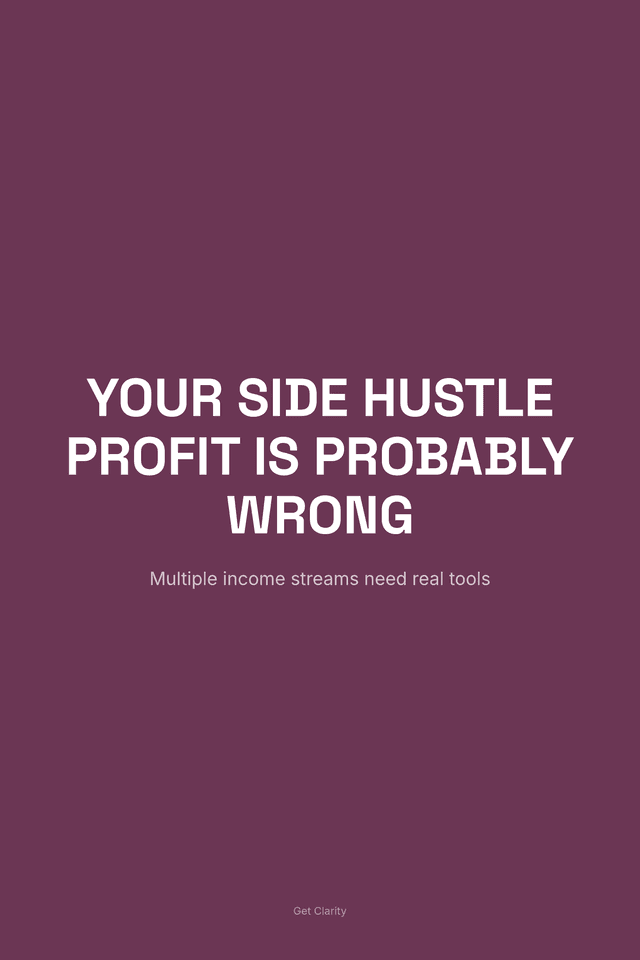



Marketplace-Ready Copy
You think your side hustle is profitable. Your spreadsheet disagrees.
Primary hookWhat if your busiest hustle is actually your worst one, and you had no idea?
Stop running three income streams with zero financial visibility. There's a $27 fix for that.
You're working harder than ever, the day job, the Etsy shop, the freelance clients, maybe the weekend gig, and yet the money still feels like it's slipping through your fingers. You can't tell which hustle is actually worth your time, tax season sends you into a panic spiral, and 'paying yourself' is more of a wish than a system. You deserve better than guessing. The Side Hustle CFO was built for exactly the financial life you're living right now, multiple income streams, real expenses, limited time, and zero margin for costly surprises. In 30 minutes a week, you'll finally see the full picture: real profit, real tax liability, and a clear answer to the question that actually matters, where should my next hour go?
- Know your TRUE profit per hustle, after platform fees, supplies, drive time, and hidden costs most earners never track
- Never panic at tax time again with an automated self-employment tax reserve that sets money aside before you spend it
- Pay yourself a consistent monthly amount even when income is wildly irregular using a built-in income smoothing formula
- Make confident scale-or-kill decisions on every hustle with a data-driven matrix that shows you exactly what deserves more of your time
- Claim every dollar you've earned with 75+ commonly missed deductions organized by hustle type and linked to IRS Schedule C
- Run your entire financial life in 30 minutes a week, a pre-built Google Sheets system that's ready the moment you open it
This entire product — 13 chapters, 15,000+ words, cover image, sales copy, and Pinterest pins — was created by AI in minutes.
Not days. Not weeks. Minutes.
Try Kupkaike Free — 20 Credits →Your Turn to Bake.
Everything on this page was generated from a single niche idea. No design skills. No copywriting. No code. Just your idea, and Kupkaike does the rest.
Start free — no credit card required
The Side Hustle CFO: Personal Finance System for Blended Income Earners
AI-generated digital product